DWR-921 Quick Installation Guide
7. Click the Close button in the connection properties window.
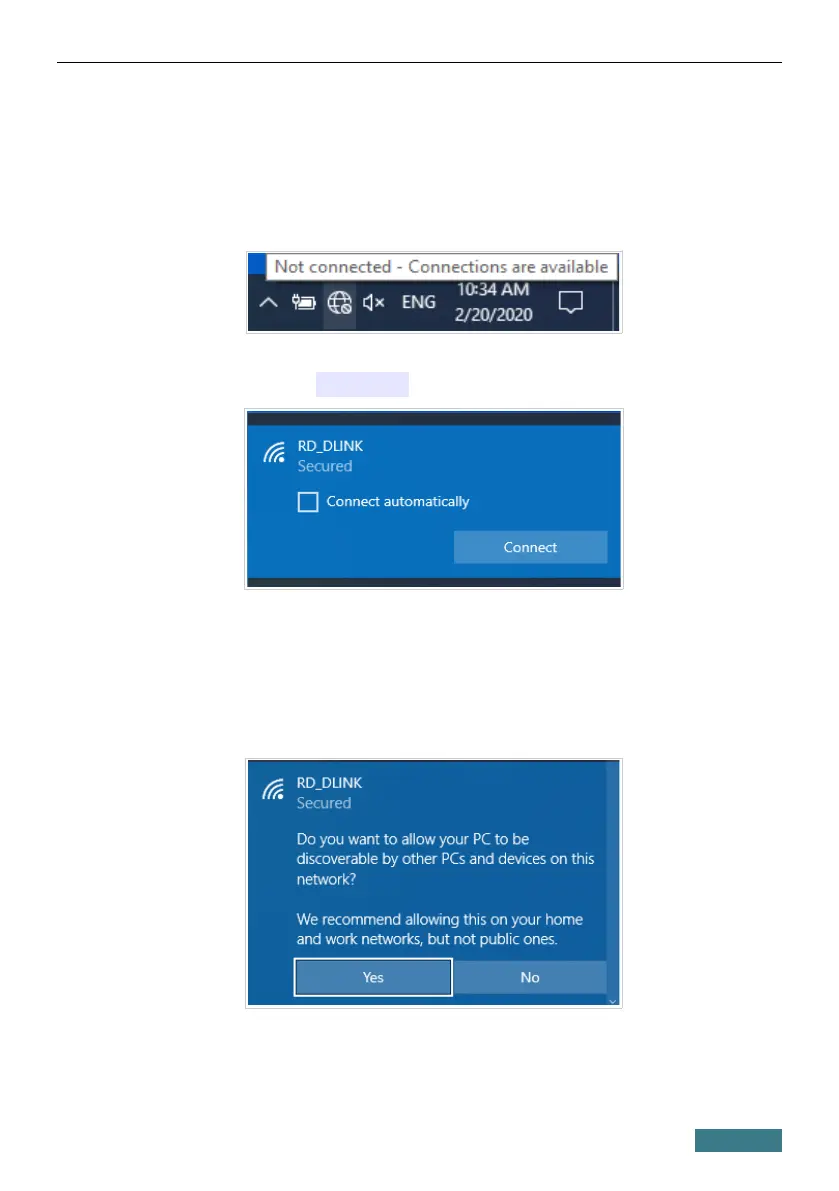
8. To open the list of available wireless networks, select the icon of the
wireless network connection and click the Connect To button or left-
click the network icon in the notification area located on the right side of
the taskbar.
9. In the opened window, in the list of available wireless networks, select
the wireless network DWR-921 and click the Connect button.
10. In the opened window, enter the network key (see WPS PIN on the
barcode label on the bottom panel of the device) in the Security key
field and click the Next button.
11. Allow or forbid your PC to be discoverable by other devices on this
network (Yes / No).
15



 To Next Page