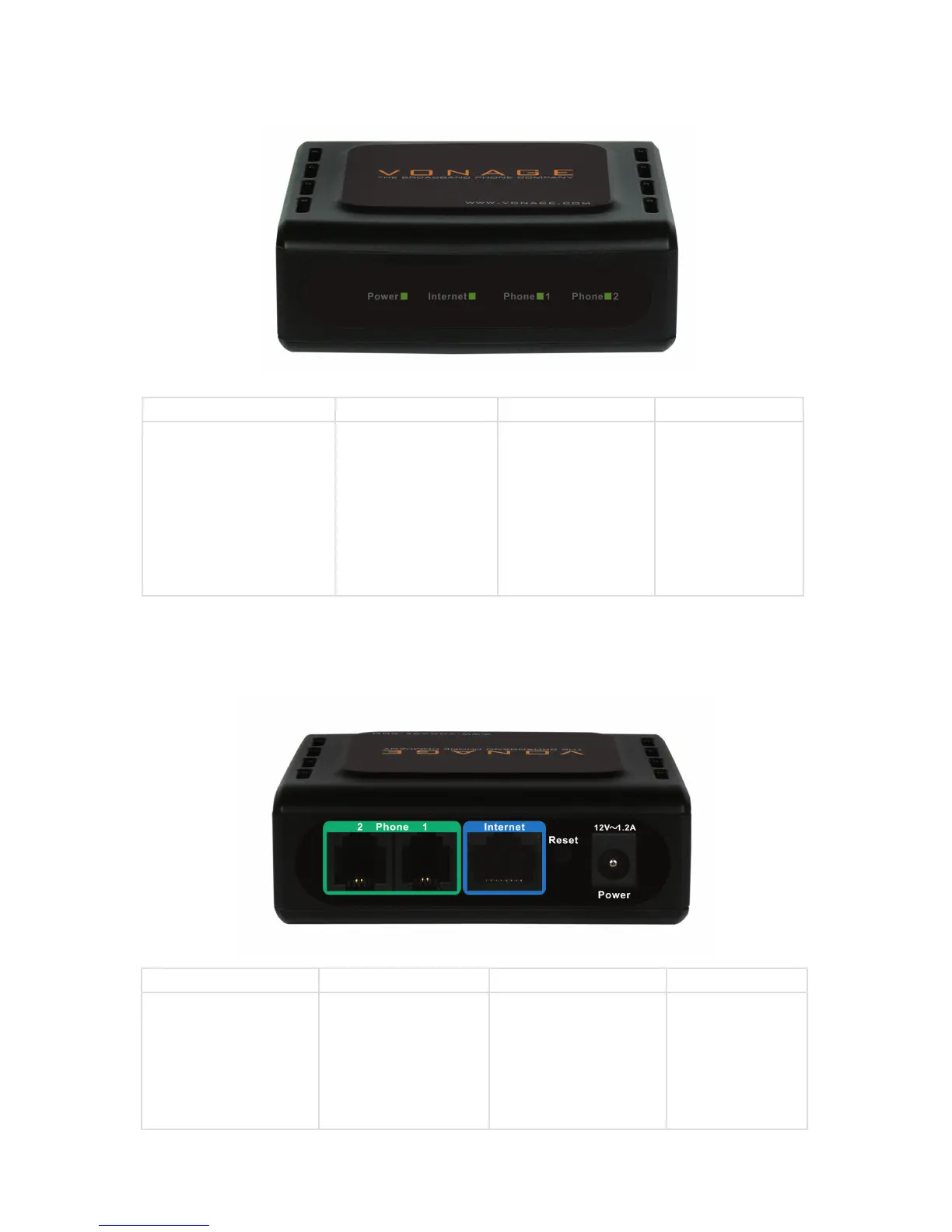
Front Panel
Rear Panel
Power Internet Phone 1 Phone 2
When the power light
stops blinking and is a
solid green, this indicates
that your adapter has
started up properly. Note
that both the power light
and the phone light must
be solid in order to make
a phone call.
Solid light indicates
connectivity to your
router or network
- whenever there is
data activity this light
will blink.
Solid light indicates
that phone line 1 is
ready for Vonage
Internet telephone or
FAX calls.
Solid light indicates
that optional phone
line 2 is ready for
Vonage Internet
telephone or FAX
calls.
Phone (1 & 2) Internet Reset Power
Plug your phone into
port #1 and if you’ve
signed up for a second
Vonage phone line, an
optional phone or FAX
machine into phone
port #2.
Connect to your
network using the blue
Ethernet cable.
Press the reset button
to reset the VTA back to
the default settings.
Plug in the
supplied power
adapter.


 To Next Page
 Loading...







