15D-Link WNA-1330 User Manual
Section 2 - Installation
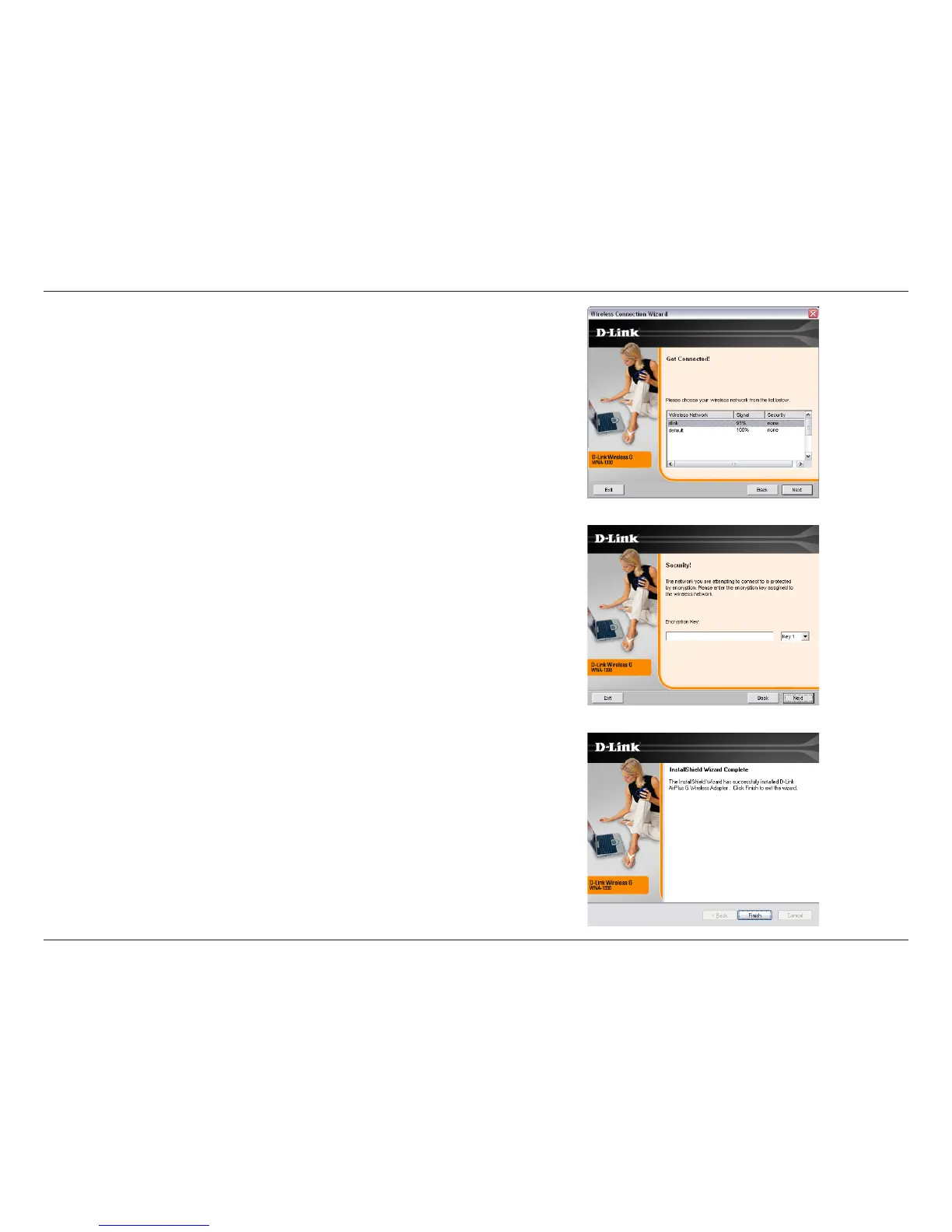
Click the Scan button to display a list of wireless networks (site survey). Click
on the network name (SSID) and click Connect.
If the wireless network you are trying to connect to is encrypted, enter the WEP
key or WPA-PSK passphrase. Click Next to continue.
Click Finish to continue. If you are prompted to reboot your computer, select
Yes, I want to restart my computer now.


 To Next Page
 Loading...