33D-Link WNA-1330 User Manual
Section 3 - Configuration
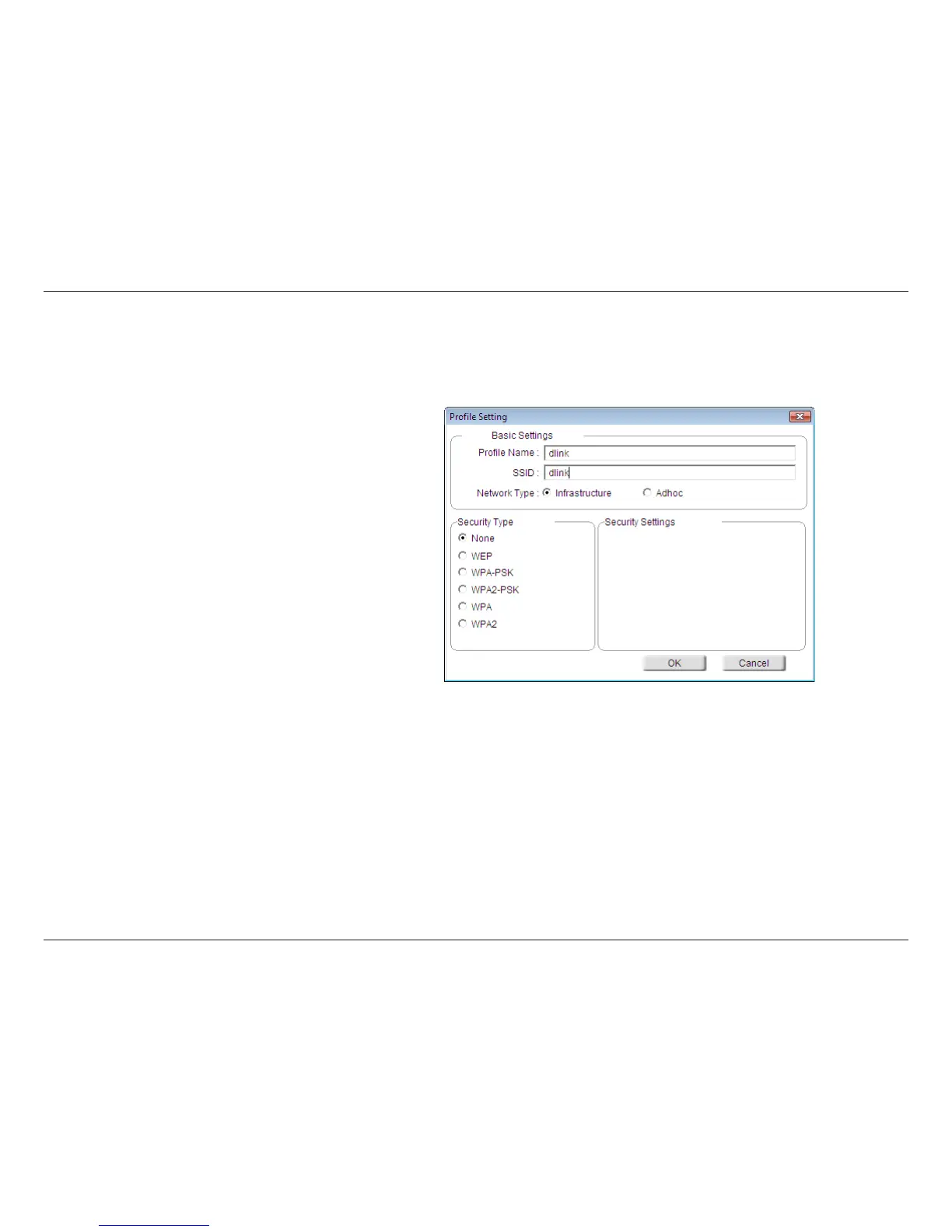
Modify Profile
You may edit an existing profile by clicking the Modify button from the My Wireless Networks page.
Enter a name for your profile (e.g.
Home, Office, Coffee Shop).
Enter the SSID of the wireless network.
Select the network type. If you are connecting to a
wireless router or access point, select Infrastructure.
Select the type of security used. Please refer to the
Wireless Security section for more information.
Click OK to save your settings.
SSID:
Profile Name:
OK Button:
Network Type:
Set Security:











 To Next Page