16D-Link WNA-1330 User Manual
Section 2 - Installation
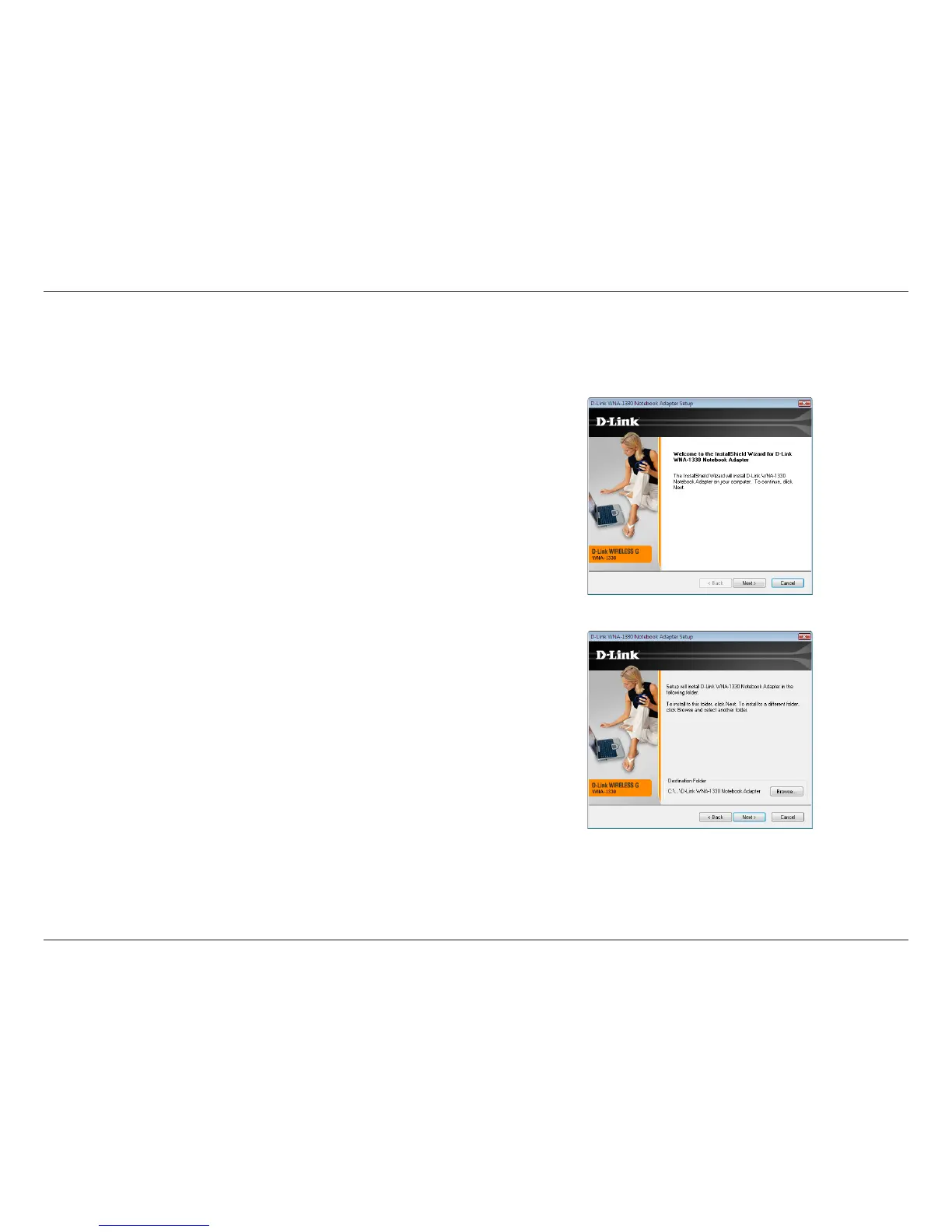
After double-clicking on the driver icon the InstallShield Wizard window will appear.
Once the setup wizard opens, click Next to continue.
Windows Vista™ Installation
By default, setup will install to the destination folder: C:\Program Files\D-Link\
WNA-1330, where C: represents the drive letter of your hard drive. To install
to a different location, click Browse and specify the location, otherwise click
Next to continue.
Under Program Folder you may use setup’s default name, type a new folder
name, or select one from the existing folders list. Click Next to continue.



 To Next Page
 Loading...