ENGLISH
51
The numbers, shown on the right in the various boxes, represent the branch and item numbering of the different parts
of the menu and are shown on the display (providing a quick reference for the position where we are).
The following paragraphs describe each menu item in detail.
6.2.1 Settings
The “Settings” sub-menu allows us to reactivate the WIZARD (as at the first installation) and to access a series of
parameters for customising the system.
6.2.1.1 WIZARD (loaded from the menu)
The easy configuration Wizard, proposed automatically at the first switch-on (see par. 4.2), can be loaded manually
from this menu item.
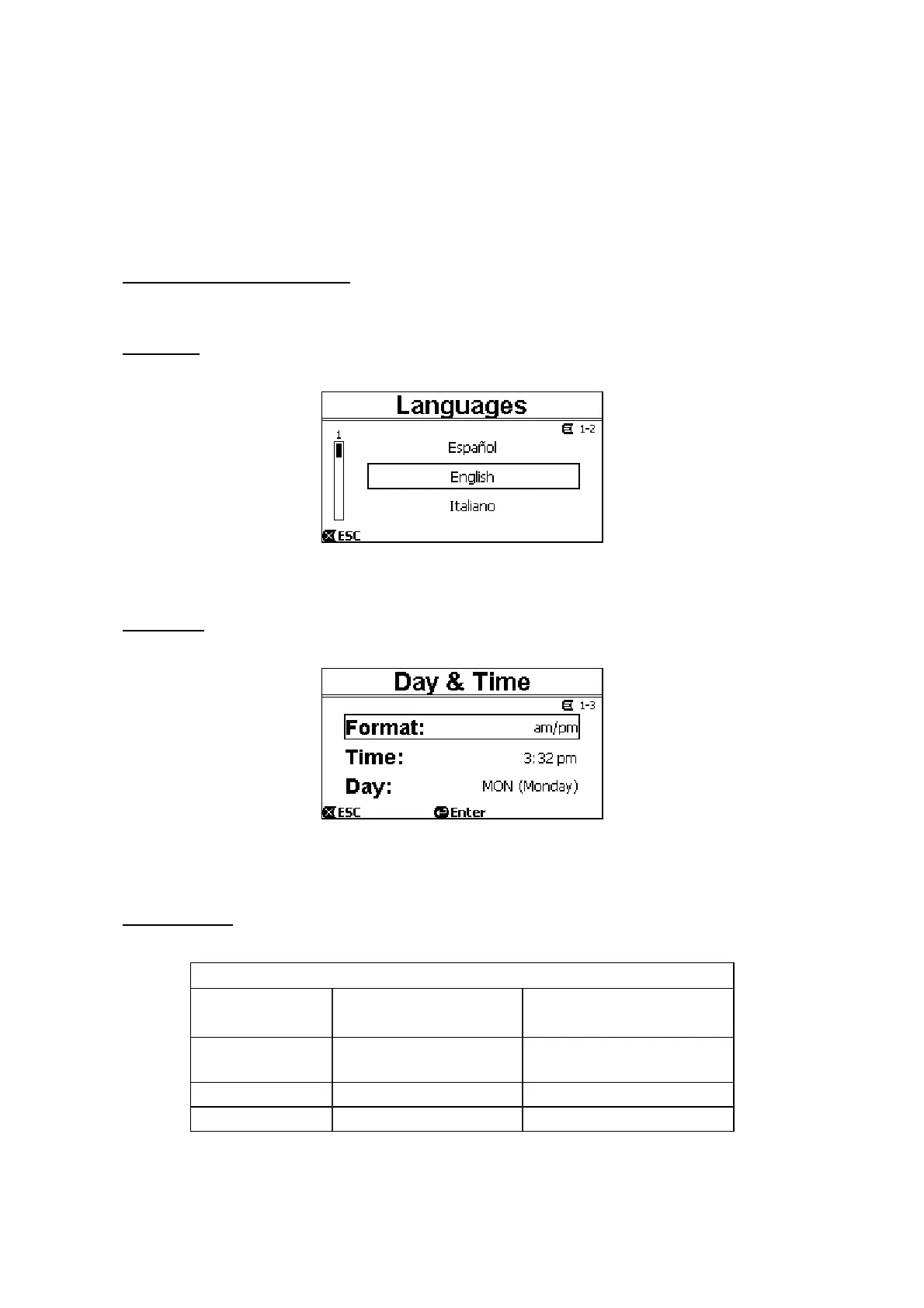
6.2.1.2 Languages
Selection of the language we want to use on the displays.
Figure 22
The choice is made by selecting the desired language (with the up arrow and down arrow keys) and pressing “OK”.
The factory setting is given in chapter 8.
6.2.1.3 Day & Time
From this page we set the current day of the week and time, along with the preferred format for the hours (that is 1 –
24, or 1 – 12 with AM or PM).
Figure 23
Paragraph 6.1.3 describes in detail how to set the time.
Date and time are not determined when the system leaves the factory.
6.2.1.4 Unit of Measure
Selection of the units of measure used by the machine.
The following table shows the units that can be selected; the choice is separate for each quantity.
Units of measure displayed
Quantity Metric units Imperial units
Head H
m (metres) ft (feet)
Flow Q
m3/h US GPM
Temperature
°C
°F
Table 4 – Units of measure
The units of measure for flow are “m
3
/h” (cubic metres per hour) or “GPM” (US gallons per minute).
The factory setting is given in chapter 8.


 To Next Page