26
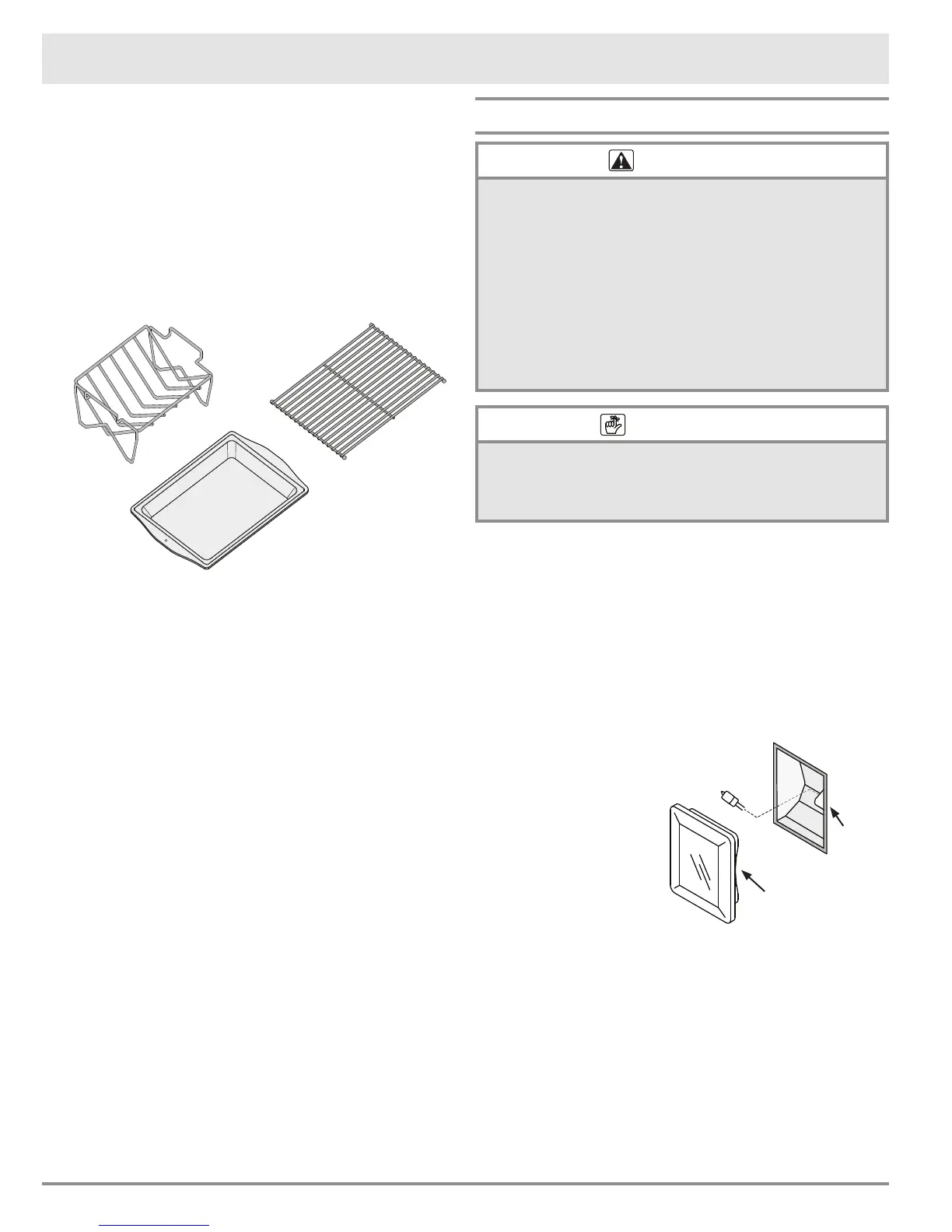
Optional Roast/Broil Pan with “V” Shaped
Rack
Your roast/broil pan has a porcelain enamel nish. When
you clean it, use a solution of detergent and hot water. If
your roast/broil pan is heavily soiled, use a scouring pad
and plenty of water. Rinse it well after cleaning.
The optional “V” shaped rack and grill are nished with an
Excalibur non-stick coating. When you clean it, use a mild
solution of detergent and warm water. Use the soft side of
a sponge to scrub it and dry it with a lint-free cloth.
Optional Baking Stone
Wash the optional baking stone with hot water and scrub
it clean before you use it for the rst time. Do not use
any soap or detergents to wash the stone. The stone is
porous and soap will get trapped inside. The trapped soap
will affect the avor of the food cooked on it. Do not be
alarmed if the stone gets stains on it after it is used for
a while. Stains do not affect the stone’s ability to bake
properly.
When you need to remove large food particles from the
baking stone, use warm water and a scrub brush. If there
is a lot of oil build-up, it may smoke and create odors. If
you need to remove the oily build up, use a scouring pad
or brush to remove it. You may also use a paste of baking
soda and water to scrub off small stains.
Optional Cookie Sheets
Clean the optional aluminum cookie sheets with a solu-
tion of detergent and warm water. Since aluminum can
scratch, you need to use the soft side of a sponge. You
may want to use parchment paper over the cooking sur-
face during baking to make them easier to clean after-
ward. The parchment paper will also prevent food from
sticking.
Care and Cleaning
Replacing the Light Bulb(s)
warning
• To prevent electrical shock and/or personal injury, make
certain that the oven and the light bulb are cool and
that power to the oven has been turned off at the circuit
breaker panel or fuse box before replacing a light bulb.
• Always make sure the lens cover is in place when
using the oven. The lens cover protects the light bulb
from breakage caused by high oven temperatures or
mechanical shock.
• Replacing the lens cover without lining up the cut-out
with the light socket will damage the light fixture.
• Do not use a screwdriver to remove the lens cover.
important
Do not touch the replacement halogen light bulb with your
fingers. Halogen bulbs are sensitive to the oils from your
hand. The oils from your hand will stick to the bulb and
may cause it to burn out faster than normal.
Light bulb replacement is considered to be a homeowner
maintenance operation. If the lights do not work, before
replacing them, please consult the Problem Solution
Guide on page 27.
To replace a light bulb:
1. Replace the light bulb(s) only with Dacor part number
100429. See page 30 for ordering information.
2. Turn off power to the oven at the circuit breaker panel
or fuse box.
3. Hold your hand under
the lens for support
and pry it loose using
a spatula or table
knife. Pull the lens
cover straight out.
4. Grasp the old bulb
and pull it straight out
of the socket.
5. Using a glove, insert
the new bulb into the
socket.
6. As you reinstall the lens cover, line up the cutout on
the inside rim with the light socket. Gently press it
into its original position.
7. Turn the power to the oven back on.
8. Reset the clock (see page 8).
Light
bulb
Light
socket
Cutout on inside
rim of lens


 To Next Page