EasyManua.ls Logo

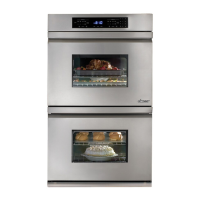
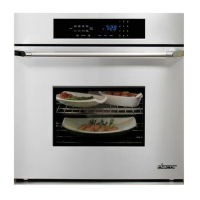
Dacor Wall Oven - User Manual

Dacor Wall Oven
64 pages
Print Icon
To Next Page IconTo Next Page
Loading...
WALL OVEN
USE AND CARE MANUAL
Please read this manual before operating your oven. Keep it for future reference.
Part No. 65491 Rev. C

Other manuals for Dacor Wall Oven

Question and Answer IconNeed help?

Do you have a question about the Dacor Wall Oven and is the answer not in the manual?

Summary

Important Safety Instructions

Getting to Know Your Oven

Parts of the Oven

Identifies and describes the key components of the Dacor wall oven, including control panel, racks, and elements.

Control Panel Layout

Details the arrangement and function of the control panel keys, display, and keypad for oven operation.

Oven Setup

Clock Settings

Guides on setting the time, date, and clock format (12/24 hour) on the oven display.

Operating Your Oven - The Basics

Standard Oven Racks

Explains how to properly insert and remove standard oven racks from the oven chamber.

GlideRacks Operation

Details the insertion and removal process for Dacor's specialized GlideRacks for easier access.

Starting Oven Operation

Provides step-by-step instructions for initiating cooking modes and setting temperatures.

Deluxe Features

Dacor Guide: Cook by Food

Introduces the automated cooking system that sets modes and temperatures based on food type.

Delay;Timed Cooking

Explains how to schedule oven operation for future start or stop times.

Meat Probe Usage

Guides on using the meat probe to monitor internal food temperatures for precise cooking.

Cleaning and Maintaining Your Oven

Self-Cleaning Cycle Guide

Instructions and warnings related to using the oven's self-cleaning feature.

Problem Solving

Getting Help and Service

Information on troubleshooting common issues and contacting customer support for assistance.
Summary

Important Safety Instructions

Getting to Know Your Oven

Parts of the Oven

Identifies and describes the key components of the Dacor wall oven, including control panel, racks, and elements.

Control Panel Layout

Details the arrangement and function of the control panel keys, display, and keypad for oven operation.

Oven Setup

Clock Settings

Guides on setting the time, date, and clock format (12/24 hour) on the oven display.

Operating Your Oven - The Basics

Standard Oven Racks

Explains how to properly insert and remove standard oven racks from the oven chamber.

GlideRacks Operation

Details the insertion and removal process for Dacor's specialized GlideRacks for easier access.

Starting Oven Operation

Provides step-by-step instructions for initiating cooking modes and setting temperatures.

Deluxe Features

Dacor Guide: Cook by Food

Introduces the automated cooking system that sets modes and temperatures based on food type.

Delay;Timed Cooking

Explains how to schedule oven operation for future start or stop times.

Meat Probe Usage

Guides on using the meat probe to monitor internal food temperatures for precise cooking.

Cleaning and Maintaining Your Oven

Self-Cleaning Cycle Guide

Instructions and warnings related to using the oven's self-cleaning feature.

Problem Solving

Getting Help and Service

Information on troubleshooting common issues and contacting customer support for assistance.

Dacor Wall Oven Specifications

General IconGeneral
BrandDacor
ModelWall Oven
CategoryOven
LanguageEnglish

Related product manuals