26
Deluxe Features
Wall Oven
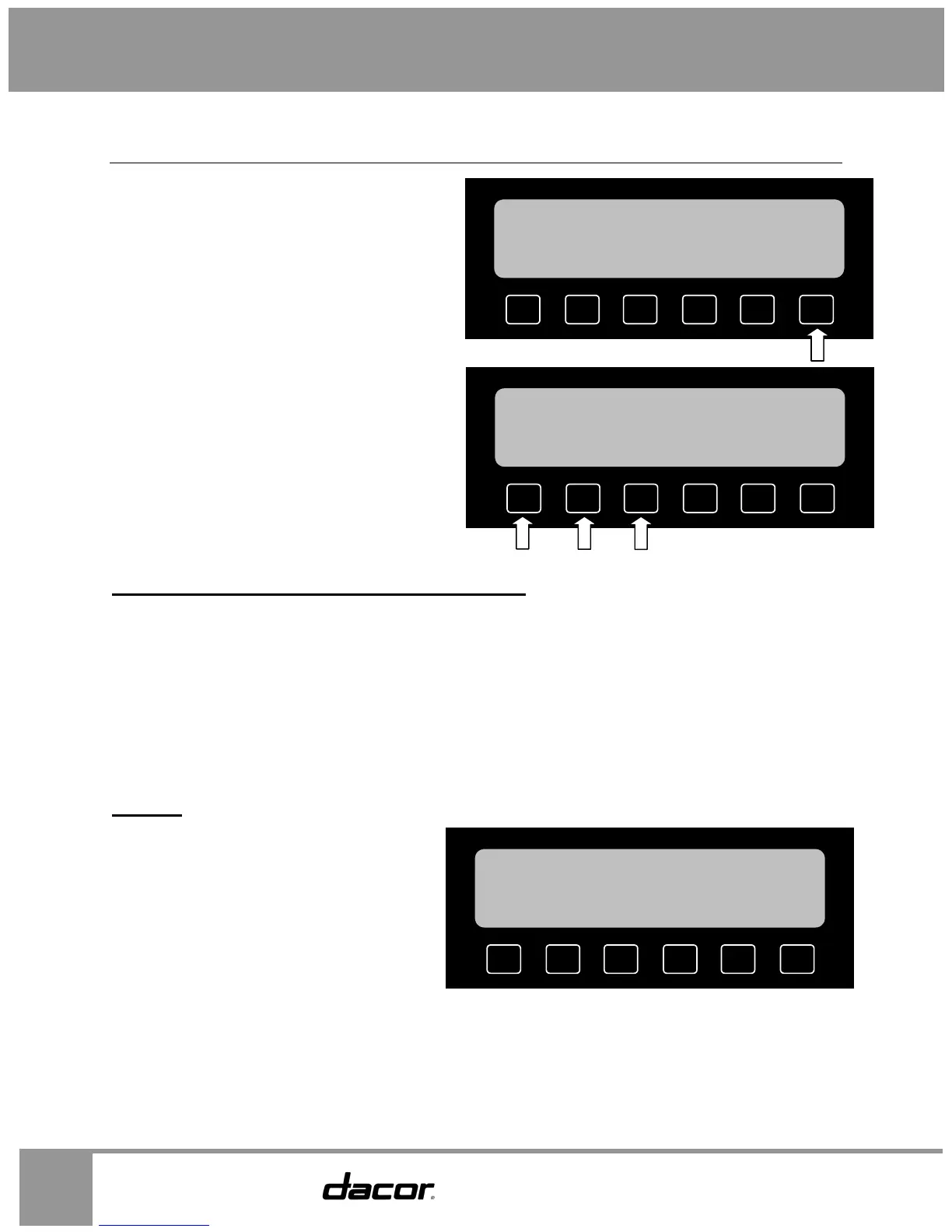
Main Menu
The main menu allows you to access your oven’s
deluxe features and cooking modes.
• To access the main menu, press the MAIN
MENU key on the home screen.
• The main menu will appear.
The three basic styles of cooking in an oven are:
Baking: The gentle cooking of dry goods such as cookies, cakes, soufflés, etc.
Roasting: The cooking of meats over a period of time.
Broiling: Cooking with an intense heat for a short amount of time.
As seen on the main menu diagram above, there are 3 options available. When one of these 3 keys is
pressed, the mode options available for that style of cooking appear on the screen. When you select a
mode option for a particular cooking style the “jump-in” temperature is shown for that mode. This is the
temperature that will automatically come up when you select the mode. To change the temperature, just
enter the desired temperature on the number keypad and press START.
Baking
When you press the BAKING key on the
main menu, the BAKING menu appears.
MAX
BROIL
PURE
CONVECTION
PURE
CONV/SEARBAKE
DACOR
GUIDE
MAIN
MENU
12:25 PM
S UPPER T LOWER
MAX
BROIL
PURE
CONVECTION
PURE
CONV/SEARBAKE
DACOR
GUIDE
MAIN
MENU
12:25 PM
S UPPER T LOWER
DDITIONAL
SETTINGS
BROILING
ROASTING BAKING
SAVED
GUIDE
MORE
12:25 PM
S UPPER T LOWER
CONV
BAKE
SURR
BAKE
PURE
CONV BAKE
SURR
CONV
HELP
12:25 PM
S UPPER
SELECT A BAKING MODE


 To Next Page