32
Deluxe Features
Wall Oven
Additional Settings…See Oven Setup Starting on Page 10
Saved Guide
The save feature allows you to save the oven settings for up 100 of your favorite recipes. Once you save
the settings, your oven remembers them and can use them to automatically set the temperature, meat
probe, and cooking time so that you don’t have to look them up.
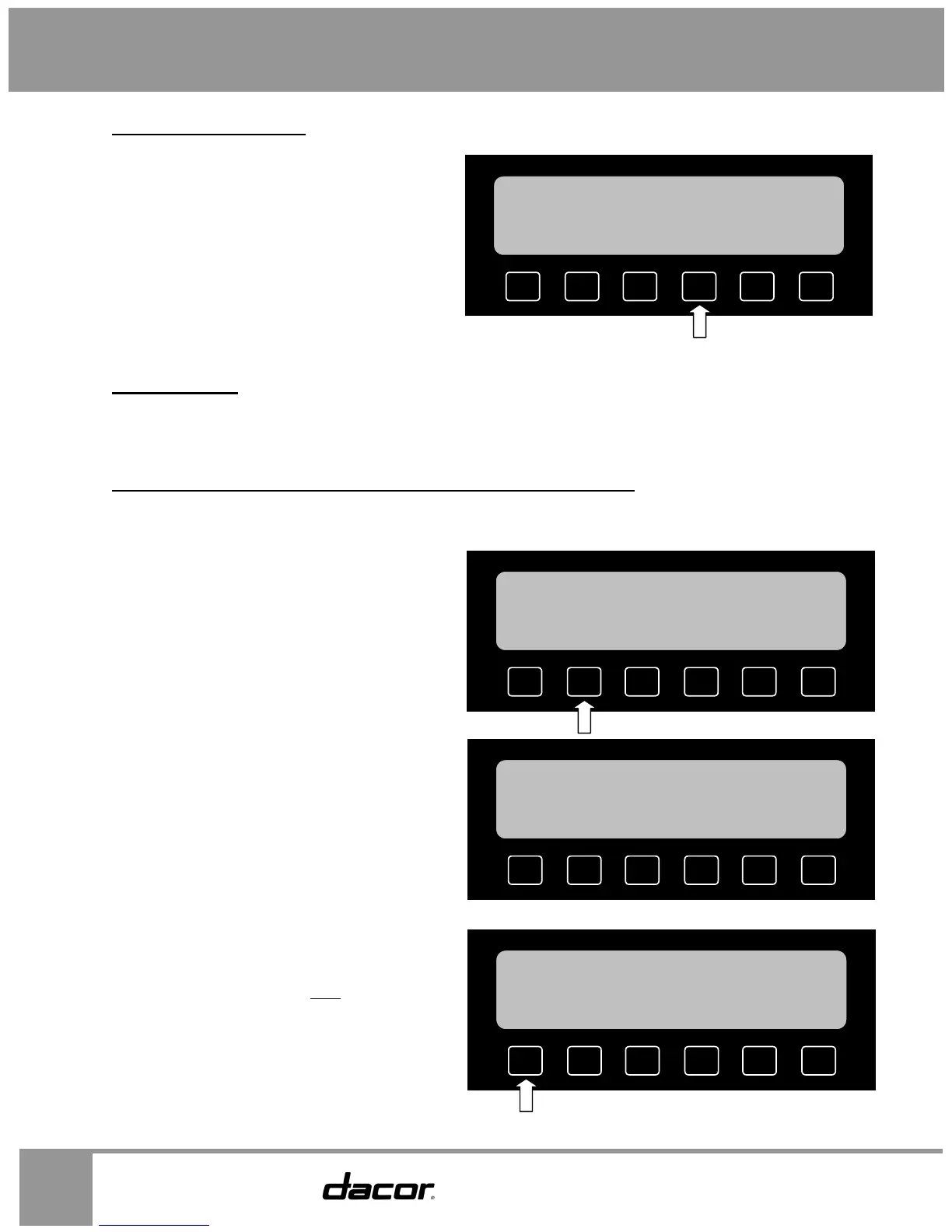
How to Save the Oven Settings for Your Favorite Recipe
• You save the settings after you select the feature you want to use, but just before pressing the
START key.
• If you want to use the save feature, start by
setting up your oven the way you normally
would according to the cooking, dehydrate,
defrost, and proof sections of this manual.
• Before you press the START key, press the
SAVE key.
• Press CLEAR if you want to remove the let-
ters already on the display.
• Use the keys below the display and on the
number keypad to enter the name of the
recipe. To enter letters, press the key with
the letter you want on it repeatedly until that
letter appears on the display. Pause for 5
seconds before entering a new letter or
number.
• Press the SAVE FILE key.
NOTE: Saved recipes will NOT
be lost in the
event of a power outage.
MEAT
PROBE
SAVE
DELA
OPTIONS
HELP
12:25 PM
S UPPER
350
°F
BAKE
PRESS START
DD
SPACE
BACK
SPACE
CLEAR
SAVE
FILE
HELP
12:25 PM
FILE NAME
BAKE 001
DD
SPACE
BACK
SPACE
CLEAR
SAVE
FILE
HELP
12:25 PM
FILE NAME
MY COOKIES
DDITIONAL
SETTINGS
BROILING
ROASTING BAKING
SAVED
GUIDE
MORE
12:25 PM
S UPPER T LOWER


 To Next Page