27
Before You Call for Service
Problem Solution Guide
NOTE: See Common Problems When Using the Bake Mode on page 12 for problems with cooking food.
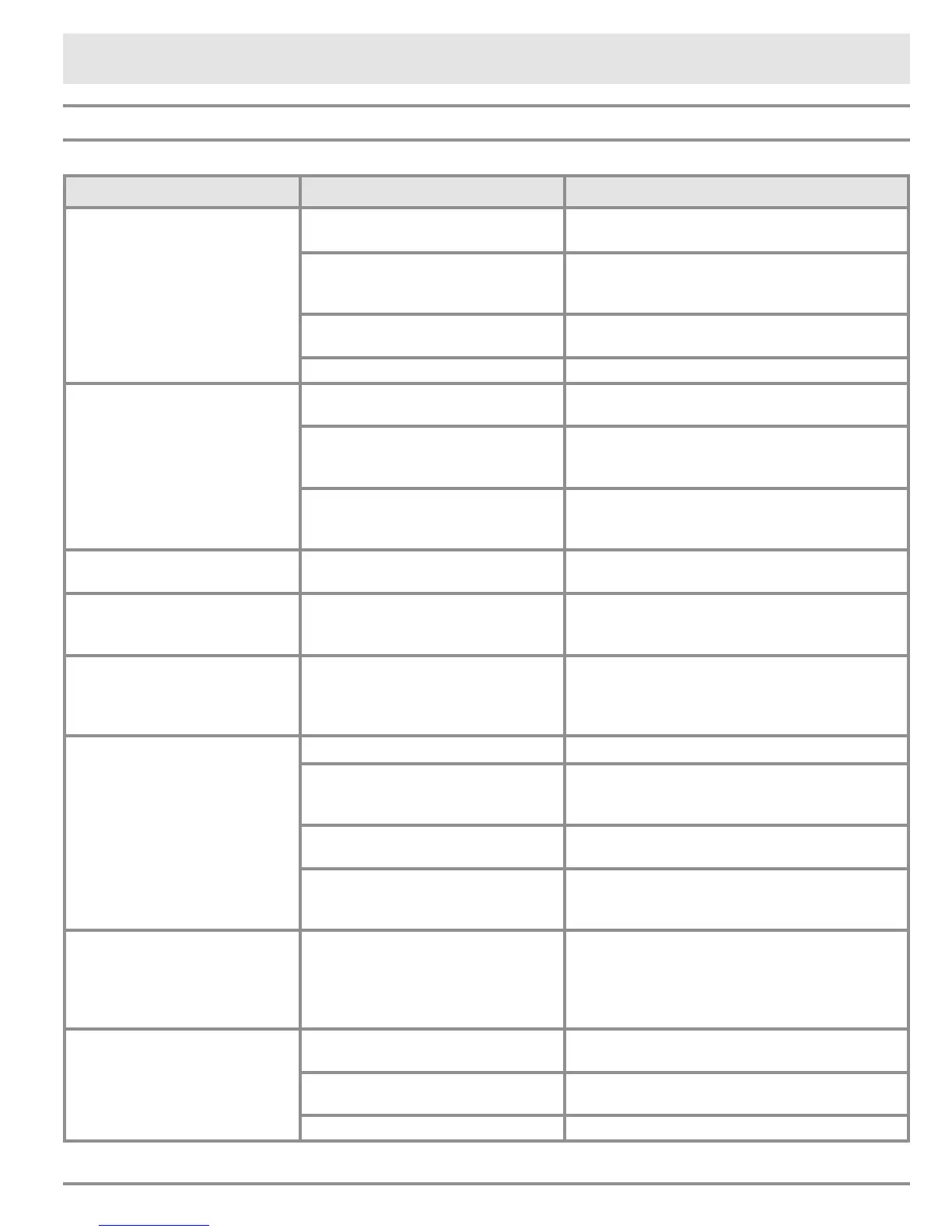
Problem May Be Caused By What to Do
Nothing works. Oven not connected to electrical
power.
Have a licensed electrician connect the oven to
a properly wired electrical connection.
Power to oven is off. Turn on power at the circuit breaker or fuse
box. Check for a tripped breaker or blown
fuse.
Control panel locked. Press CANCEL · SECURE key for 4 seconds to
reactivate the control panel.
Power outage. Contact the power company.
Oven will not heat. Oven setting not correct. Press CANCEL · SECURE, then follow the
instructions in Operating the Oven section.
Oven set for delay timed cooking. The oven will turn on automatically at the
preset time. Press CANCEL · SECURE to
return to normal operation.
Attempting to broil with the meat
probe connected.
The broil and convection broil settings will not
work when the meat probe is connected. Dis-
connect the meat probe.
Foods over or under cook. Incorrect cooking time or tempera-
ture.
Follow the instructions in Operating Your
Oven section.
Oven shuts off by itself after it
has been on for 12 hours.
12 hour timer is on. Unit is set
to turn off automatically after 12
hours of continuous use.
Turn off the 12 hour timer. See page 11.
Control panel does not “beep”
when pressing the keys on the
control panel and when the
timer runs down to zero.
Control panel tone (“beep”) is set
to off.
Turn control panel tone (“beep”) on. See page
8.
Oven does not self clean. Oven door not shut tightly. Check for obstructions. Shut the door tightly.
Oven set for delay timed cleaning. The oven will start to self clean at the preset
time. Press CANCEL · SECURE to return to
normal operation.
Oven not set properly. Follow the instructions in Care and Cleaning
section.
Meat probe connected. The oven will not start the self clean cycle
when the meat probe is connected. Disconnect
and remove the meat probe.
Oven door will not open. Oven is set to self clean. Check display. If lock symbol appears on
display, oven door cannot be opened. Wait for
oven to complete self clean or press CANCEL
· SECURE. Door will unlock once oven has
cooled.
Oven light(s) will not work
(control panel is lit).
Oven in self clean mode. The light key does not work when the oven is
in self clean mode. See page 23.
Oven in Sabbath mode. The light key does not work when the oven is
in Sabbath mode. See page 20.
Light bulb(s) burned out. Replace the light bulb(s).
continued...


 To Next Page