EasyManua.ls Logo

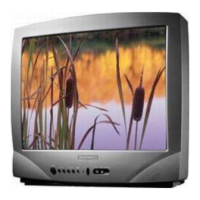
Daewoo 141VT - User Manual

Daewoo 141VT
28 pages
Print Icon
To Next Page IconTo Next Page
Loading...
INSTRUCTION MANUAL
COLOR TELEVISION
MODEL NO.
14D4M/20D4M/ 21D4M/14P2M
20P2M/21P2M/14Q2M/20Q2M
21Q2M/14S2M/20S2M/21S2M
14T2M/20T2M/21T2M/14U1M
20U1M/21U1M/14V1M/20V1M
21V1M/14K8MT/20K8MT/21K8MT
14V4M/20V4M/21V4M/14V4T
20V4T/21V4T/14U1T/20U1T/21U1T
14V1T/20V1T/21V1T/14D4T
20D4T/21D4T/14D3T/20D3T
21D3T/14D7T/20D7T/21D7T
14E5M/20E5M/21E5M/14S2T
20S2T/21S2T/21U3MTS/20T1TS
20T1ZS/20Q1TS/21T5TS/21U3T
2131N/2132N/2134N/2130N
21FL6N/2131NT/2132NT/2134NT
2130NT/21FL6NT/14D7N/20D7N
21D7N/14K8M/20K8M/21K8M
14S2/20S2/21S2/14D4/20D4
21D4/14V5TB/14V5TS/14V5TW
14Q1N/20Q1N/21Q1N
KR14E5 / KR20E5 / KR21E5
KR14E5M / KR20E5M / KR21E5M
KR14U1T / KR20U1T / KR21U1T
KR14U2T / KR20U2T / KR21U2T
KR14U3T / KR20U3T / KR21U3T
KR14V1T / KR20V1T / KR21V1T
KR14V4T / KR20V4T / KR21V4T
KR14V4 / KR20V4 / KR21V4
KR14D7T / KR20D7T / KR21D7T
KR14D7 / KR20D7 / KR21D7
KR14U1TS/KR20U1TS/KR21U1TS
KR14V1TS/KR20V1TS/KR21V1TS
KR14V4TS/KR20V4TS/KR21V4TS
KR14V5TB/KR14V5TS/KR14V5TW
KR21FL6M/KR2131FL/KR2132FL
KR2134FL/KR2132NT/KR2134NT
KR2130N/KR2131N/KR2132N
KR2134N/KR2130NT/KR2131NT
KR21FL6N/KR15U7FL/KR15U7T
KR15U5FL/KR15U5T/KR14V5T
KR20V5T/KR21V5T/KR14D4TS
KR14D3TS/KR20D3TS/KR21D3TS
KR14D4TS/KR20D4TS/KR21D4TS
KR14D4Z/KR20D4Z/KR21D4Z
KR1420Z/KR2020Z/KR2120Z
KR21FL6/KR15A1FL/KR15U7FL
KR15U5FL-2T/KR15U7FL-2T

Questions and Answers

Overview

This document is an instruction manual for a Daewoo Color Television, model ME61. It provides comprehensive information on the television's operation, features, and maintenance.

Function Description

The Daewoo Color Television is designed for home entertainment, offering standard television viewing, external equipment connectivity, and an integrated teletext function (option). It also includes a unique "Othello game" for user entertainment.

Important Technical Specifications

The television supports multiple TV standards: PAL/SECAM-B/G, D/K, H, I/I (NTSC AV ONLY). It operates on an AC110-250V~, 50/60Hz main voltage. Power consumption varies by model:

  • 14-inch models:
    • 14E*, 14V*: 49W
    • 14P2M, 14Q2M, 14S2M, 14T2M, 14U*, 14D*, 14K8MT: 57W
    • KR14E5, KR14V*: 49W
    • KR14D*, KR14U*, KR1420*: 57W
    • KR15*: 64W
    • KR14D4TS, KR14D3TS, KR14D4TS, KR14D4Z, KR1420Z: 57W
  • 20-inch models:
    • 20V*: 60W
    • 20P2M, 20Q*, 20D*, 20S2M, 20T*: 66W
    • 20K8MT, 20U*: 68W
    • KR20E5, KR20U2*, KR20V*: 60W
    • KR20D*, KR20U1*: 66W
    • KR20V*, KR20U3*: 68W
    • KR20D3TS, KR20D4TS, KR20D4Z, KR2020Z: 66W
  • 21-inch models:
    • 21V*: 68W
    • 21P2M, 21Q2M, 21S2M, 21T*, 21D*, 213*, 21FL6: 73W
    • 21U*, 21K8*: 74W
    • KR21E5, KR21V*, KR21U2*, KR20U1*, KR21V*, KR20U3*: 68W
    • KR21D*, KR213*, KR2120*, KR21F*: 73W
    • KR21U1*, KR21U3*: 74W
    • KR21D3TS, KR21D4TS, KR21D4Z, KR2120Z: 73W

Usage Features

The television offers a range of features for ease of use:

Basic Operation:

  • Switching On/Off: The TV can be switched on using the MAIN POWER button on the set, followed by the PR UP button, or by using the power, PR UP, or number buttons on the remote control. It can be switched off to standby mode using the power button on the remote. For extended periods of non-use, the MAIN POWER button on the set should be used.
  • Remote Control: The remote control requires two 1.5V AAA batteries.
  • Connecting External Equipment: The TV supports RCA Jack AV (back and front) and SCART (option) connections for VCRs, camcorders, S-VHS VCRs, PERI-TV decoders, or video game consoles. The TV/AV button on the remote or front panel switches between AV, S-VHS (Russia only), GAME, and TV modes.
  • Headphone Jack: A 3.5mm headphone jack is available, which mutes the speaker when in use.

Picture and Sound Control:

  • Programme Selection: Channels can be selected directly using number buttons (0-9) on the remote or sequentially using PR UP/DOWN buttons on the remote or front panel.
  • Volume Adjustment: Volume is controlled via VOLUME UP/DOWN buttons on the remote or front panel.
  • Mute Function: The MUTE button on the remote toggles sound on/off.
  • Picture Control: The NORMAL/OK button cycles through three picture settings: Normal I (standard hard picture), Normal II (standard soft picture), and Favourite (customizable via the Picture menu). Brightness, contrast, colour, sharpness, and tint (for AV NTSC only) can be adjusted in the Picture menu.

Advanced Features:

  • Sleep Function: The SLEEP button on the remote allows setting a timer (30, 60, 90, 120 minutes) after which the TV will turn off. The remaining time is displayed on the programme status.
  • Programme Status Display: Accessed via the RECALL button, this displays the programme number, channel name, clock, and remaining sleep time (if activated).
  • Main Menu: The MENU button displays the main menu with options for Picture, Features, and Install. Sub-menus are navigated using cursor buttons and entered with NORMAL/OK.
  • Features Menu:
    • Language: Selects the display language.
    • Child Lock: Prevents TV use without the remote control. When active, the standby indicator is orange.
    • Clock: Sets the TV clock using number buttons. The clock setting is lost if the TV is turned off with the MAIN POWER button.
    • Wake Time: Allows setting a time for the TV to turn on to a selected programme (Wake PR). This function is available only when the clock is set and the TV is in standby mode.
  • Install Menu:
    • Auto Setup: Automatically searches for and stores channels.
    • Edit: Allows editing the programme list, including skipping or deleting channels.
    • Freq.: Manual channel searching and fine tuning.
    • Name: Allows entering station names.
    • Program/Store To: Manually stores programmes to a desired number.
  • Manual Channel Settings: Provides options for choosing a starting point for tuning, manual channel searching (up/down), fine tuning for weak signals, entering station names, and storing programmes. The MENU button on the front panel can also be used to access menus.
  • Teletext (Option):
    • Switching On/Off: The TELETEXT button (目) toggles teletext mode.
    • Selecting Pages: Number buttons (0-9) enter page numbers. UP/DOWN buttons navigate pages.
    • Page Hold: The HOLD button (☐) freezes sub-pages.
    • Colour Buttons: Red, Green, Yellow, Cyan buttons select FASTEXT pages.
    • Index Page: The INDEX button (☐) displays the programme preview or overview page.
    • Subpage: The SUBPAGE button (E) allows direct entry of sub-page numbers.
    • TV during Teletext: The CANCEL button (☐) allows viewing television while teletext information is displayed at the top of the screen.
    • Character Size: The SIZE button (图) cycles through upper half, lower half, and normal size character display.
    • Mix: The MIX button (☐) displays an aerial channel in the background while in teletext mode.
    • Reveal Answer: The REVEAL button (☐) reveals hidden answers on certain pages.
    • Volume/Brightness Control: In teletext mode, repeatedly pressing the MENU button allows adjusting volume or brightness with the LEFT/RIGHT buttons.
  • The Othello Game: A two-player strategy game played on an 8x8 board.
    • Starting the Game: Press TV/AV to enter Game mode.
    • Selecting Opponent: Choose Man vs Man or Man vs TV.
    • Selecting TV Level: If playing against the TV, choose Easy, Medium, or Hard.
    • Gameplay: Player 1 (Man) plays green, Player 2 (Man or TV) plays yellow. Players place discs by moving with Program Up/Down & Volume Up/Down buttons and confirming with the OK button.
    • Game Controls: MENU button restarts the game, TV/AV button quits the game.

Maintenance Features

  • Cleaning: Unplug the set from the mains before cleaning.
  • Moving the Set: If the TV is moved in a different direction, switch off the MAIN POWER button for at least 15 minutes to prevent color strain on the screen.
  • Troubleshooting Guide: The manual includes a troubleshooting section to help diagnose common issues like no picture/sound, poor picture quality, or ghost images. It suggests checking power, volume/brightness/contrast settings, antenna cable connections, and antenna direction.

Safety Precautions:

  • Water and Moisture: Do not install in wet areas or place liquid containers on the set. Avoid exposure to dripping or splashing water.
  • Heat: Do not place near heat sources.
  • Ventilation: Ensure at least 10cm clearance around the unit. Do not cover ventilation openings or place in confined spaces without proper ventilation.
  • Object Entry: Do not insert foreign objects into ventilation openings.
  • Lightning Striking: Disconnect from mains and aerial system during thunderstorms.

Working Life: The working life of the set is 7 years from its production date. After this period, the set may not function properly and could cause damage.

Daewoo 141VT Specifications

General IconGeneral
BrandDaewoo
Model141VT
CategoryTV
LanguageEnglish

Related product manuals

