6
PROGRAMME SELECTION
PROGRAMME SELECTION
SOUND CONTROL
SOUND CONTROL
PICTURE CONTROL
PICTURE CONTROL
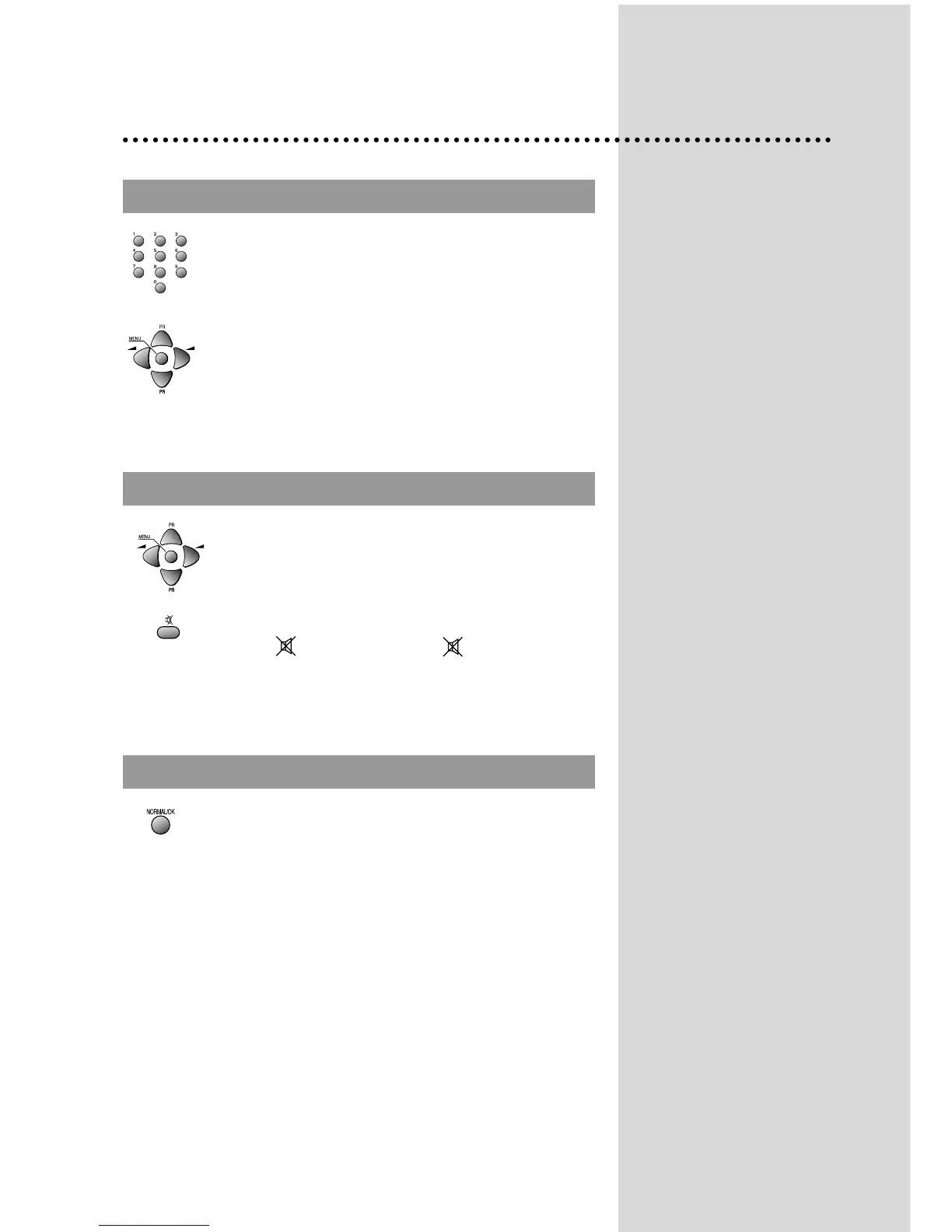
Direct selection
Use remote control NUMBER 0…9 buttons.
For two or three digits programme numbers, press the
button for the next digit within 2.5 seconds.
Up/Down moves
Use PR UP/DOWN buttons of the remote control unit or
on the front of the set.
DAILY USE
Volume adjustment
Use VOLUME UP/DOWN buttons of the remote control
unit or on the front of the set.
Mute
Get sound off by pressing the remote control
MUTE ( ) button. Then, logo ( ) is displayed.
Sound returns by pressing the same button again.
You can choose between three picture settings, using
repeatedly remote control NORMAL/OK button :
Normal I (standard hard picture)
Normal II (standard soft picture)
Favourite (you can adjust picture setting as you
want, using Picture menu).
For other adjustments : Brightness, contrast, colour,
sharpness, see Picture menu. (page 9)


 To Next Page