4
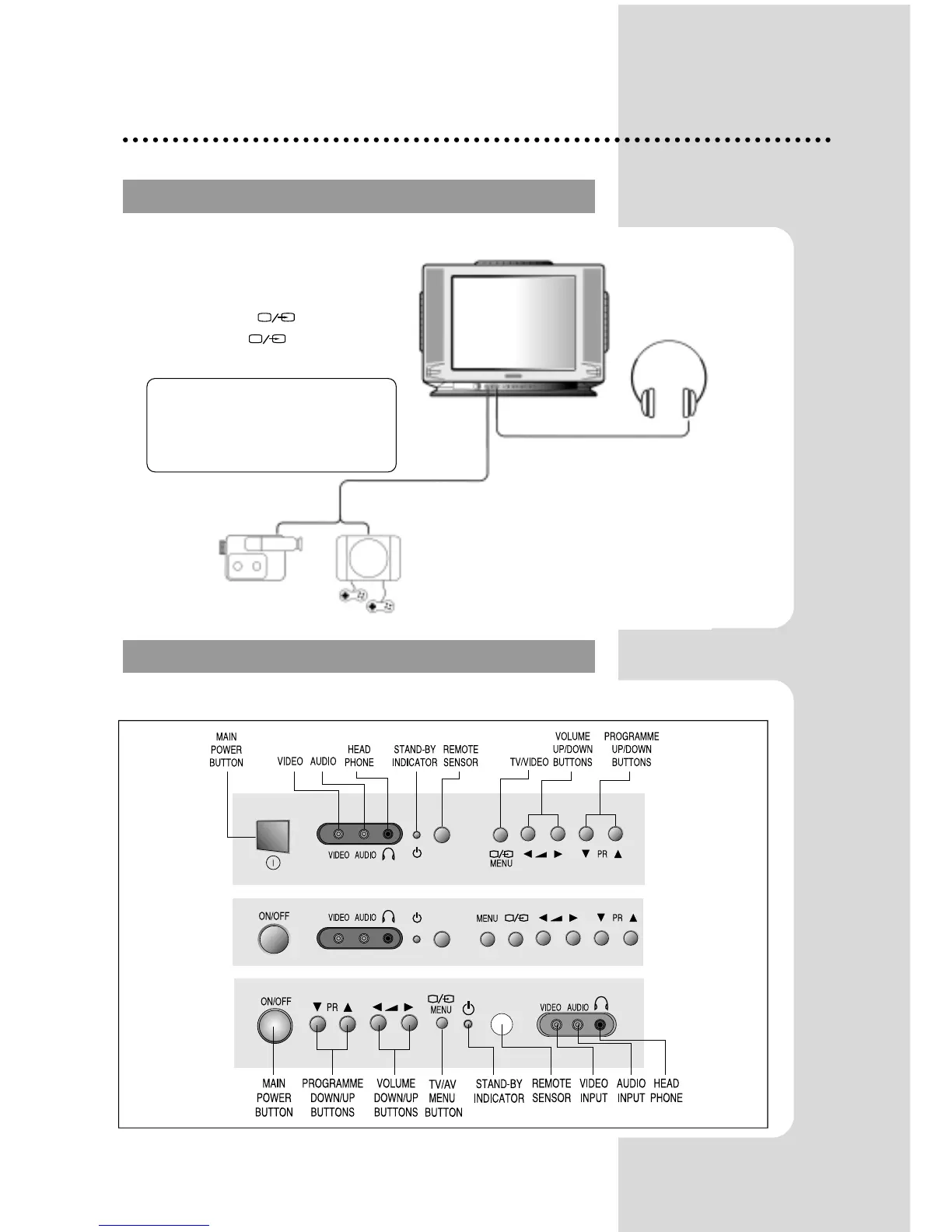
LOCAL CONTROL
LOCAL CONTROL
RCA JACK A
RCA JACK A
V (FRONT)
V (FRONT)
Front
OR
Connect the AV (Audio/Video) socket with an
appropriate cable to the corresponding socket
of the external equipment. Select AV mode by
pressing the TV/AV( ) button.
Press the TV/AV( ) or PR UP/DOWN
buttons to return to the TV mode.
HEADPHONE JACK
Insert the headphone plug(3,5mm) into the
headphone socket.
The sound from the speaker will be cut off.
NOTE:
NOTE: If two apparatus are connected,
one to the front AV Jack and the other to
the rear SCART Jack, you can play only
one apparatus.
one of the them must be switched off.
CAMCORDER
VIDEO GAME
OR


 To Next Page