Screen Adjustment
35
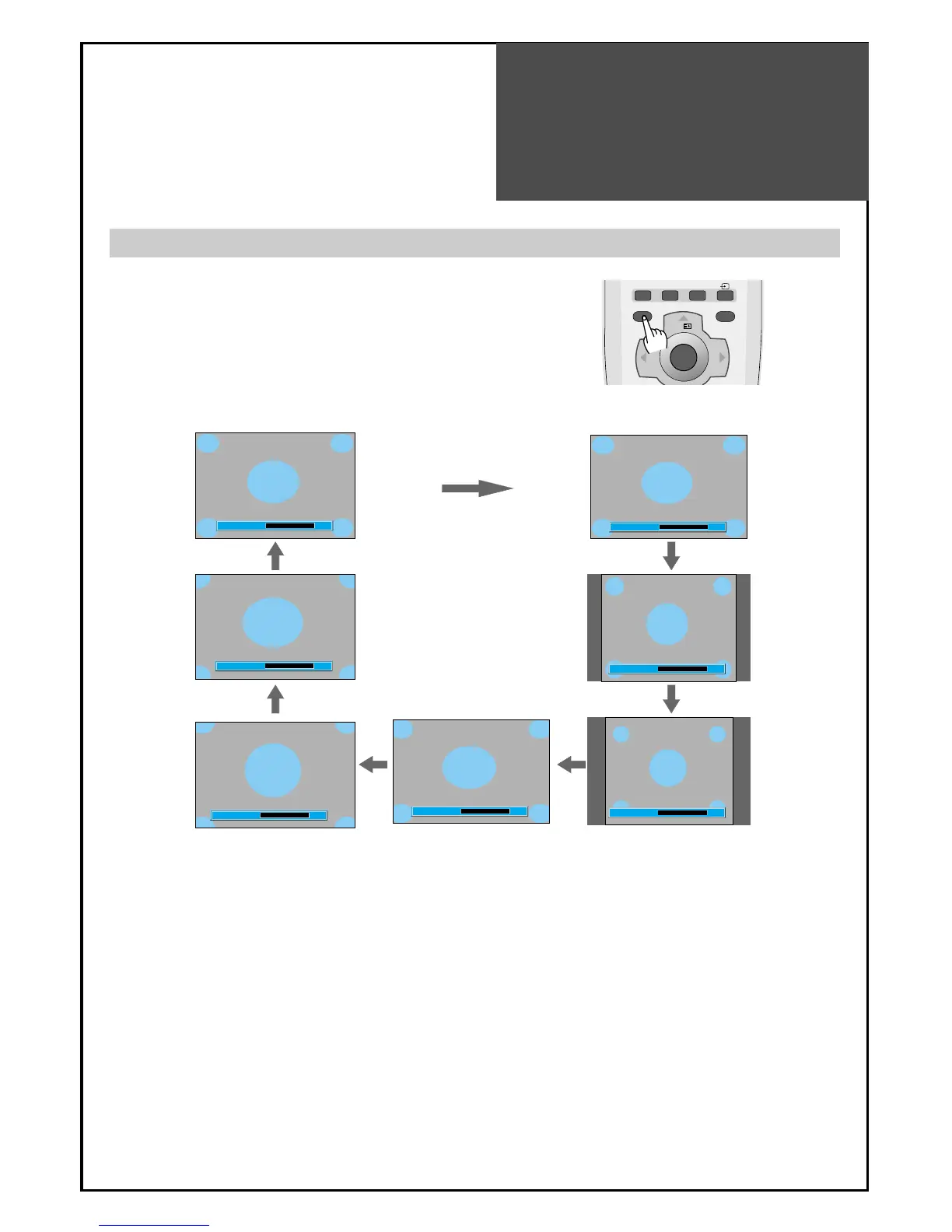
- Randomly change the size of the screen.
- The AUTO screen operates when power is first turned on.
• Auto : This mode will display depending on the signal information of a broadcasting station.
• 16:9 : 16:9 will display a true 16:9 (anamorphic) picture with no aspect distortions.
• 14:9 : 14:9 will display a 14:9 picture at its standard 14:9 size without any stretching.
• 4:3 : General TV screen currently broadcasted.
• Panorama : Screen that extends the 4:3 image to 16:9 and spreads the left or right part, and whose
centre provides a natural shape.
• Zoom 1 : Screen that vertically enlarges image by 1.33 times bigger than (Normal) image.
• Zoom 2 : Screen that horizontally enlarges image by 1.33 times bigger than Zoom1 image.
Notices:
• "Aspect" function is not available in Multimedia (HDMI, PC, Component) mode.
• "WSS" mode like 16:9 and 14:9 is only available with CVBS signal.
Adjustment of Screen Size in TV and AV mode
1. Pressing the "ASPECT" button on the remote controller.
• The screen changes as follows:
16:9 => 14:9 => 4:3 => Panorama => Zoom 1 => Zoom 2 => Auto => 16:9



 To Next Page