EasyManua.ls Logo

Daewoo DLP-32C5 - Setting up TV Stations

Daewoo DLP-32C5
46 pages
Print Icon
To Next Page IconTo Next Page
To Previous Page IconTo Previous Page
Loading...
Setting Up TV
Stations
27
- All stations that can be received are stored by this method. It is recommended that you use Auto tuning during
installation of this set.
Start
MENUOK
Exit
Auto Tuning
Pr 19 Euro
Country Set
Russia
Picture
Screen
Sound
Install
Function
Move
Delete Move Skip
Exit
MENU
Edit
Prog. Name Channel Skip
00
- - - - -
C 22 Ye s
No
01
02
03
04
05
- - - - -
- - - - -
- - - - -
- - - - -
- - - - -
C 21
C 21
C 21
C 21
C 21
No
No
No
No
Picture
Screen
Sound
Install
Function
Move
Select
Exit
MENU
Access
Access
Access
Auto Tuning
Manual Tuning
Setup
Edit
Access
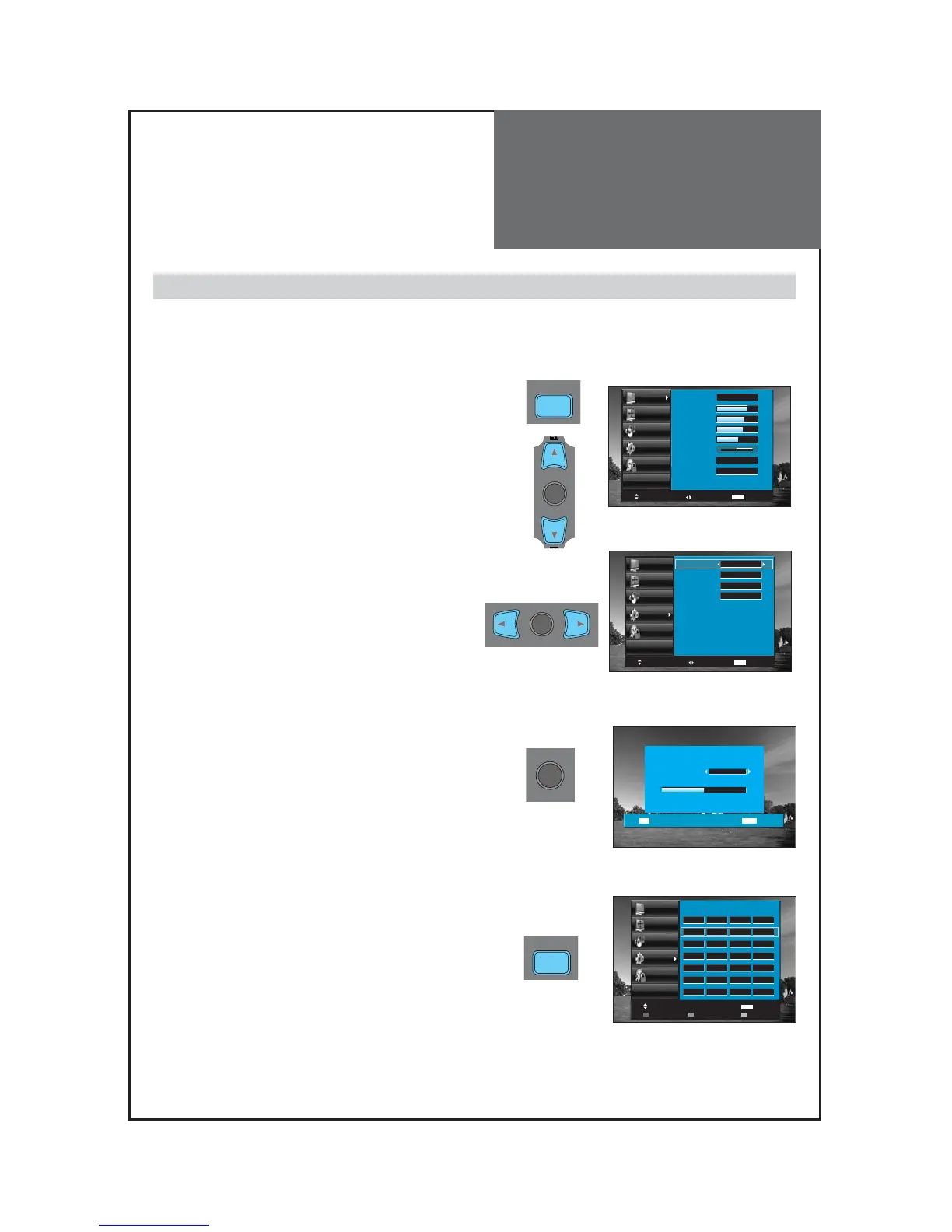
1. Press the “MENU” button to select the Install menu.
• Move the selection bar to the Install menu with
/▲”buttons.
2. Select the "Auto Tuning".
• Place the selection bar on Auto Tuning and press the
◀/▶”button.
3. Select the country you require with the ◀/▶button.
• After selecting the country, to start Auto Tuning press the
“OK” button.
4. Please wait until the Edit menu appears.
• If you don’t want to edit the programs now, escape
from the menu with the “MENU” or “EDIT” button.
Auto Tuning

SELECT
OK
M
MENU
Picture
Screen
Sound
Install
Function
Move
Select
Exit
MENU
Picture Mode
Brightness
Contrast
Colour
Sharpness
Tint
N. R.
Colour Temp
Normal
45
42
40
31
0
Off
Normal
SELECT
OK
SELECT
OK
M
MENU

Other manuals for Daewoo DLP-32C5

Related product manuals