43
PR/PAGE
SELECT
OK
PR/PAGE
PR/PAGE
SELECT
OK
PR/PAGE
Language English
Child Lock Off
Select Change Exit
Picture
Screen
Sound
Install
Function
DVB
Language English
Child Lock Off
Light Effect On
Select Change Exit
Picture
Screen
Sound
Install
Function
DVB
Other Functions
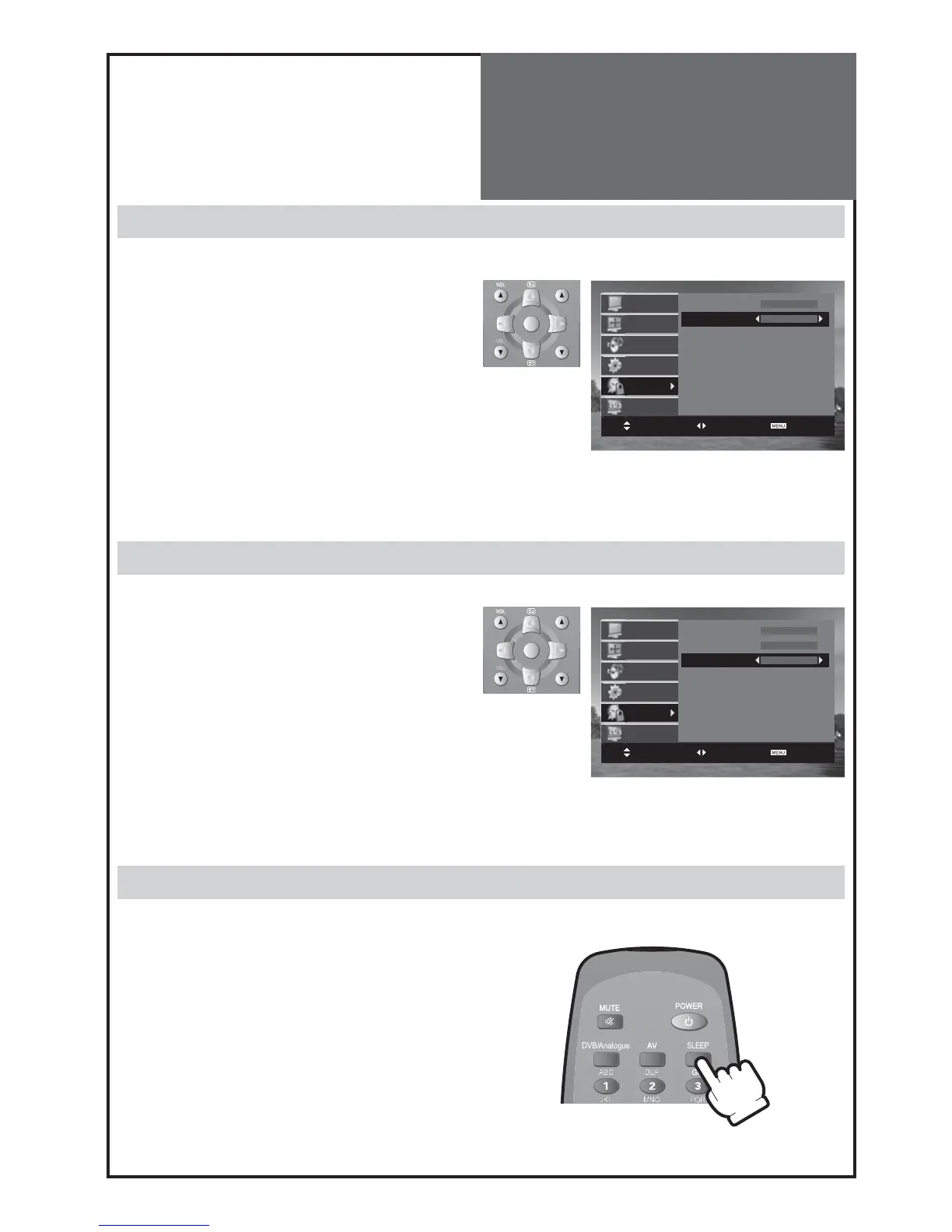
• Move to Child Lock in the Function menu.
• Select Child Lock to On using the “” button
Note :
• If the stand-by indicator is flashing red, and green then
the TV set is in child lock mode. It is necessary to use the
remote control
POWER
button,
NUMBER 0…9
buttons,
or
PR UP
/
DOWN
buttons to bring the set out of stand-by
mode. The local
PR UP
/
DOWN
buttons on the side of the
TV will not function. Once on, the stand-by indicator turns
to green and the picture appears on the screen.
Child Lock
Sleep
• By pressing the “
SLEEP
” button on the remote con-
troller repeatedly, you can select one of the follow-
ing settings:
Sleep Timer: OFF 15 30 45 60 75 90
105 120 OFF
• The set will turn off after the time you select.
Note :
• If an active signal is not present for about 10 minutes,
the set will automatically turn to ST-BY mode.
DLT-19/22L1T/L2T only
Light Effect (only 19/22L1/L2 models)
• Move to Light Effect in the Function menu.
• Select Light Effect to On or Off using the “” but-
ton.



 To Next Page