9
Install
Stand
※This page is only for DLT-19W4T and DLT-22W4T.
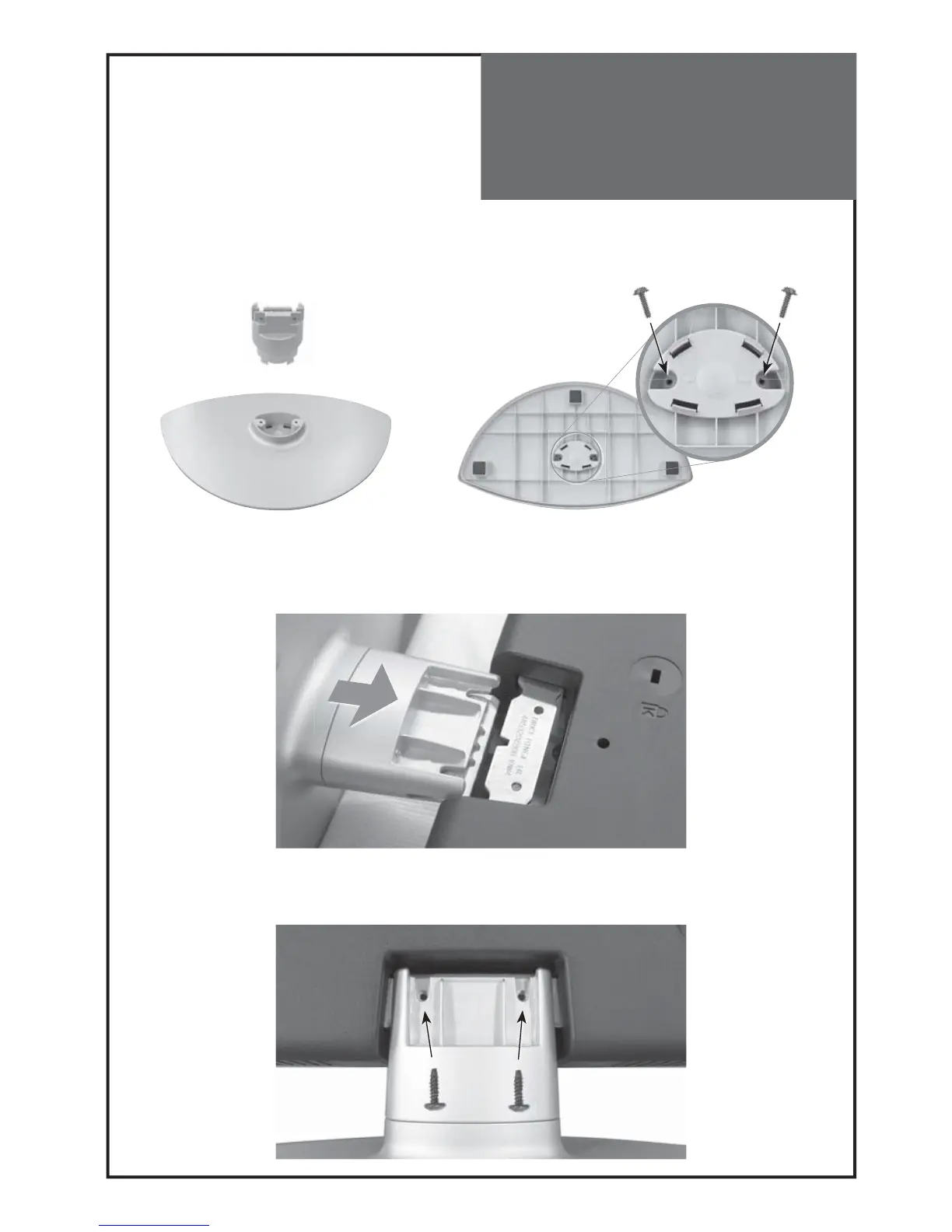
1. Insert Frame Stand into the Cover Stand Base and insert two screws (Ø3 x 12mm ) in the hole at the bottom of
the stand and tighten.
* Please insert two screws in the hole at the bottom of the stand.
2. Place the TV faced down on a soft cloth or cushion on a table and insert the assemble stand into the metal at the
bottom of the TV.
3. Insert two screws (Ø4 x 14 mm) into the holes indicated and tighten.



 To Next Page