11
INTRODUCTION
11
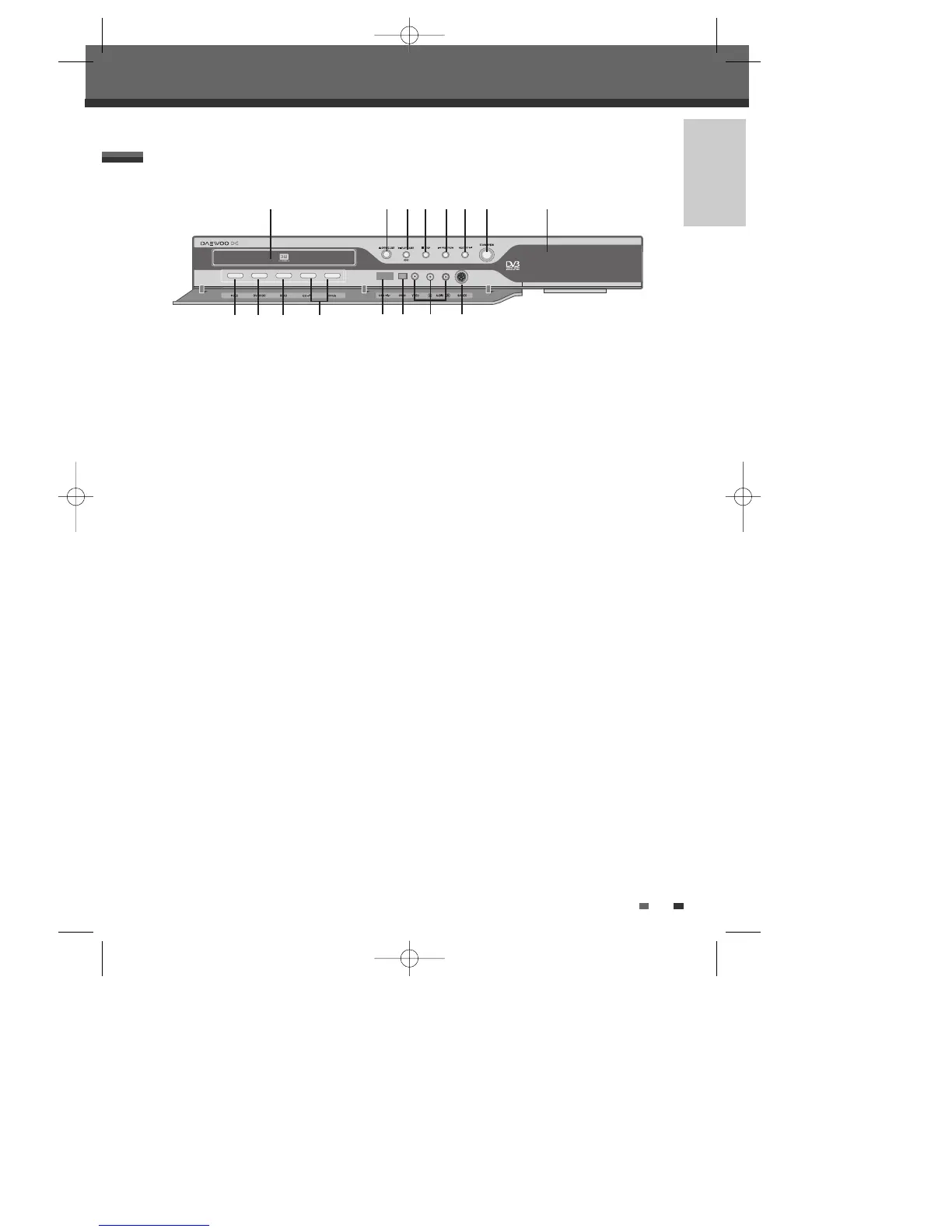
Identification of Controls
Identification of Controls
3
USB Input
Connects to the USB output of an external
source (USB device such as a USB memory
stick).
4
DV Input
Connects to the DV output of an external
source (VCR, Camcorder, etc.).
5
Front AV Input (VIDEO, L-AUDIO-R)
Connects to the audio/video output of an
external source (VCR, Camcorder, etc.).
6
S-VIDEO Input
Connects to the S-Video output of an external
source (VCR, Camcorder, etc.).
You have to select ‘S-video’ at the Front AV
input selection menu in the Setup menu in
order to use Front S-video input.
!
Disc Tray (DVD deck)
Insert a disc here.
@
OPEN/CLOSE (DVD)
Opens or closes the disc tray.
#
PLAY/PAUSE (OK)
Starts playback of a disc. Pauses playback or
recording temporarily.
$
STOP
Stops playback.
%
PREV/REW
Skips to previous chapter. Searches backward.
^
NEXT/FF
Skips to next chapter. Searches forward.
&
STANDBY/ON
Turns the DVB-T HDD/DVD Recorder on and off.
*
Front Panel Display
Shows the current status of the DVB-T
HDD/DVD Recorder.
(
REC
Starts recording. Press repeatedly to set the
recording time.
)
DVD/HDD Record MODE
DVD/HDD Record Mode selection.
1
MENU
Accesses media browser or return to previous
menu.
2
CH+/– (……/††)
Scans up or down through memorized channels.
Also moves up and down in menus.
Front Panel
! @ # $ % ^ & *
( ) 1
643
2
5
0202DRHT-630 2007.2.2 9:19 AM ˘ `11



 To Next Page