57
HDD Playback and Editing
Editing a Title
3
Select the title to be edited using [
… †
] and
press [OK].
4
Select ‘Edit’ using [
… †
] .
5
Press [OK] to go to submenu.
6
Select ‘Video Edit’ using [
… †
] .
7
Press [OK] to go to HDD Edit menu.
8
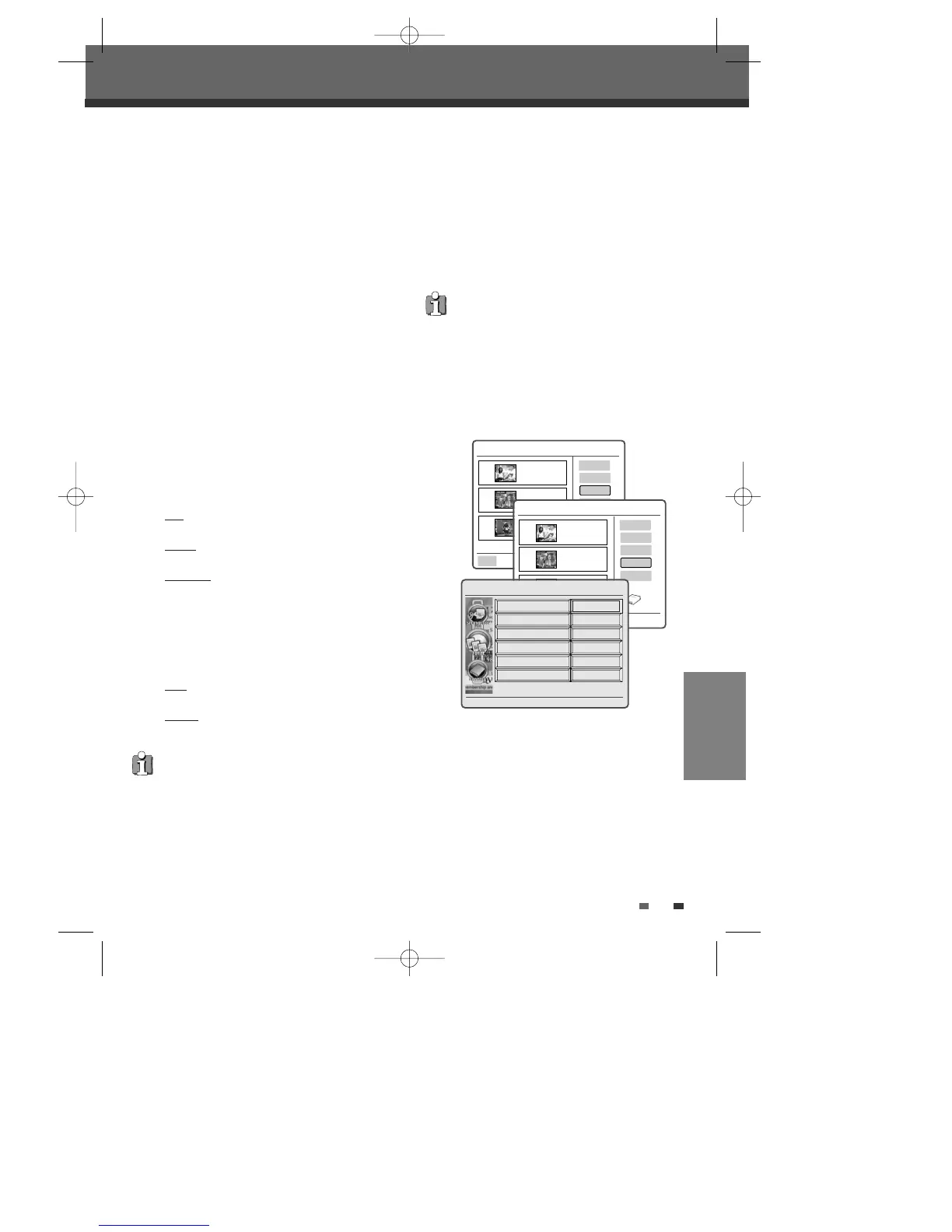
The HDD Edit Menu will be displayed.
• Title :
The title you want to edit.
• Chapter :
Select the chapter you want to edit using [
œ
√
].
• Edit Chapters :
Use to create, delete and edit chapter markers
in the title. Use the cursor button to choose one
of the following options :
Add
: creates a new chapter marker at the point
in the title where [OK] is pressed.
Delete
: when [OK] is pressed, deletes the
current chapter markers.
Delete all
: when [OK] is pressed, deletes all
chapter markers within the title.
• Hide Chapter :
Use to hide or unhide chapter markers in the
title. Depending on whether a chapter is
currently hidden or unhidden, one of the
following options will be available :
Hide
: press [OK] to hide the current chapter
during playback.
Unhide
: press [OK] to unhide the current
chapter during playback.
Note :
You can use this feature to remove commercials
during playback by inserting chapter markers at the
start and end of a commercial interruption and hiding
the chapter created.
• Edit Thumbnail :
Creates a new Thumbnail at the point in the
title where [OK] is pressed.
HDD Playlist 00:00 Sun 07 Jan
Ok
Play
Delete
Edit
001
BBC ONE
13 Sep 2006 13:44
HQ OHr 2Min
002
003
HDD Playlist 00:00 Sun 07 Jan
Name
Protect
Combine
Video Edit
Parent Lock
001
BBC ONE
13 Sep 2006 13:44
HQ OHr 2Min
002
BBC News
21 Sep 2006 17:19
HQ OHr 10Min
003
Channel 4
13 Sep 2006 07:20
HQ OHr 15Min
Free Space
90%
Select Exit Return
Ok Menu Back
•
Please note that any edits made will not be in
effect until [MENU] or [STOP] button is pressed.
During this time, the HDD/DVD Recorder will
update the title with the edits made. Once the
update is complete, the edits will be available the
next time the title edited is played back.
• Press [MENU] or [STOP] to exit from editing
menu.
HDD Edit Navigator
1/8
Add
Title
Chapter
Edit Chapters
Hide Chapter
Edit Thumbnail
Split Title
Press < > To Change Title
œ 1/2 √
• Split Title :
Use to divide the title into two separate
titles. Press [OK] at the point where you want
to divide the title into two separate titles.
EDITING
0202DRHT-630 2007.2.2 9:19 AM ˘ `57



 To Next Page