30
Setup menu
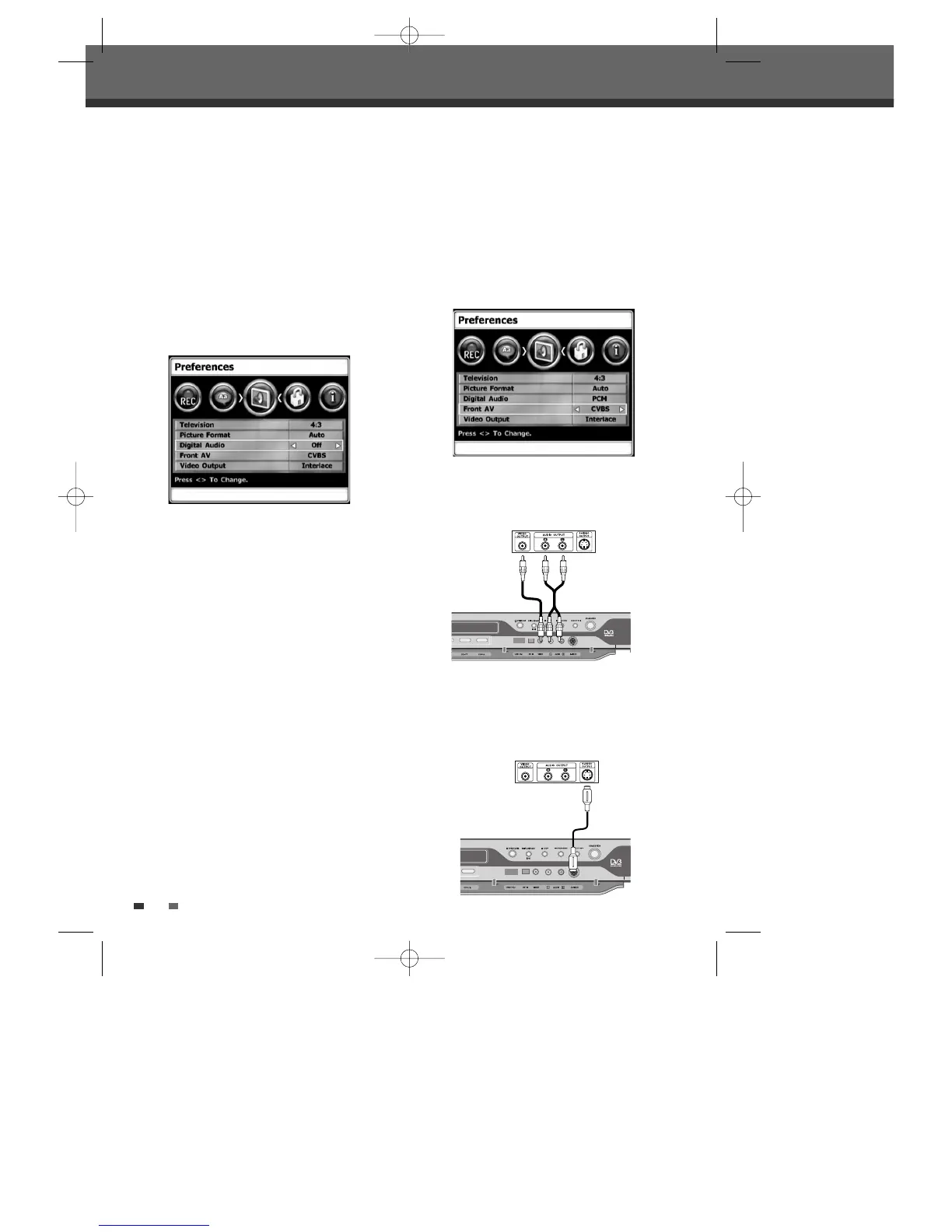
CVBS :
When you select this signal mode, you can
use an audio/video cord to connect other
equipment.
S-VIDEO :
When you select this signal mode, you
can use an S-VIDEO cord to connect other
equipment. N.B. S-video does not include audio.
Front AV
1
Follow steps 1-2 as shown under ‘Digital
Audio’.
2
Use […/†] to select ‘Front AV’.
3
Use [œ/√] to select the desired Front AV type.
4
Press [SETUP] to exit the menu.
Front of DVB-T HDD/DVD Recorder
Jack Panel of Accessory Component
(VCR, Analog Camcorder, etc.)
Front of DVB-T HDD/DVD Recorder
Jack Panel of Accessory Component
(VCR, Analog Camcorder, etc.)
• Off
No signal will be output from the Digital Audio Out
jacks.
• PCM
Select when connected to a 2 channel digital stereo
amplifier. The DVB-T HDD/DVD Recorder's digital
audio signal will be output in the PCM 2ch format
when you play a DVD recorded with a Dolby Digital
(only for DVD) or MPEG soundtrack. If the DVD is
recorded with a DTS sound track then no sound will
be heard.
• Bitstream
Select when connected to a Dolby Digital or DTS
decoder (or an amplifier or other equipment with a
Dolby Digital or DTS decoder).
Digital Audio
1
Press [SETUP].
2
Use [œ/√] to select ‘Preferences‘.
3
Whilst ‘Preferences‘ is selected, press [†] to
select ‘Digital Audio‘.
4
Use [œ/√] to select the desired digital output
type.
5
Press [SETUP] to exit the menu.
0202DRHT-630 2007.2.2 9:19 AM ˘ `30



 To Next Page