5252
Dubbing
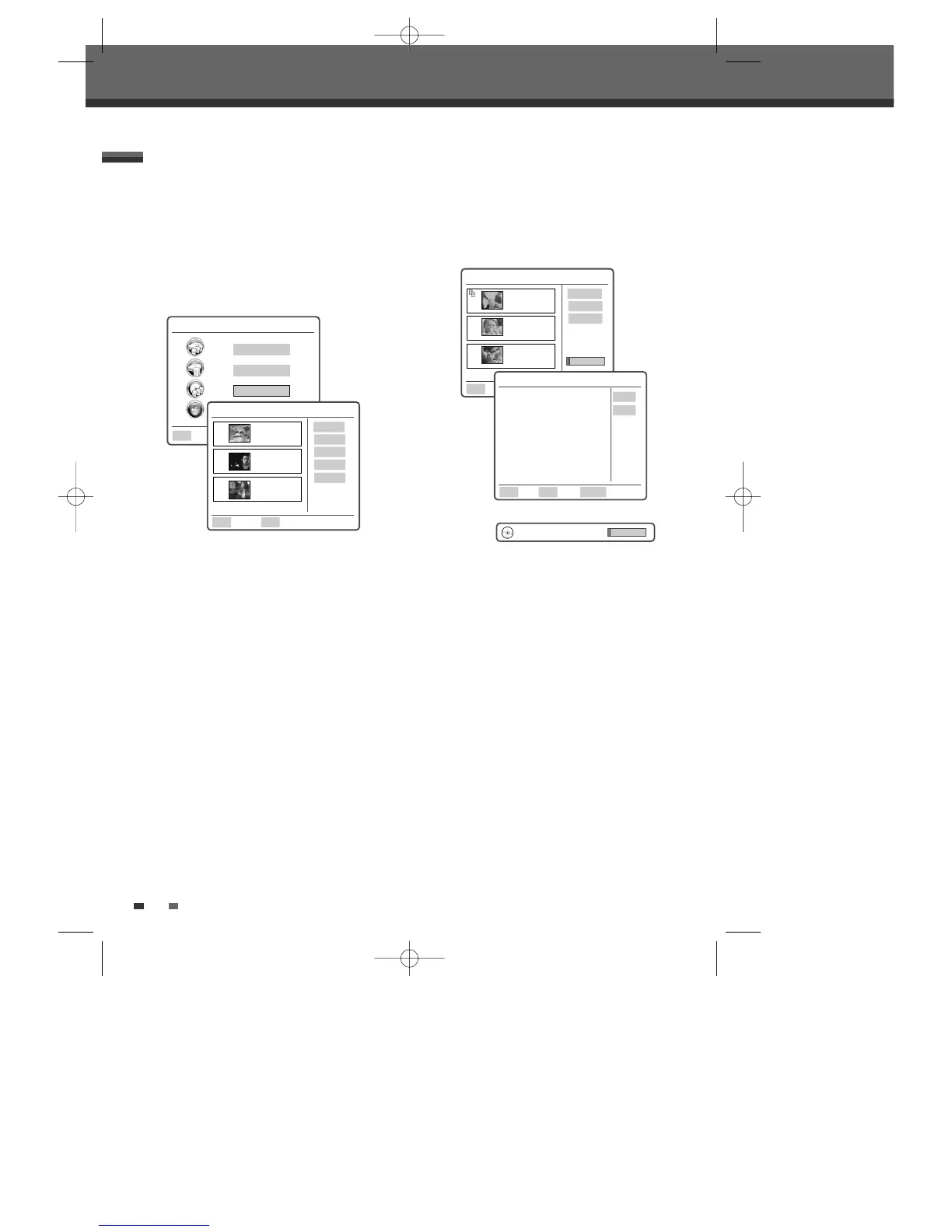
1 Press [MENU] on the remote, the yellow highlight
is around ‘HDD Playlist’. Using the
[…†] buttons
highlight the words ‘DVD Playlist’. Press [OK].
2 On the screen you will see your DVD Playlist.
Using the
[…†] buttons on the remote, select
the recording you wish to Dub to HDD
. Once
the yellow highlight is around the recording you
wish to Dub, press [OK].
3 On the right hand side of the screen, the yellow
highlight will be around the word ‘Play’. Using
the
[…†] buttons on the remote, move the
yellow highlight down to ‘Dubbing’. Press
[OK].
4 The yellow highlight will now be around the
word ‘Add’. Press [OK].
5 To select further titles to Dub, press the […†]
buttons on the remote to move the yellow
highlight to the next recording you wish to Dub.
Press [OK].
6 Repeat step 4. Once all the recordings have been
selected go to step 7. However, if you wish to
Dub further recordings repeat steps 5 and 6.
7 Once you have chosen all the recordings you
wish to Dub, press [OK]. The yellow highlight will
now be around the word ‘Remove’. Using the
[
…†] buttons on the remote, move the yellow
highlight down to ‘Start Dub’. Press [OK].
Dubbing from DVD to HDD
Main Menu 00:00 Sun 07 Jan
HDD Playlist
HDD Media
DVD Playlist
Ok
DVD Playlist 00:00 Sun 07 Jan
Select Exit
Ok Menu
Play
Delete
Edit
Overwrite
Dubbing
DVD Dub Mode 00:00 Sun 07 Jan
Ok
Add
Remove All
Start Dub
Copy: 3 Items
DVD Dub Mode 00:00 Sun 07 Jan
Select Exit Return
Ok Menu Back
No
Yes
DVD to HDD Dubbing
This will dub 3 title(s). The Timeshift
buffer will stop. Continue?
001
TITLE CH7
13 Sep 2006 13:44
SP OHr 2Min
002
TITLE CH5
13 Sep 2006 11:10
HQ OHr 2Min
003
TITLE CH9
13 Sep 2006 10:20
HQ OHr 2Min
DVD
➝
HDD Dubbing
004
TITLE CH7
13 Sep 2006 13:44
SP OHr 2Min
005
TITLE CH5
13 Sep 2006 11:10
HQ OHr 2Min
006
TITLE CH9
13 Sep 2006 10:20
HQ OHr 2Min
8 On the screen you will now be given a choice to
Dub or not to Dub. Using the
[…†] buttons on
the remote select ‘Yes’ and press [OK] to start
Dubbing.
0202DRHT-630 2007.2.2 9:19 AM ˘ `52



 To Next Page