2525
Setup menu
SETUP
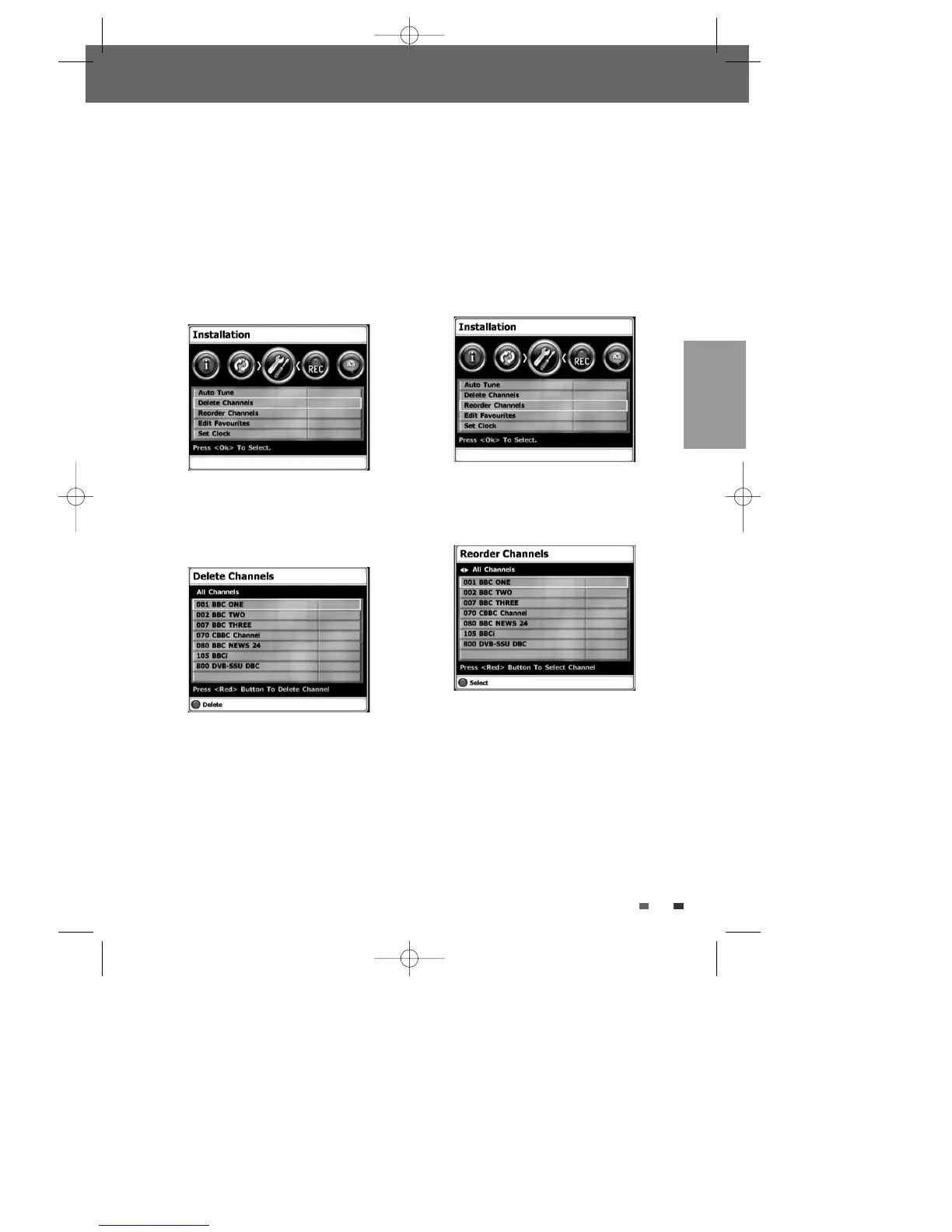
Delete Channels
After tuning TV or Radio stations into your DVB-T
HDD/DVD Recorder, you may wish to delete a
station.
1
Press [SETUP]. The Setup menu appears.
2
Use [œ/√] to select ‘Installation‘.
3
Use […/†] to select ‘Delete Channels‘.
4
Press [OK] . Press […/†] to select the
channel you want to delete, then press RED
button to confirm it.
Reorder Channels
After tuning TV or Radio stations into your DVB-T
HDD/DVD Recorder, you may wish to change the
order of the stations you have in your set to your
preference.
1
Follow steps 1-2 as shown under ‘Delete
Channels’.
2
Use […/†] to select ‘Reorder Channels‘.
3
Press [OK] . Press […/†] to select the service
you want to align, then press RED button to
confirm it.
4
Press […/†] to move the selected service to
the position you want, then press RED button to
finish placing.
0202DRHT-630 2007.2.2 9:19 AM ˘ `25



 To Next Page