48
Timer Recording
Timer Recording
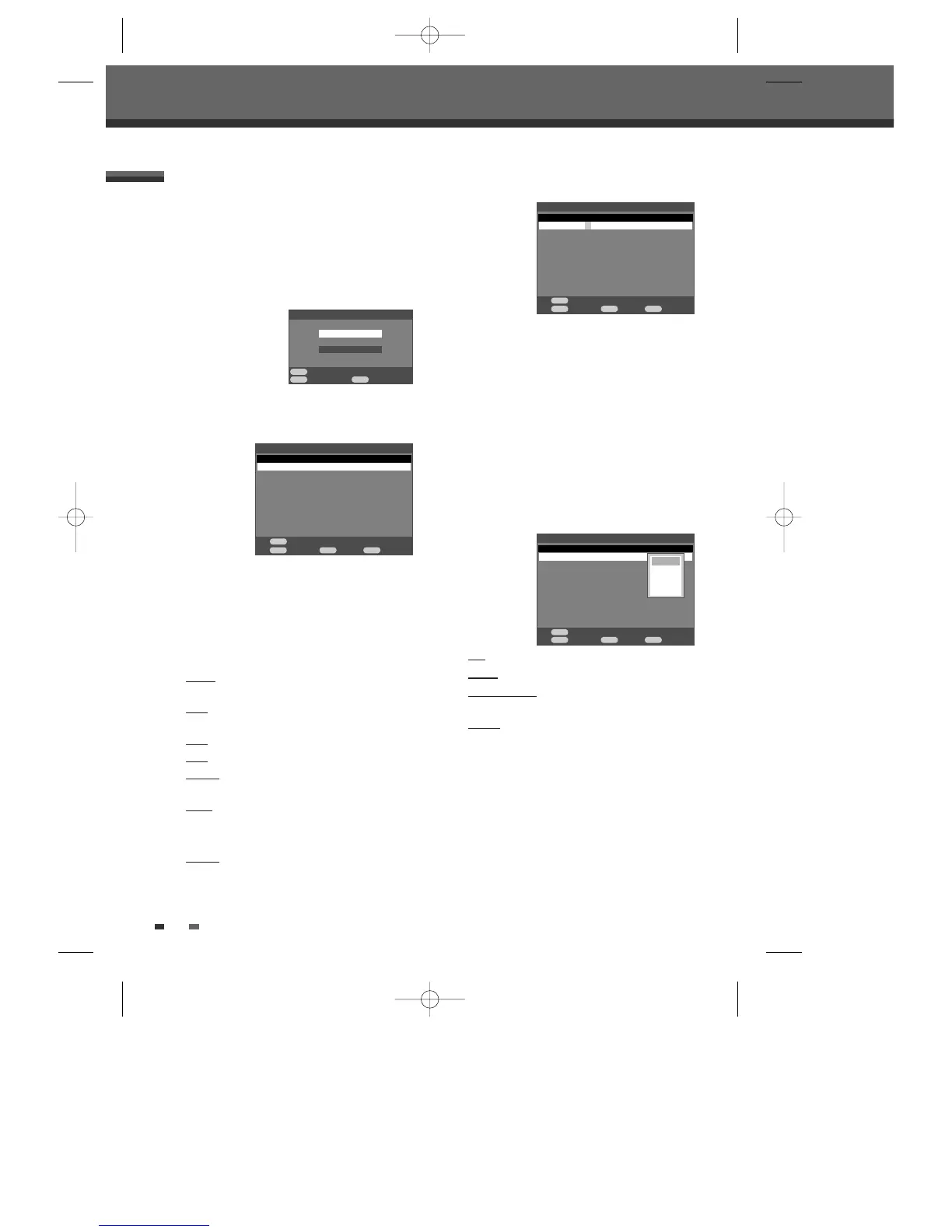
The Timer Recording function allows you to record up
to 16 programs within a period of one month.
1 Insert recordable media such as DVD±R,
DVD±RW, recordable VHS tape.
2 Press [TIMER].
The ‘Timer Recording’ menu appears.
3 Select ‘Timer Recording’ with […/†] and
confirm with [ENTER].
The ‘Timer Recording’ menu appears.
Use [
…†] to move to a timer recording slot, and
press [ENTER] to modify it.
If it is the first time to use ‘Timer Recording’, there
is only one timer recording slot.
If you did not set the clock on the DVD Recorder +
VCR, you must do so before programming a timer
recording.
• Target – Choose desired media (DVD or VCR)
using [
…†].
• Date – Choose a date up to 1 month in advance,
or select a daily or weekly program.
• Start
– Set the recording start time.
• Stop – Set the recording end time.
• PR No. – Choose the desired channel, or one of
the external inputs from which to record.
• Mode
– Choose a Record mode.
[DVD] HQ, SP, EP or SEP
[VCR] SP or LP
• Repeat
– Choose frequency of the recording.
Once, Daily, Weekly, Weekday, Weekend.
Timer Recording using Manual Set Record Screen
4 Enter the necessary information for your
Timer Recording(s).
• œ √ – Moves the cursor left/right.
• …† – Changes the setting of the current cursor
position.
• Press [MENU] to go back to the previous step.
• Press [ENTER] after filling in all the program
information.
• Press [TIMER] to exit the Timer Record menu.
5 If you modify the saved timer record list, select a
slot you want to modify by using [
…†].
Press [ENTER] on the selected slot then, the
menu will appear.
Edit
: to edit each item.
Delete : to delete the selected slot.
Disable/Enable
: To be invalid/valid the selected
slot.
Cancel
: cancel the menu.
6 Press [ENTER] to save the program.
The Timer Record List will appear.
7 Press [TIMER] to exit the Timer Record List.
8 Timer indicator will light or start blinking. You
must power off the DVD Recorder + VCR to
start the Timer Recording.
Timer Recording
Move
Confirm Exit
…
†
ENTER TIMER
†
Timer Recording
Showview
Timer Recording List 1/1 28/11/2010 13:09:33
Edit Back Exit
ENTER MENU TIMER
Target Date Start Stop PR No. Mode Repeat
- - - - -/- - --- - -:- - - -:- - - - - - - - - - -
Timer Recording List 1/1 28/11/2010 13:09:33
Confirm Back Exit
ENTER MENU TIMER
Target Date Start Stop PR No. Mode Repeat
DVD 28/11 Tue - -:- - - -:- - - - - - - - - - -
Timer Recording List 1/1 28/11/2010 13:09:33
Confirm Back Exit
ENTER MENU TIMER
Target Date Start Stop PR No. Mode Repeat
DVD 28/11 Tue 13:20 14:13 PR2 SP Once
- - - - -/- - --- - -:- - - -:- - - - - - - - - - -
Edit
Delete
Disable
Cancel
Move
…
†
Move
…
†
Move
…
†
DF-H7BD2D-JB-I(GB) 2008.4.11 1:53 PM ˘ ` 48 mac001 1200DPI 100LPI



 To Next Page