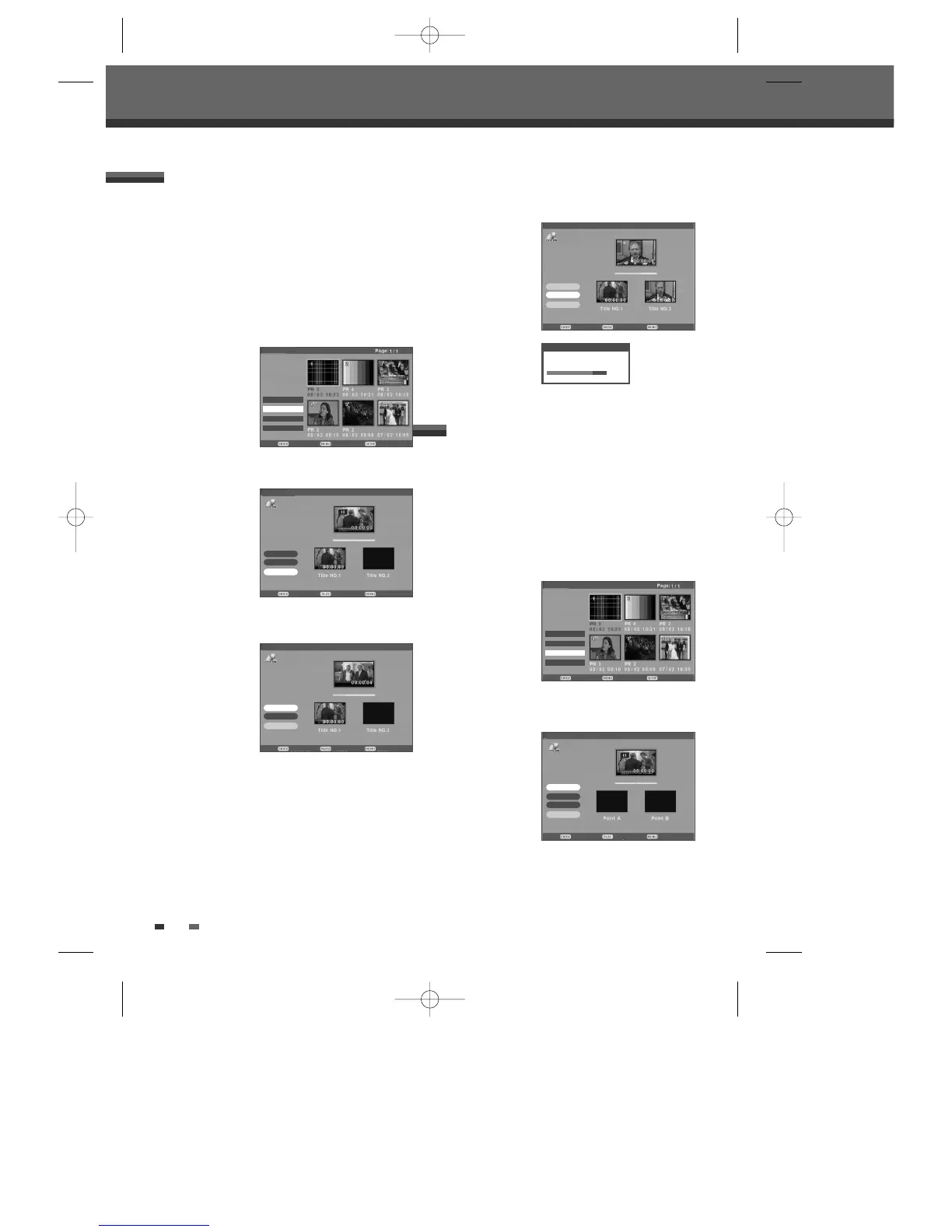
Follow these instructions to erase a certain part.
1 Select the title to be edited using […†œ √] and
press [ENTER].
2 Then select ‘Edit‘ using […†] on the left side
menu.
3 Press [ENTER] to go to submenu.
4 Select 'A-B Erase’ using […†].
5 Press [PLAY] to start playing and the curser will
be on the 'Set Point A'.
6 Press [ENTER] when the part you want to erase
begins and the curser will be on the 'Set Point B'.
Confirm Play Back
Title List
Set Point B
Set Point A
OK
Cancel
A-B Erase
Title:8
DVD+VR
54
Use to divide the title into two separate titles. Follow
these instructions.
1 Select the title to be divided using […†œ √] and
press [ENTER].
2 Then select ‘Edit‘ using […†] on the left side
menu.
3 Press [ENTER] to go to submenu.
4 Select 'Divide’ using […†].
5 Press [ENTER] to divide the title in two separate
titles.
6 Press [PLAY] to start dividing and the curser will
be on the 'Divide'.
7 Press [ENTER] when the scene you want to
divide into two parts appears.
You can use [PREV/NEXT]or [
œœ/√√] to
search the scene you want to divide into two
parts.
8 Press [ENTER] while the curser is on the 'OK'.
Dividing a DVD title
Confirm Back Exit
Title List
œ Rename
Divide
œ A-B Erase
œ Set Idx Pic
Divide
Dividing title, please wait...
80%
DVD+VR
†
†
Confirm Play Back
Title List
Divide
OK
Cancel
Confirm Pause Back
Title List
Divide
OK
Cancel
Confirm Pause Back
Title List
Divide
OK
Cancel
Divide
Title:7
Divide
Title:7
Divide
Title:7
DVD+VR
DVD+VR
DVD+VR
A-B Erase
DVD Playback and Editing
Confirm Back Exit
Title List
œ Rename
œ Divide
A-B Erase
œ Set Idx Pic
DVD+VR
†
†
DF-H7BD2D-JB-I(GB) 2008.4.11 1:53 PM ˘ ` 54 mac001 1200DPI 100LPI



 To Next Page