DVD EDITING
55
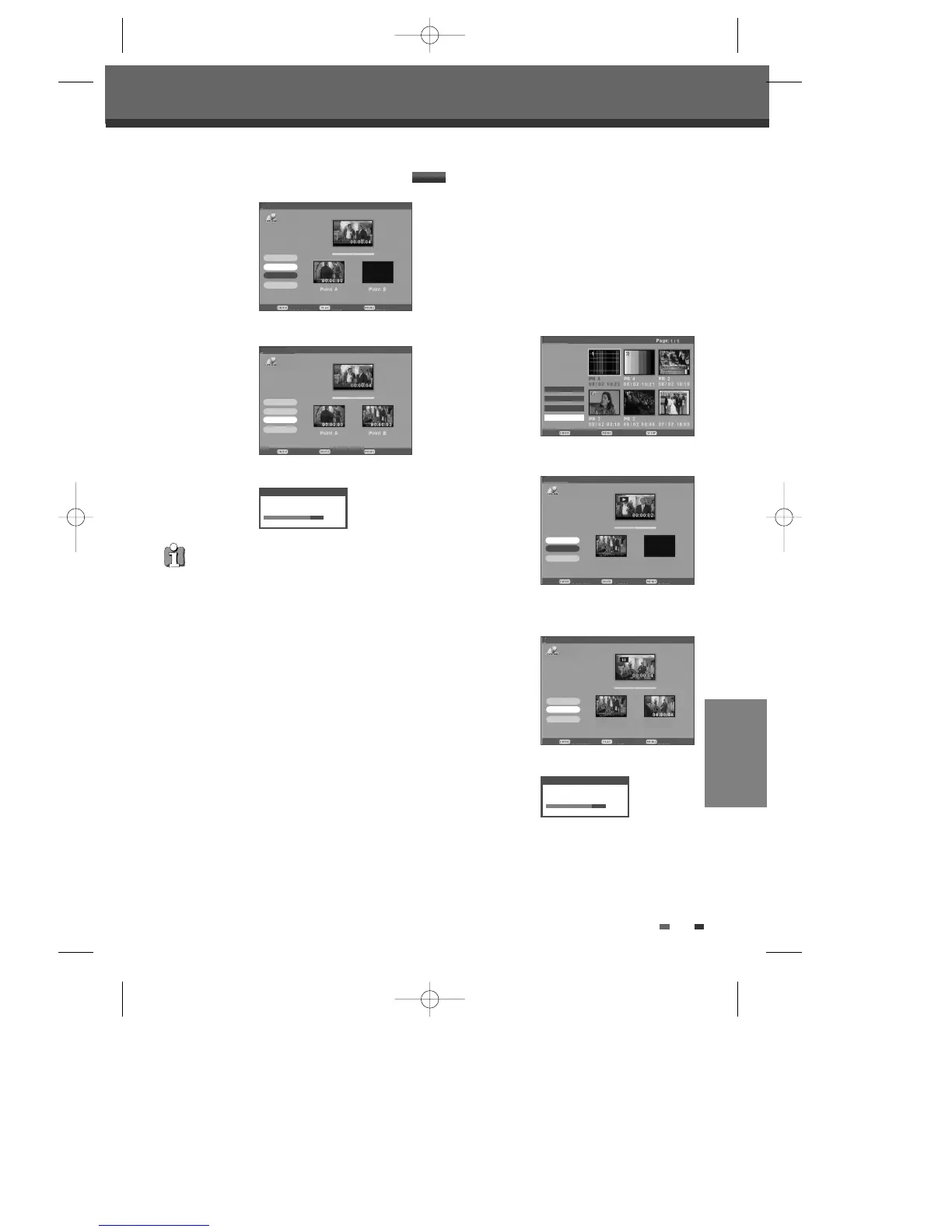
7 Press [ENTER] when the part you want to erase
ends and the curser will be on the 'OK'.
8 Press [ENTER] to confirm.
DVD Playback and Editing
• Please note that any edits made will not be in
effect until [MENU] or [STOP] button is
pressed. During this time, the DVD Recorder +
VCR will update the title with the edits made.
Once the update is complete, the edits will be
available the next time the title edited is played
back.
• Press [MENU] or [STOP] to exit from editing
menu.
A-B Erase
A-B Erasing, please wait...
80%
Confirm Play Back
Title List
Set Point B
Set Point A
OK
Cancel
A-B Erase
Title:8
DVD+VR
Confirm Pause Back
Title List
Set Point B
Set Point A
OK
Cancel
A-B Erase
Title:8
DVD+VR
Follow these instructions to set an index picture.
1 Select the title to be edited using […†œ √] and
press [ENTER].
2 Then select ‘Edit‘ using […†] on the left side
menu.
3 Press [ENTER] to go to submenu.
4 Select 'Set Idx Pic’ using […†].
5 Press [PLAY] to start playing and the curser will
be on the 'Set Idx Pic'.
6 Press [ENTER] when the scene you want to set
an index picture appears and the curser will be on
the 'OK'.
7 Press [ENTER] to confirm.
Set Index Picture
Confirm Back Exit
Title List
œ Rename
œ Divide
œ A-B Erase
Set Idx Pic
Set Idx Pic
Setting Index picture, please wait...
80%
DVD+VR
†
Confirm Pause Back
Title List
Set Idx Pic
OK
Cancel
Set Index Picture
Title:8
Confirm Play Back
Title List
Set Idx Pic
OK
Cancel
Set Index Picture
Title:7
Original Current
Original Current
DVD+VR
DVD+VR
DF-H7BD2D-JB-I(GB) 2008.4.11 1:53 PM ˘ ` 55 mac001 1200DPI 100LPI



 To Next Page