2020
Connections
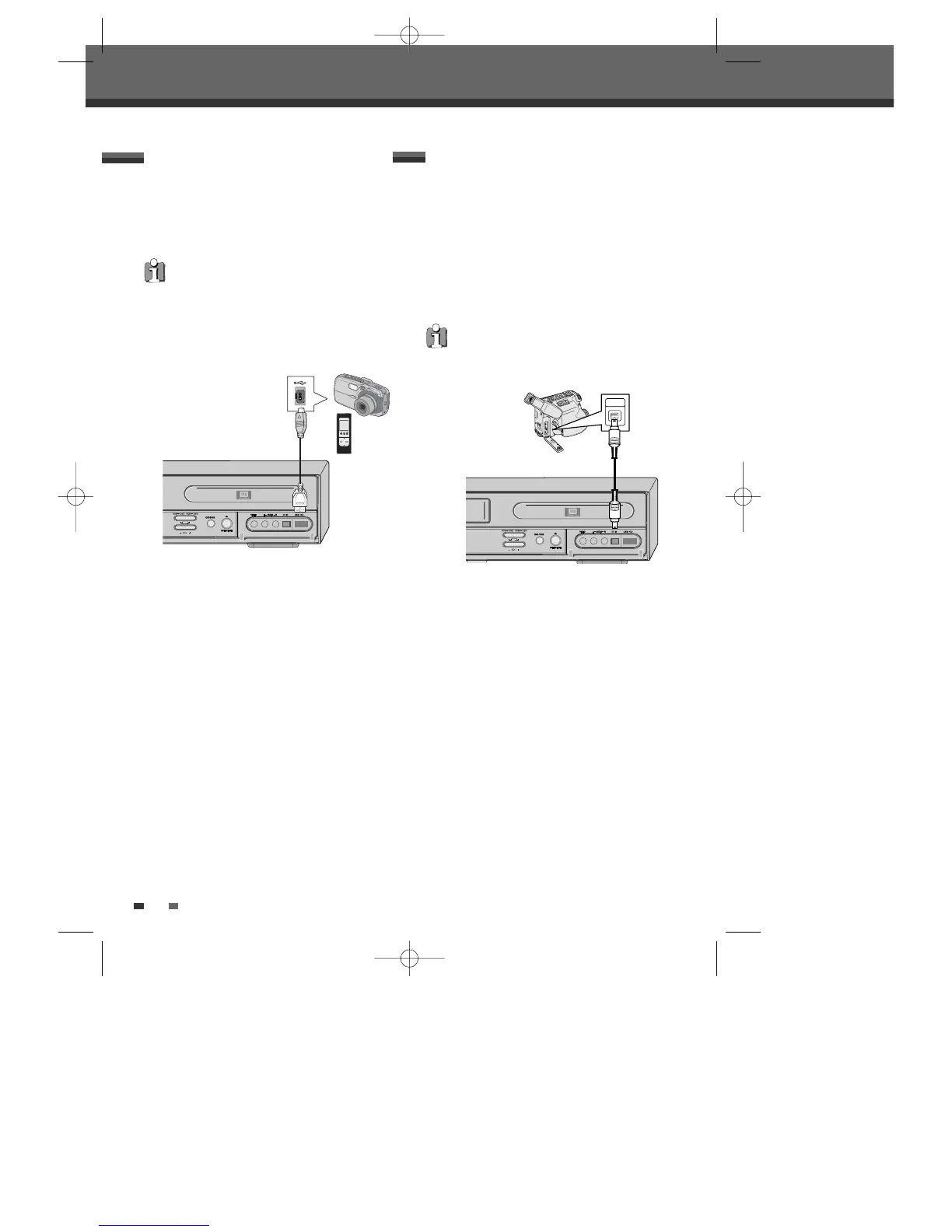
Using the USB input connector, you can use a USB
memory stick as the playable media.
JPEG, MP3 and DivX media files can be played from
USB memory.
Connecting to USB
Front of DVB-T VCR/DVD Recorder
Using the front panel DV IN jack, it is possible to
connect a DV digital camcorder, video deck or
DVD+R/RW recorder and digitally transfer DV tapes
or DVD+R/RW discs to DVD±R or DVD±RW .
Use a DV cable (not supplied) to connect the DV
In/Out jack of your DV camcorder/video deck to the
front panel DV IN jack of the DVB-T VCR/DVD
Recorder.
Connecting a Digital Camcorder
This jack is for connection to DV equipment only. It
is not compatible with digital satellite tuners or D-
VHS video decks.
Front of DVB-T VCR/DVD Recorder
DV Digital Camcorder
MP3 Player or Digital Camera
• Only MP3 Player (or Digital Camera) which
doesn’t need to install Driver software are
available for this DVB-T VCR/DVD Recorder.
• It is impossible to copy the JPEG or MP3 file in a
Digital camera or mp3 player to the DVD or VCR.
DTBC-MNF(or D)1NP-AG 2007.9.11 4:18 PM ˘ `20



 To Next Page