2929
SETUP
Setup menu
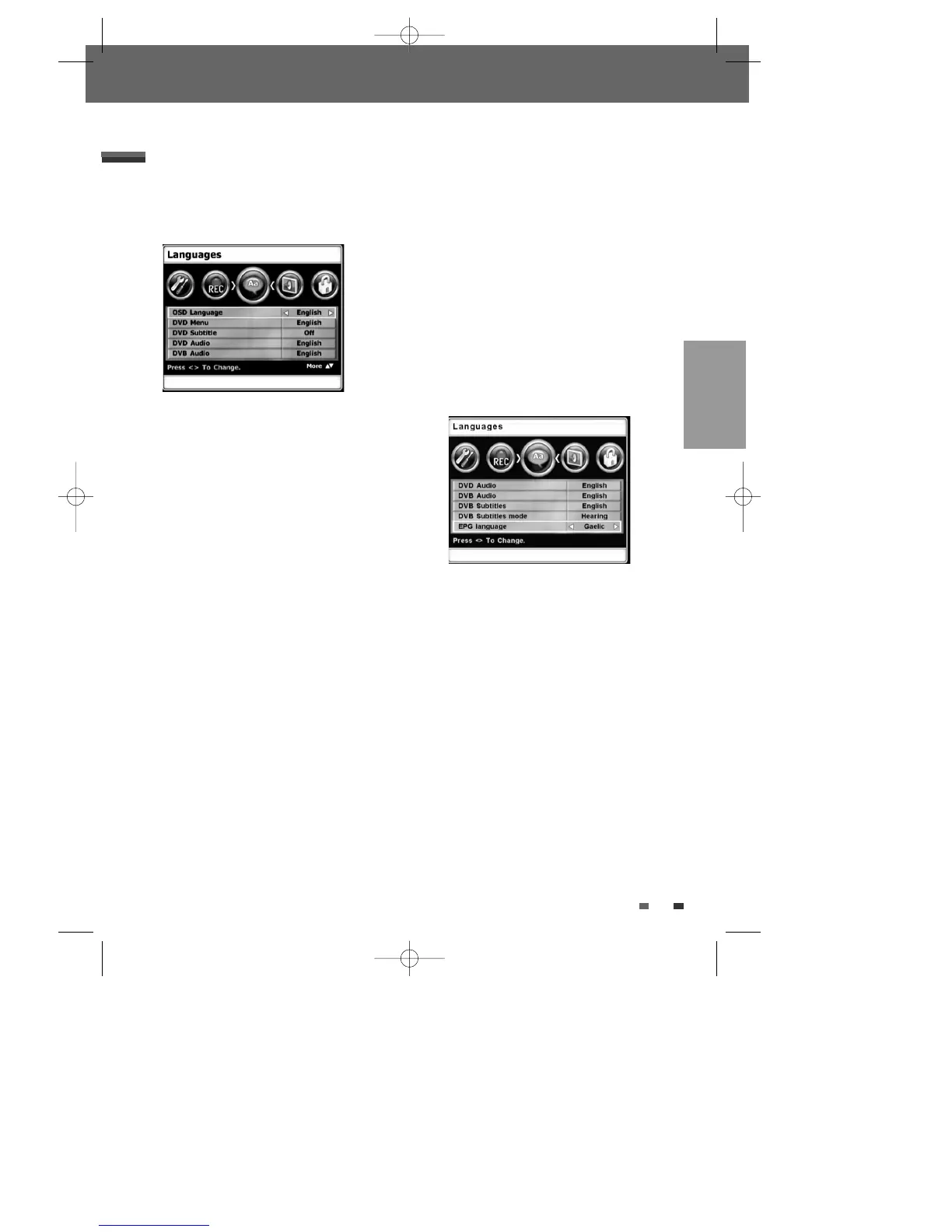
LANGUAGES Settings
OSD Language
The OSD Language is fixed in ‘English’.
DVB Audio/ DVB Subtitles / EPG
Language and DVB Subtitles mode
Select a language for the DVB-T VCR/DVD Recorder
Setup menu and on-screen displays.
1
Press [SETUP]. The Setup menu appears.
2
Use [œ] and [√] to select ‘Languages’.
3
Whilst ‘Languages’ is selected. Press [†] to
select ‘DVB Audio’ , ‘DVB Subtitles’, ‘DVB
Subtitles mode’ or ‘EPG Language’.
4
Use [œ/√] to select the desired language.
5
Press [SETUP] to exit the menu.
• DVB Audio:
switches the language broadcasted
by a digital channel.
• DVB Subtitles Language:
switches the language
of the subtitles broadcasted by a digital channel
(when available).
In order to see DVB subtitle language selection
field, you have to move the cursor down by the
up/down button.
DVD Menu/ DVD Subtitle/
DVD Audio Language
Select your preferred language for DVD Menus,
DVD Subtitles, and DVD Audio soundtracks.
1
Press [SETUP]. The Setup menu appears.
2
Use [œ] and [√] to select ‘Languages’.
3
Whilst ‘Languages’ is selected. Press [†] to
select ‘DVD Menu’ or ‘DVD Subtitle’ or ‘DVD
Audio’.
4
Use [œ/√] to select the desired language.
5
Press [SETUP] to exit the menu.
DTBC-MNF(or D)1NP-AG 2007.9.11 4:18 PM ˘ `29



 To Next Page