2525
SETUP
The DVB-T VCR/DVD Recorder Setup menu includes
7 categories, including: Installation, Record/Play
Options, Languages, Preferences, Parental Settings,
System Info, and Update/Restore. Press [SETUP]
and [
œ/√] on the remote control to view the first
and second levels of the Setup menu.
■ SETUP
- contains the following sub menu’s :
1
Installation - lets you tune and change how
programmes are displayed on your TV. Also you
can set or modify the clock of the system.
2
Record/Play Options - lets you select the
desired recording/VCR play options.
3
Languages - when a programme is broadcast in
multiple languages, this lets you choose the
language you listen to and any on-screen text
or subtitles that are displayed.
4
Preferences - allows you to adjust items related
to the image and sound.
5
Parental Settings - lets you control what can be
watched. Please refer to the relevent section in
this guide for more information.
6
System Info - as the name suggests lists the the
current version of software installed in this unit.
7
Update/Restore - allows you to set the
software update and reset the DVB-T VCR/DVD
Recorder to its original factory settings.
Setup Menu Overview
Setup menu
Setup menu
1
Press [SETUP]. The Setup menu appears.
2
Use [œ/√] to select the desired category.
3
While the desired category is selected, press
[
…/†] to move to the second level.
4
Press [OK] to move to the third level.
5
Use […/†] to select the desired setting, then
press [OK] to confirm your selection.
Some items require additional steps. Press
[SETUP] at any time to return to the previous
menu.
6
Press [SETUP] to exit the Setup menu.
Menu Navigation
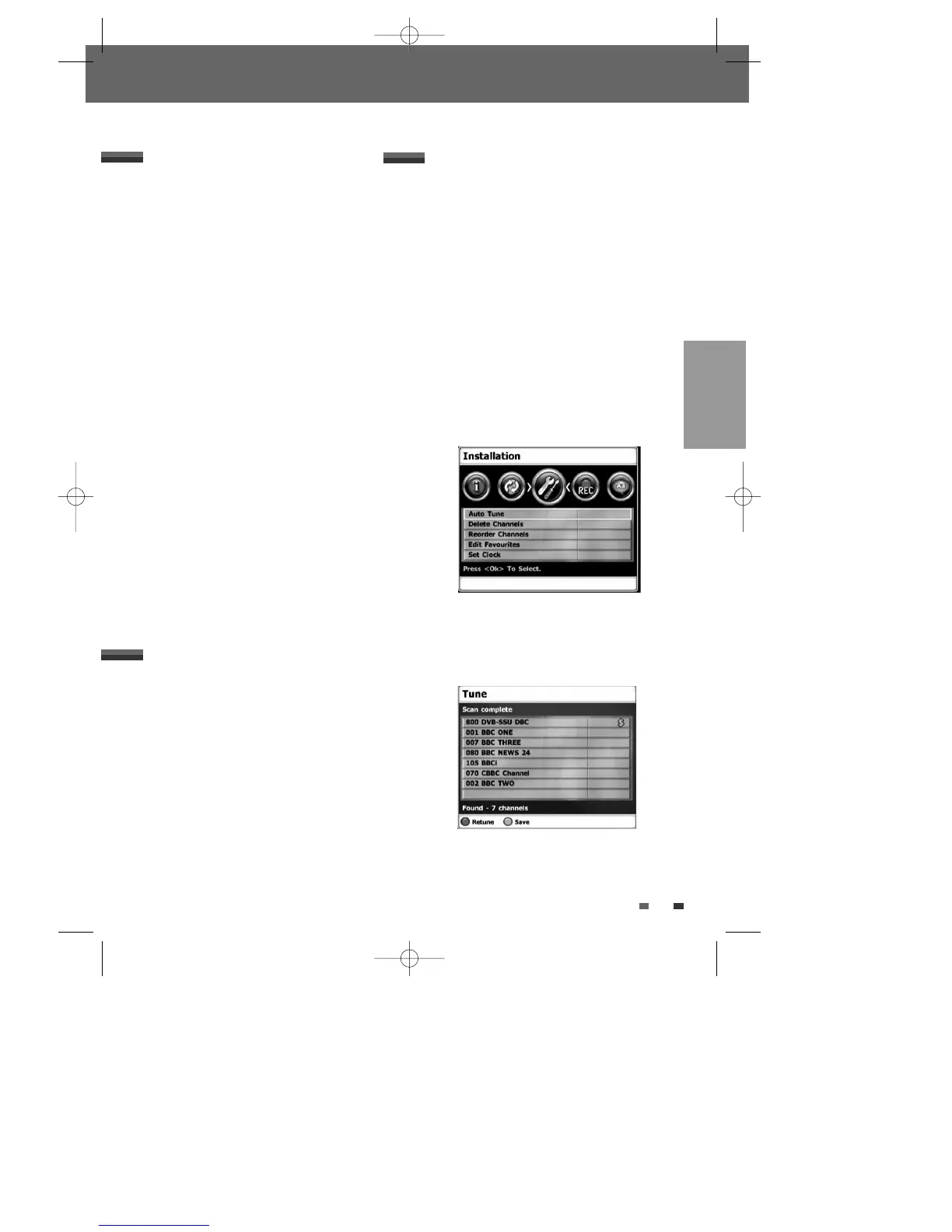
Auto Tune
The DVB-T VCR/DVD Recorder has a frequency
synthesized tuner capable of receiving channels
that include UHF E21~E69.
If the Initial Installation ends without result, you
should repeat this procedure.
Preparation:
Connect the DVB-T VCR/DVD Recorder to the
desired type of antenna or cable TV system, as
shown in ‘Connecting Antenna/Cable‘ on page 16.
1
Press [SETUP]. The Setup menu appears.
2
Use [œ/√] to select ‘Installation‘.
3
While ‘Installation‘ is selected, press [†] to
select ‘Auto Tune‘, and press [OK].
4
Press [RED], start to begin the channel search.
The tuner will automatically search for all
available channels in your area and place them
in the tuner’s memory.
INSTALLATION Settings
5
Press [GREEN] to save the channel search
results. Press [RED] to retune again; see page 21
for more details.
DTBC-MNF(or D)1NP-AG 2007.9.11 4:18 PM ˘ `25



 To Next Page