2) The display shows PIN?, then key in the PIN code (default 0000).
3) Press key to confirm. If the PIN code is validated all handset settings will be returned to
the factory default
Handset Menu Function 5: Handset registration
This function allows the user to register the handset to a specified base.
You need to operate the base and handset together:
1) Press key, then use ∧ or ∨ key to select REGISTRATION item. Press key to enter.
2) Press ∧ or ∨ key to select BASE number.(If the handset already has a registration to a base ,
there is a “+” on the right side of the display, and you should choose another base number if you
don’t want to lose that one)
3) Press key, the display shows PIN?, key in the 4 digit PIN code for the base (the default
PIN code is 0000)
4) Press key to confirm, and the display will flash “SEARCHING 1”(or 2,3,4)
5) At the same time, on the base, press MENU, press ▲/CID or ▼/OUT key to choose
REGISTRATION,
6) Press MENU to confirm, “SEARCHING” will flash on base display.
After a short delay, if the registration is successful, there will be a confirmation beep, and the handset display
will go back to idle mode with the new handset number shown (e.g. HS1, HS2). The base display will also go
back to idle mode.
Use a Multi-handset System
You can have up to 5 handsets registered to the base unit, as numbers 1, 2,3,4,5. With more than one handset
registered to your base unit, you can
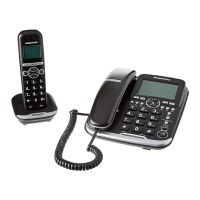
1) make intercom calls from one handset to another handset or to the corded base
2) transfer an outside call from one handset to another or to the corded base
3) set up a three-way conference call between yourself, an outside call and another handset or the
corded base.
﹡Each handset has its own number—1,2,3,4 or 5, which is shown to the right of the handset name, e.g. HS1.
To make intercom calls
1) In idle mode. Press INT key, you hear a constant tone in the earpiece and the handset will show “HS?”,
with the numbers of other handsets you can call, and “0” for the base.
2) Key in the number of other handset or corded base use the handset numerical keys.
The other handset (or the base) will ring and the display will show which handset is calling
The other handset answers the call, and then start talking.
﹡If only one handset registered with a base, just press INT to make an internal call.
* The other handset will stop ringing if it is not answered within 30 seconds.
To transfer a call
When you’ve made or answered an external call, to transfer it to another handset or to the base.
1) Press the INT key, key in the number of the handset or the base (0) you want to transfer the call to. The
external call will be put on hold. When the other handset or base didn’t answer, you can get back to the


 To Next Page