3635
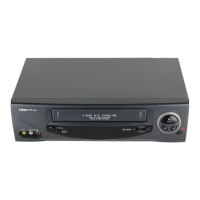
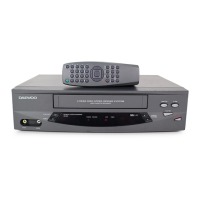
Daewoo Video Cassette Recorder User’s Guide Daewoo Video Cassette Recorder User’s Guide
Specifications
System
VHS
Video signal NTSC color
Channel coverage VHF Channel 2-13
UHF Channel 14-69
CATV Channels A1-A5, A8, A-W,
W+1-W+84
VHF output signal Channel 3 or 4 (selectable)
Video
Input: Video line in Phono-type connector 1.0V (p-p)
75 ohms unbalanced, sync.negative
Output: Video line out Phono-type connector 1.0V (p-p)
75 ohms unbalanced, sync.negative
Signal to noise ratio More than 43dB (SP)
Horizontal resolution 220 lines
Audio
Input: Audio line in Phono-type connector more than 47K ohms
-8.8 dBm, unbalanced
Output: Audio line out Phono-type connector less than 1.5K ohms
-5.8 dBm , unbalanced
Frequency response Normal: 100Hz-l0KHz (SP)
Signal to noise ratio Normal: more than 42 dB
Audio distortion Normal: less than 4 % (SP)
Tape transport
Tape width 12.65 mm (1/2”)
Tape speed SP: 33.35 mm/sec
EP: 11.12 mm/sec
Maximum recording time 480 min, with T-160 tape (EP)
Rewind/fast forward time Approx 3 min (T-120 tape)
General
Power requirements AC120V 60 Hz only
Power consumption 17 W(under 4W in standby mode)
Dimensions
Set size (W x H x D) 14.17 x 3.58 x 9.37 inches
Carton size (W x H x D) 17.52 x 6.11 x 12.21 inches
Weight Net 6.41 lbs
Gross 8.37 lbs
side of the remote sensor centre and no more than
23 feet from the VCR.
• Make sure there is no obstruction between the
remote control and the VCR.
Timer clock does not work.
• Make sure the VCR is plugged in and receiving
power.
• If the unit has been without power for some period
of time, you must reset the clock and all your timer
programs.
Video cassette won’t go into the cassette
compartment.
• Make sure there is not a tape already loaded into the
cassette compartment.
• Insert the video cassette with the label side up.
VCR and remote control buttons don’t work.
The REW button does not work at the very beginning of a
video cassette. The FF, PLAY and REC/OTR buttons do not
work at the end of a video cassette.
Emergency indicator “ ’is blinking.
Check that it is child lock mode or not and then press
POWER to remove the indicator. If the emergency
indicator continues to blink, contact a service technician.
The VCR buzzes when it is on.
The VCR may be in standby mode and the motor is
running. This sound is normal.
Video cassette recorder doesn’t rewind all the way
to the end.
To avoid video cassette tape damage, the VCR stops
rewinding near the end of the tape and then slowly
finishes rewinding. Do not prematurely eject the tape.
Troubleshooting,
continued


 To Previous Page