3 Connect a audio cable to the AUDIO OUT terminal on
the back of the VCR.
4 Connect the other end of the audio cable to the
AUDIO IN terminals on the TV. If you have a stereo
TV, connect only the white (left) terminal.
Connecting a cable system
If your cable set-up is not described below, please
contact your cable company for more information.
• If your cable system does not require the use
of a cable box, simply press or screw the incoming
cable onto the ANT IN terminal on the back of your
VCR.
109
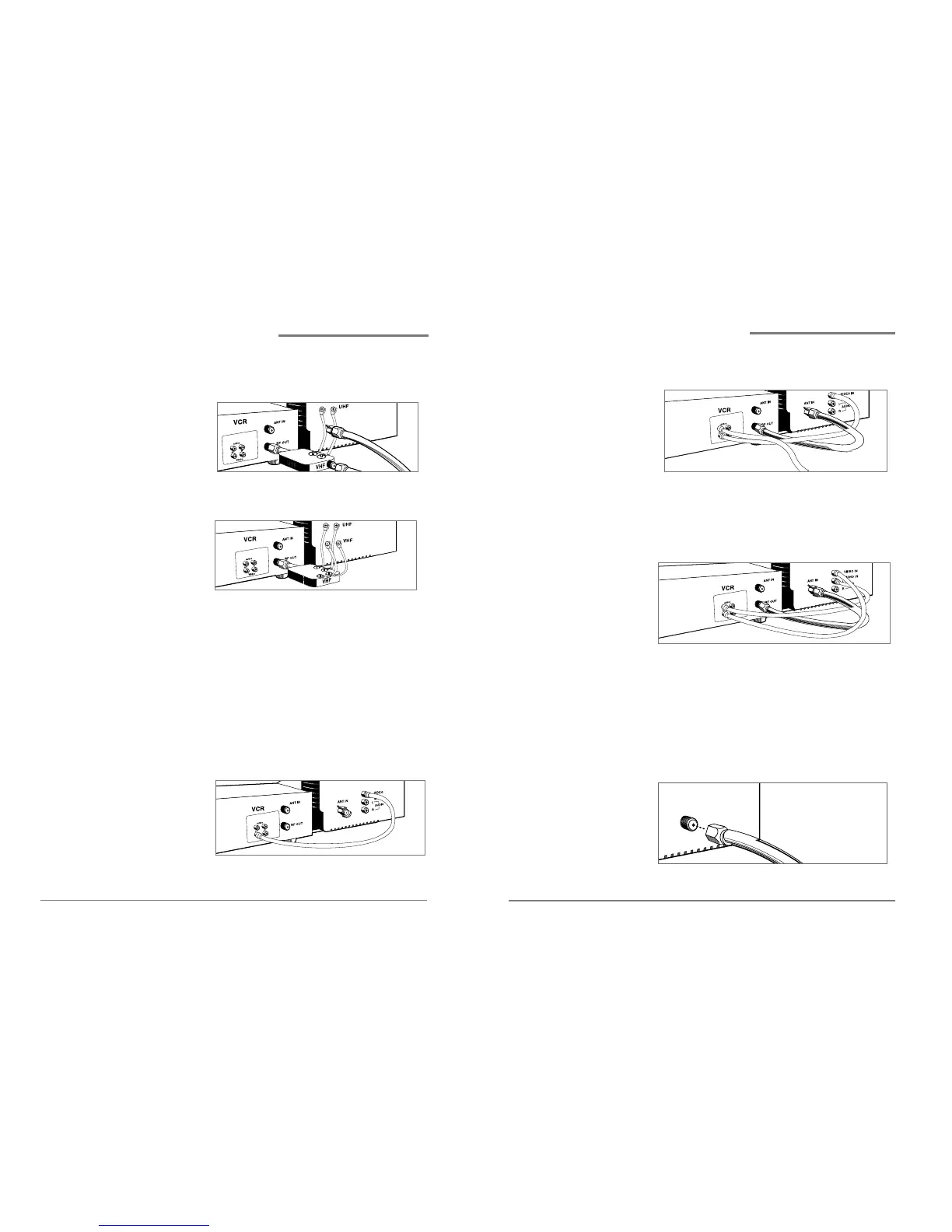
• If you have a coaxial terminal for VHF signals
and twin lead terminals for UHF signals, you
need an adapter(Not supplied) as shown below:
• If you have twin lead terminals for all signals,
you need an adapter(Not supplied) like this:
If your TV does not have Audio/Video inputs, you
have finished connecting your VCR to your TV. If
your TV does have Audio/Video inputs, you may
want to follow the section below.
Connecting to a TV with Audio/Video inputs
1 Connect a video cable to the VIDEO OUT terminal on
the back of the VCR.
2 Connect the other end of the video cable to the
VIDEO IN terminal on the TV.
Connecting your VCR,
continued
Daewoo Video Cassette Recorder User’s Guide Daewoo Video Cassette Recorder User’s Guide


 To Next Page