37
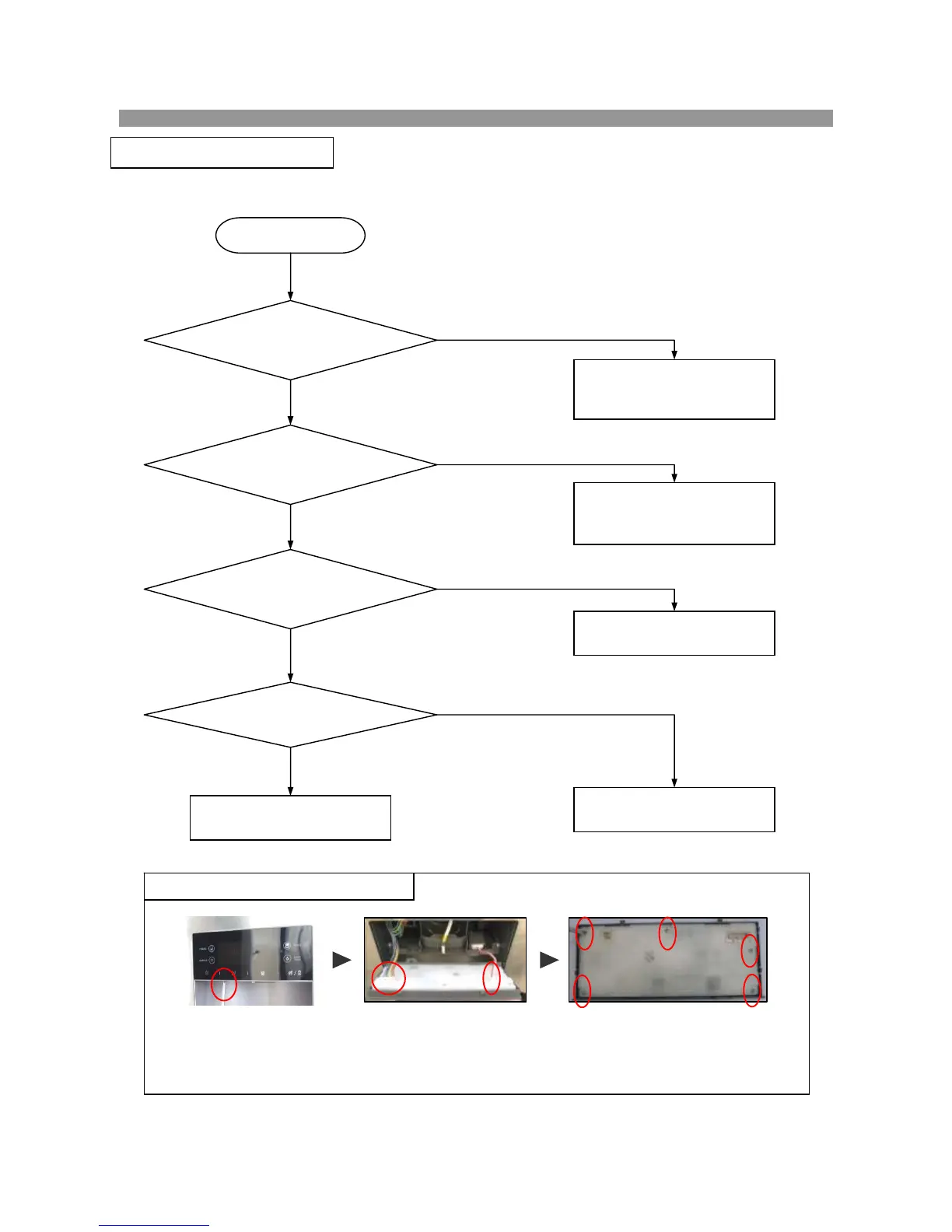
1) Unscrew (1 points) to remove Front PCB.
2) Pull out 2 connector (8pin & 2pin) from Front PCB Ass’y. (Do not hold only wires to pull out.)
3) Unscrew (5 points) to remove Front PCB.
* Follow the reverse order when assembling.
※ How to disassemble Front PCB Ass’y
Start
Power input to
Main PCB is ok?
Main PCB Fuse is
disconnected?
Voltage
(DC12V/15.5V/5V) on
Main PCB is OK?
Wire connection
of Front PCB is OK?
Check power connection
from machine compartment
to CN1 of Main PCB.
Change Front PCB AS.
Change Main PCB
Change the fuse
(AC250V 4A)
(on the Main PCB)
N
Y
N
Y
Y
N
Y
N
Checkup and connect
Front PCB wires.
8-1. Faulty Start (F/R lights OFF , F-PCB Power OFF)
8. TROUBLE DIAGNOSIS
1) 2) 3)


 To Next Page
 Loading...