11
Reset button.
Restore default factory settings.
How to reset:
Press and hold the reset button for at least 10 s when the cameras is
running (the power indicator is green), then the system configuration
will restore factory default settings.
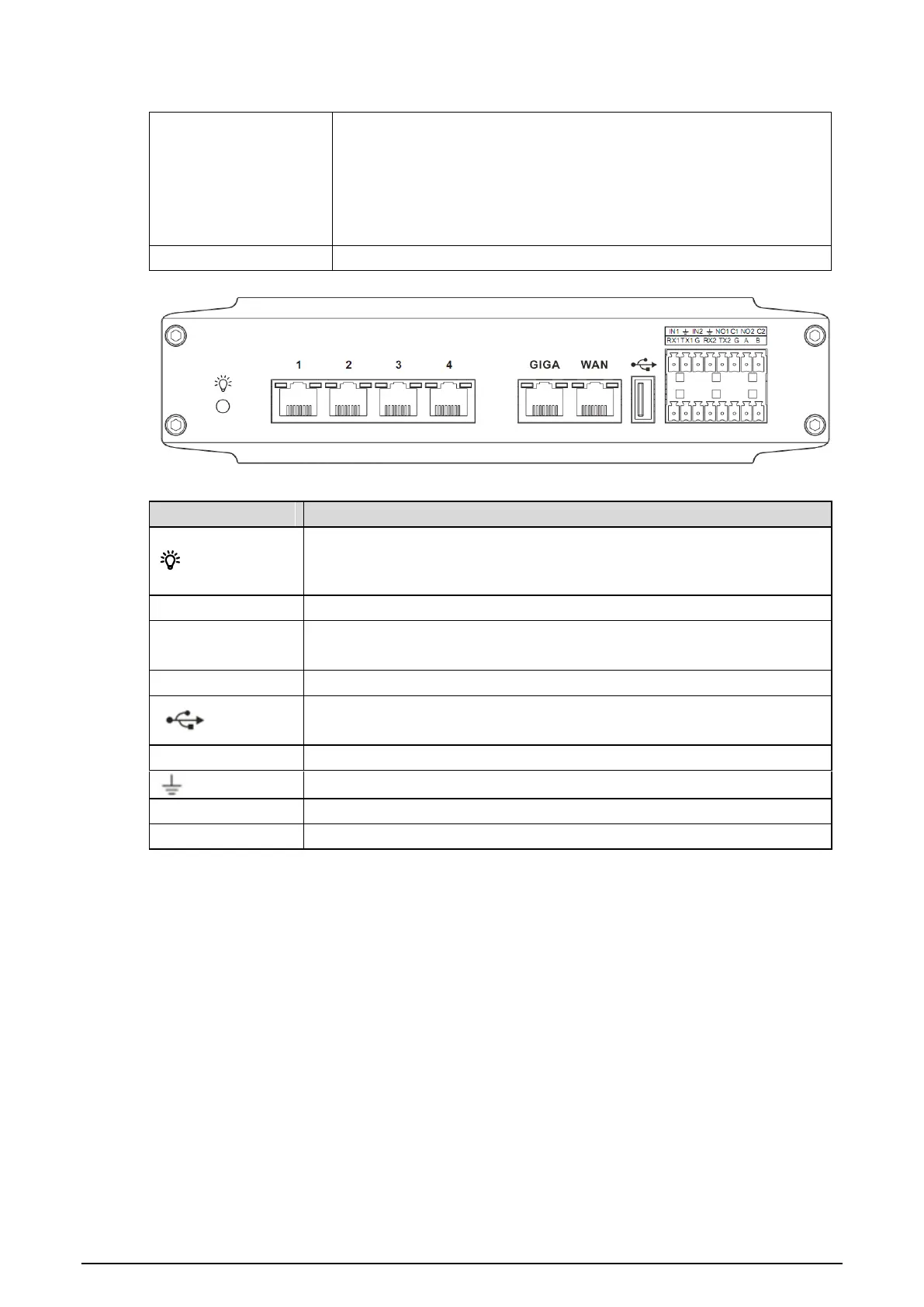
Rear panelFigure 3-4
Table 3-5 Rear panel interface
Activity indicator
Activity indicator keeps on when the device is running.
Activity indicator flashes when upgrading program.
RJ45 100M switch network port.
100M/1000M self-adaptive Ethernet port (the same network segment
with the switch).
100M/1000M self-adaptive Ethernet port.
Alarm input port, receives the on-off signal of external alarm source.
Normally-on alarm output port.
Common alarm output port.
Accessories 3.2
3.2.1 Bracket and Protective Cover
8018 Bracket



 To Next Page