17
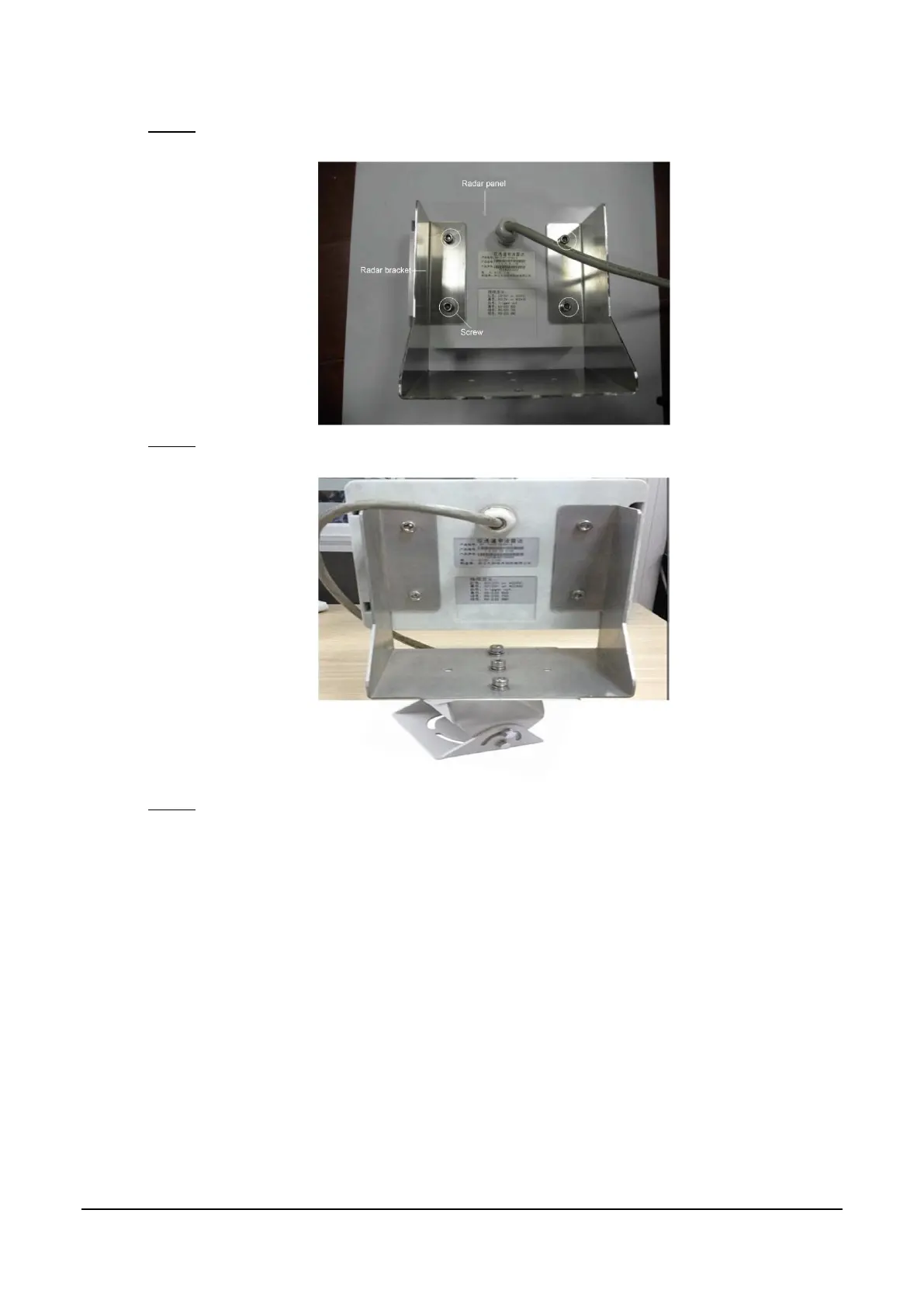
Use screws to tighten the radar panel to the radar bracket. See Figure 4-5.
Step 2
Install radar (2) Figure 4-5
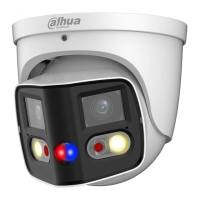
Mount the radar bracket to PFA162 bracket. See Figure 4-6. Step 3
Install radar (3) Figure 4-6
Mount PFA162 bracket to the traffic pole. Step 4
Radar is successfully installed.
Installing Edge Storage Device 4.4
Mounting bracket for 1U edge storage device is provided. You can install edge storage device
according to project requirements.
Edge storage device integrates switch and fiber optical transceiver on one device, and provides
more than one method of networking to meet different client needs. The device has two Ethernet
cards, default IP is: WAN Ethernet card 192.168.1.108; GIGA Ethernet card 192.168.0.108.
Single Segment Networking Method
In this method, camera and platform are configured in the same network segment. The default
Ethernet card IP address is 192.168.0.108.



 To Next Page