User’s Manual
26
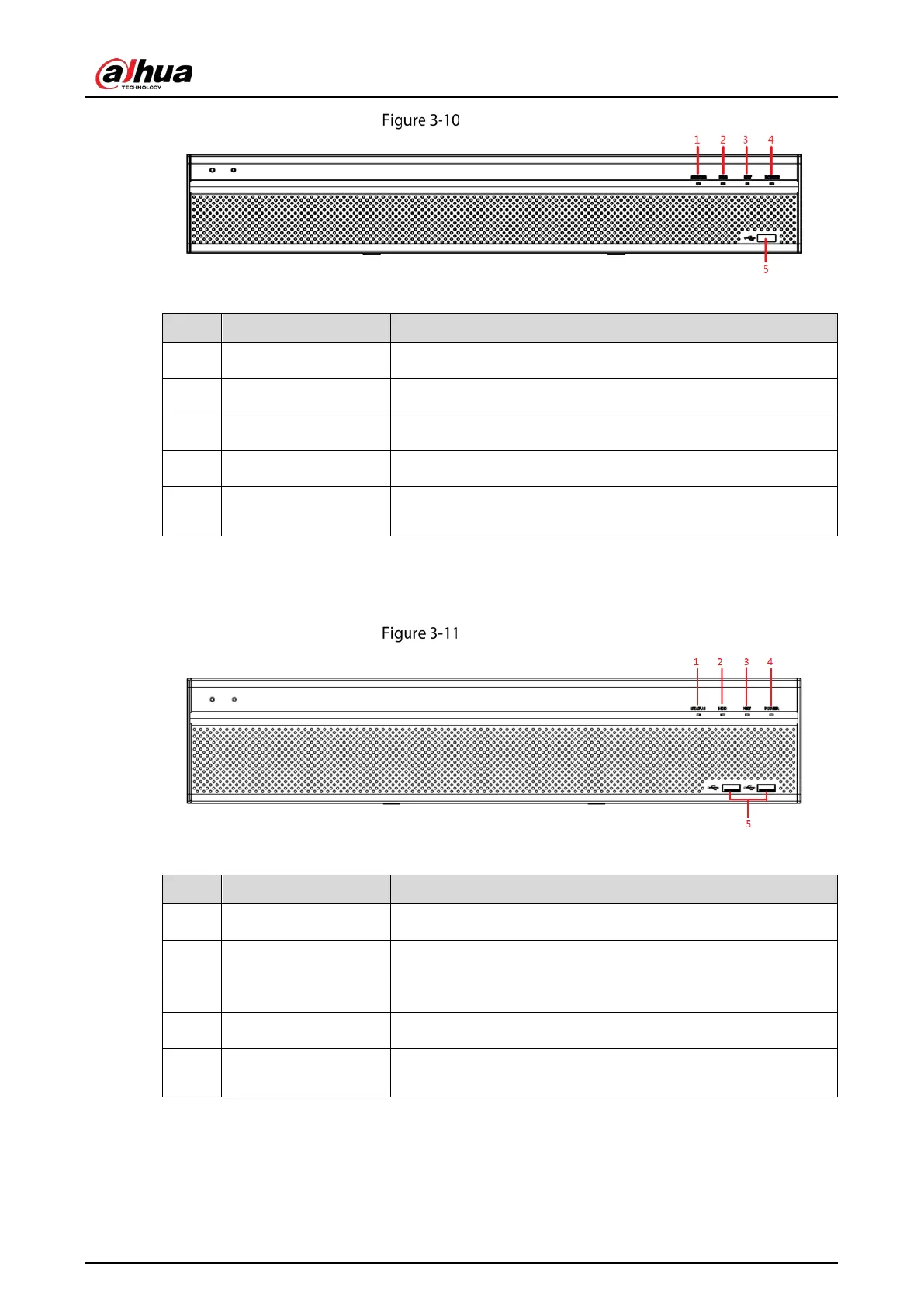
Front panel
Table 3-9 Front panel description
1 Status indicator light Glows blue when the device is working properly.
2 HDD Glows blue when HDD status is abnormal.
3 NET Glows blue when network status is abnormal.
4 POWER Glows blue when the power is connected properly.
5 USB port
Connects to peripheral devices such as USB storage device,
keyboard, and mouse.
3.1.11 DH-XVR5832S-X/DH-XVR5808S-X/DH-XVR5816S-X
Front panel
Table 3-10 Front panel description
1 Status indicator light Glows blue when the device is working properly.
2 HDD Glows blue when HDD status is abnormal.
3 NET Glows blue when network status is abnormal.
4 POWER Glows blue when the power is connected properly.
5 USB port
Connects to peripheral devices such as USB storage device,
keyboard, and mouse.



 To Next Page
 Loading...