User's Manual
97
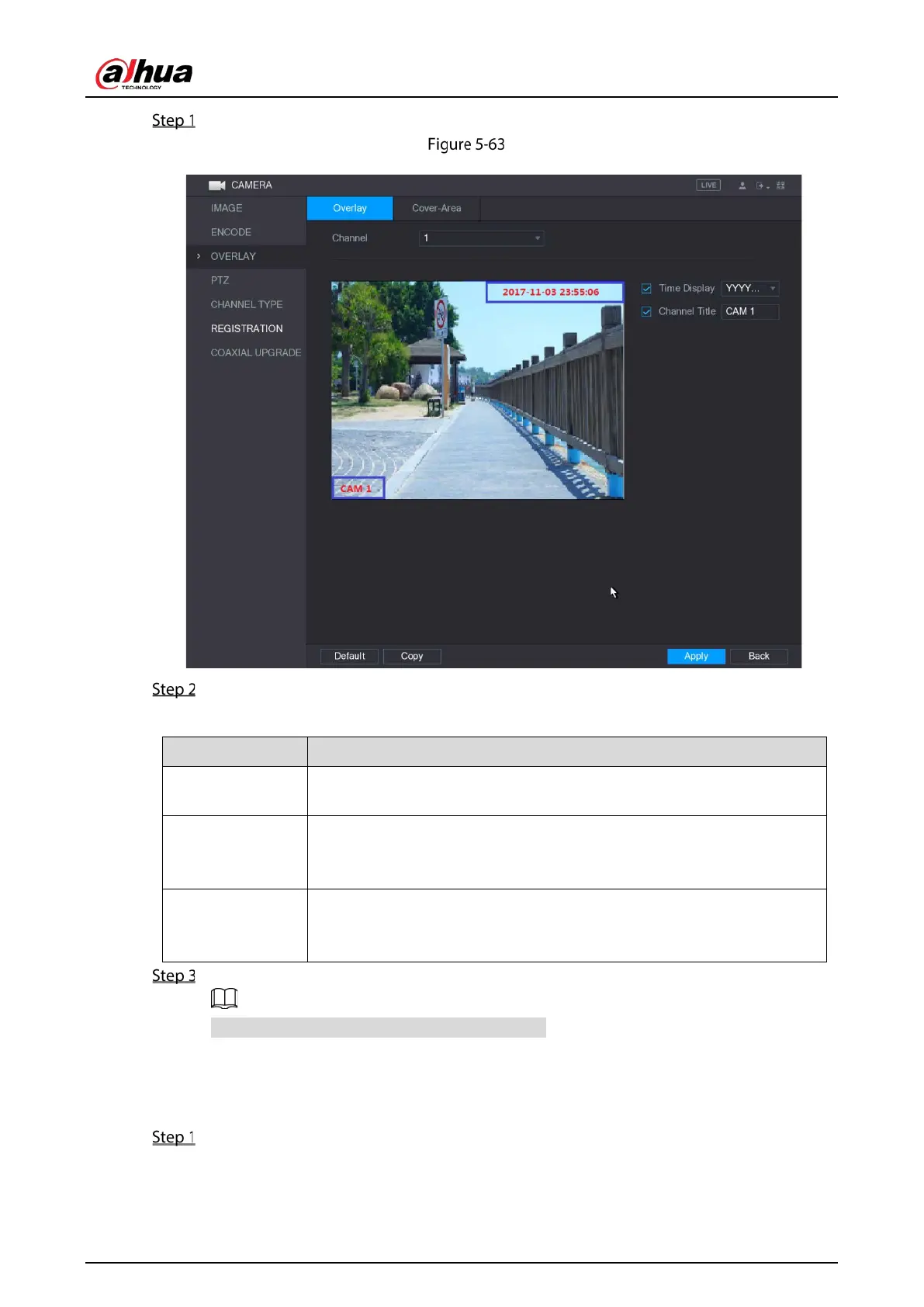
Select Main Menu > CAMERA > OVERLAY > Overlay.
Overlay
Configure the settings for the text overlay parameters.
Table 5-26 Overlay parameters
Channel
In the
list, select the channel that you want to configure the
settings for.
Time Display
Select the
check box to display the system time on each
channel window in the live view screen.
In the
list, select time display style.
Channel Title
Select the
check box to display the channel name on each
channel window in the live view screen.
In the
box, enter the name for the selected channel.
Click Apply to complete the settings.
Click Copy to copy the settings to other channels.
5.5.5 Configuring Covered Area Settings
Select Main Menu > CAMERA > OVERLAY > Cover-Area.


 To Next Page
 Loading...

