User's Manual
72
Customized You can customize four color modes.
1. Click
.
The
interface is displayed.
2. In the
list, select
, for example. Then
configure the settings for sharpness, hue, brightness, contrast and
saturation. If you select
, the configuration will apply to all four
customized color modes.
3. Click
.
4. On the
interface, in the
list, you can select the
customized color mode.
5.2.6 Live View Display
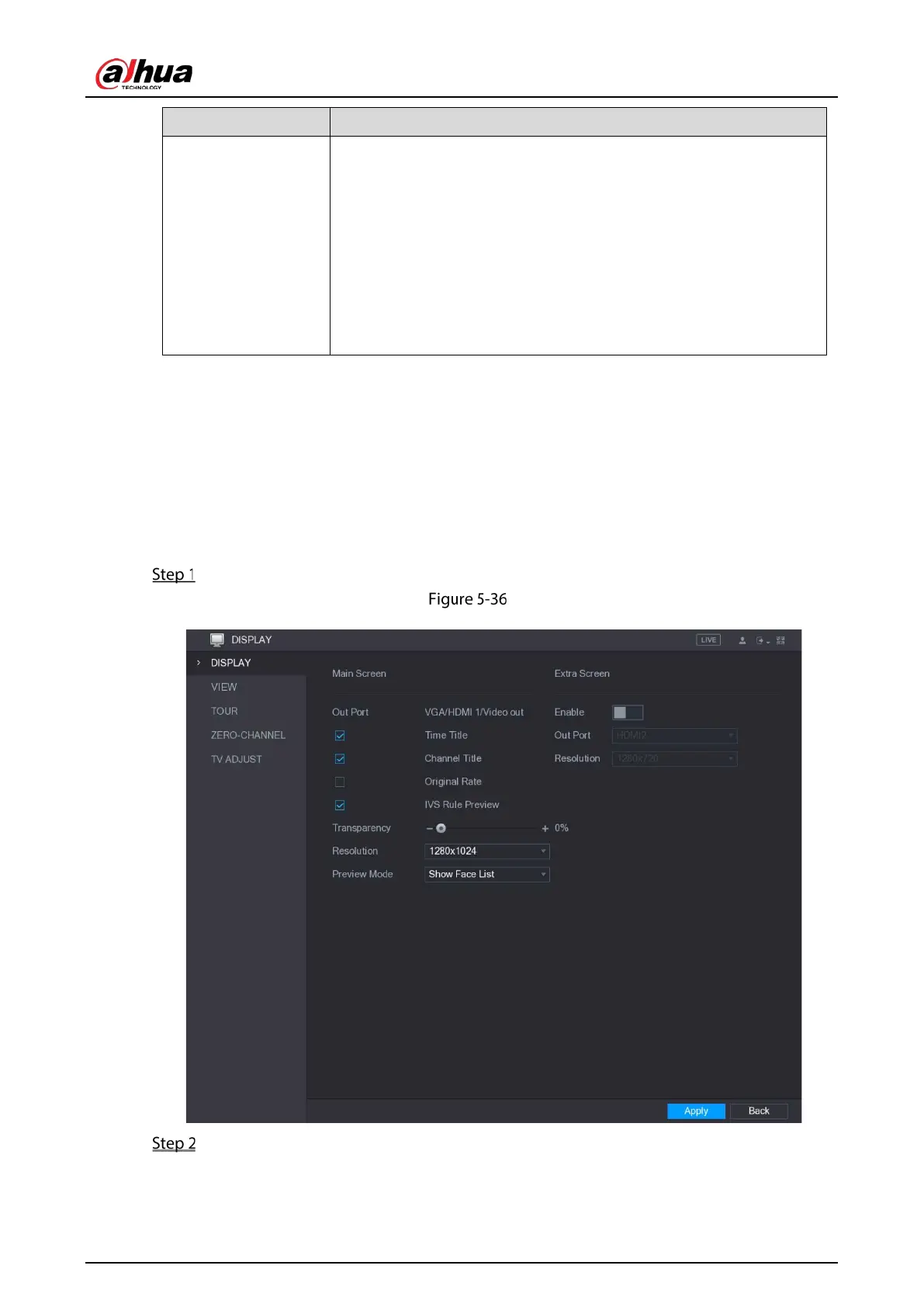
5.2.6.1 Configuring Display Settings
You can configure the display effect such as displaying time title and channel title, adjusting image
transparency, and selecting the resolution.
Select Main Menu > DISPLAY > Display.
Display
Configure the settings for the display parameters.


 To Next Page
 Loading...

