User's Manual
62
After you have configured the video recording settings, on the Record interface, click Next.
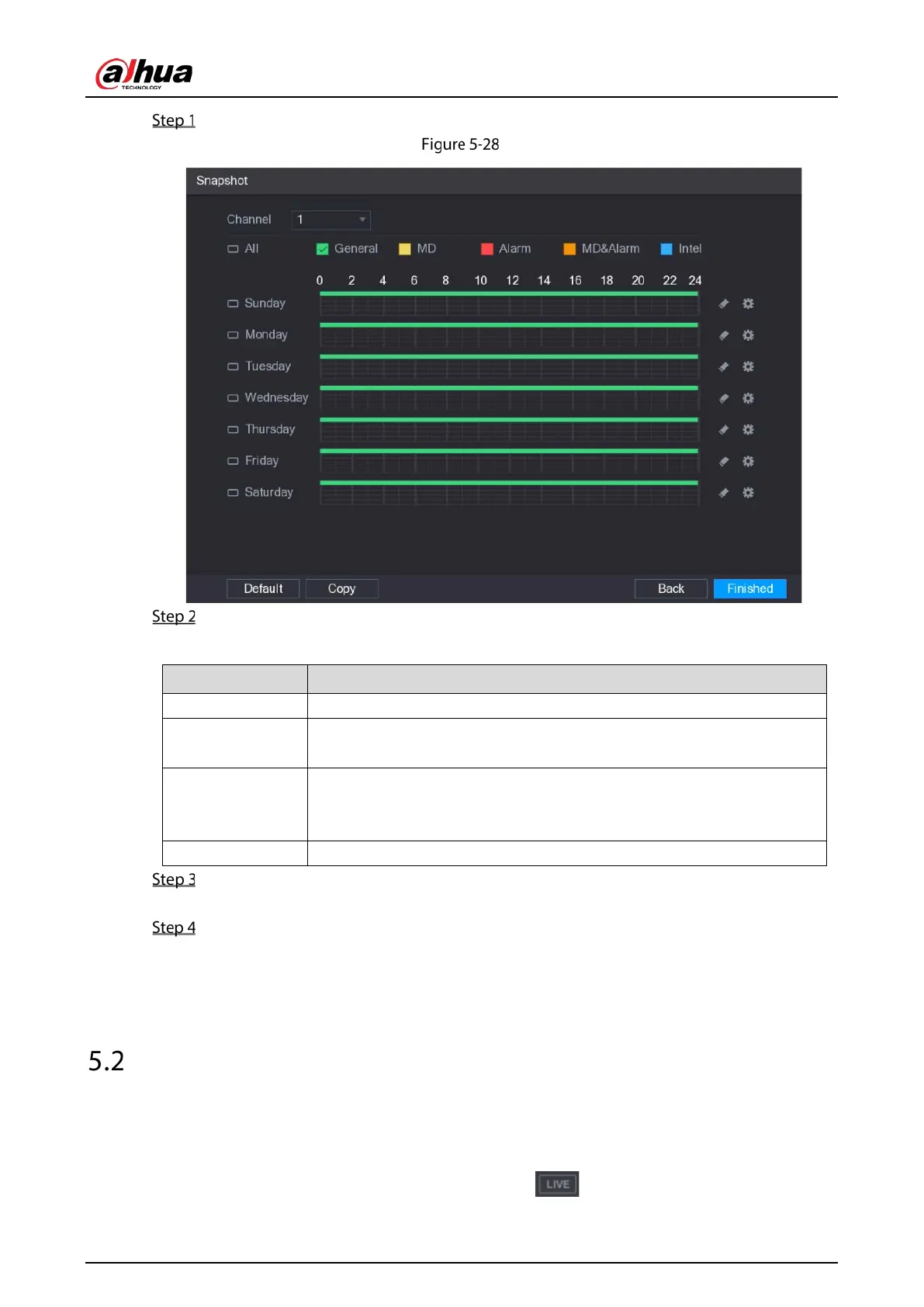
Snapshot
Configure the snapshot settings parameters.
Table 5-10 Snapshot settings
Channel In the
list, select a channel to take a snapshot.
Event type
Select the check box of the event type which includes
,
,
,
,
, and
.
Period
Define a period during which the configured snapshot setting is active.
For details about defining a period, see "5.1.4.9 Configuring Recorded
Video Storage Schedule."
Copy Click
to copy the settings to other channels.
Click Finished.
A pop-up message is displayed.
Click OK.
The live view screen is displayed. The setting up with startup wizard is completed. You can
start using the Device.
Live View
After you logged in to the Device, the live view is displayed. See 5.2.1. The number of channels
displayed depends on your model.
To enter the live view screen from other interfaces, click on the upper-right of the screen.


 To Next Page
 Loading...

