User's Manual
3
2 Getting Started
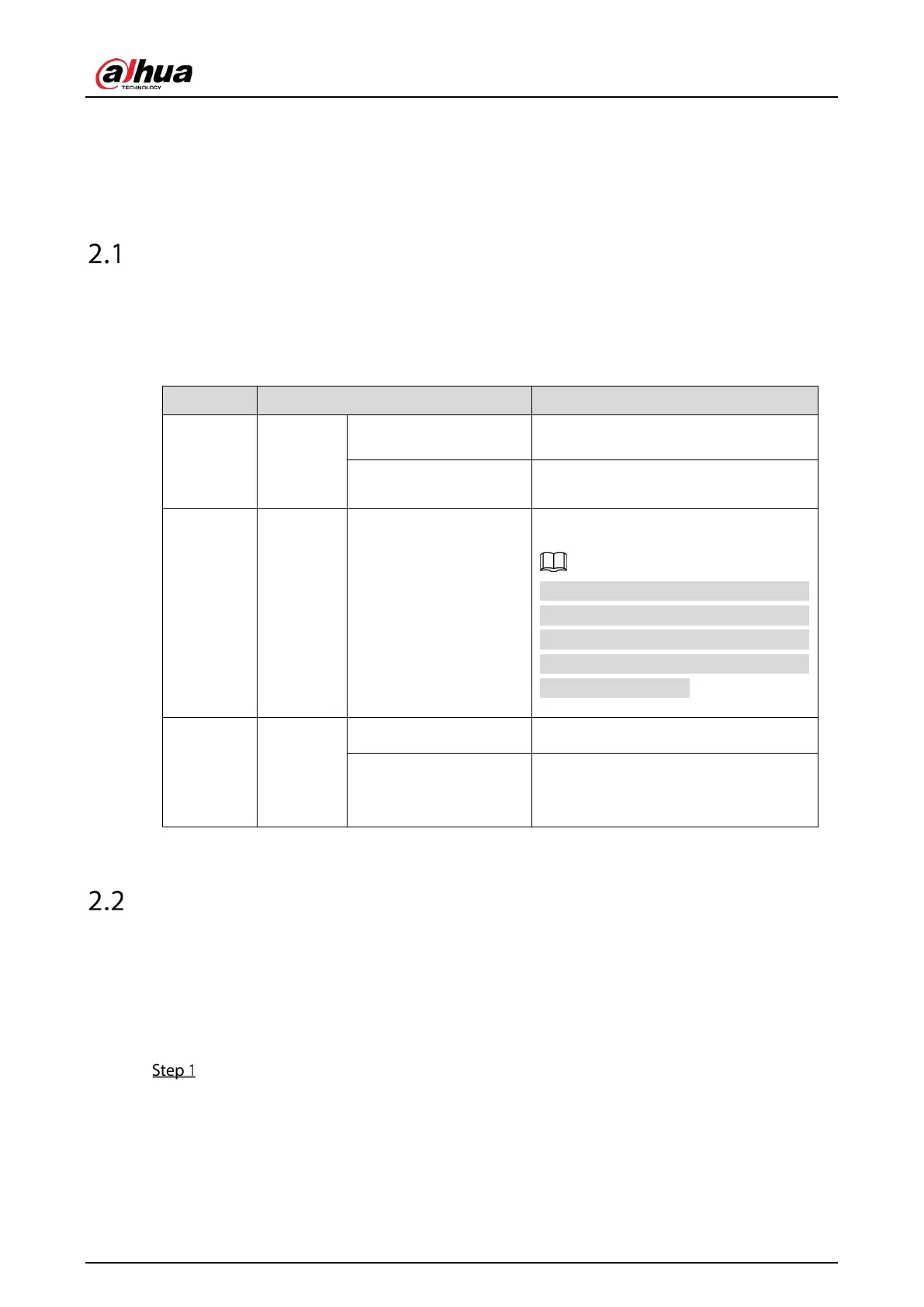
Checking the Components
When you receive the Device, please check against the following checking list. If any of the items are
missing or damaged, contact the local retailer or after-sales engineer immediately.
Table 2-1 Checking list
1 Package
Appearance No obvious damage.
Packing materials
No broken or distorted positions that
could be caused by hit.
2 Labels Labels on the device
Not torn up.
Do not tear up or throw away the labels;
otherwise the warranty services are not
ensured. You need to provide the serial
number of the product when you call
the after-sales service.
3 Device
Appearance No obvious damage.
Data cables, power
cables, fan cables,
mainboard
No connection loose.
Installing HDD
2.2.1 DHI-XVR5108HS-4KL/DHI-XVR5116H-4KL/DHI-XVR5116HS-
S2/DHI-XVR5116H-S2/DHI-XVR7108HE-4KL/DHI-XVR7116HE-4KL
Loosen the screws of the upper cover and side panel.


 To Next Page
 Loading...

