EDUS39-605 Control Devices
Controls 23
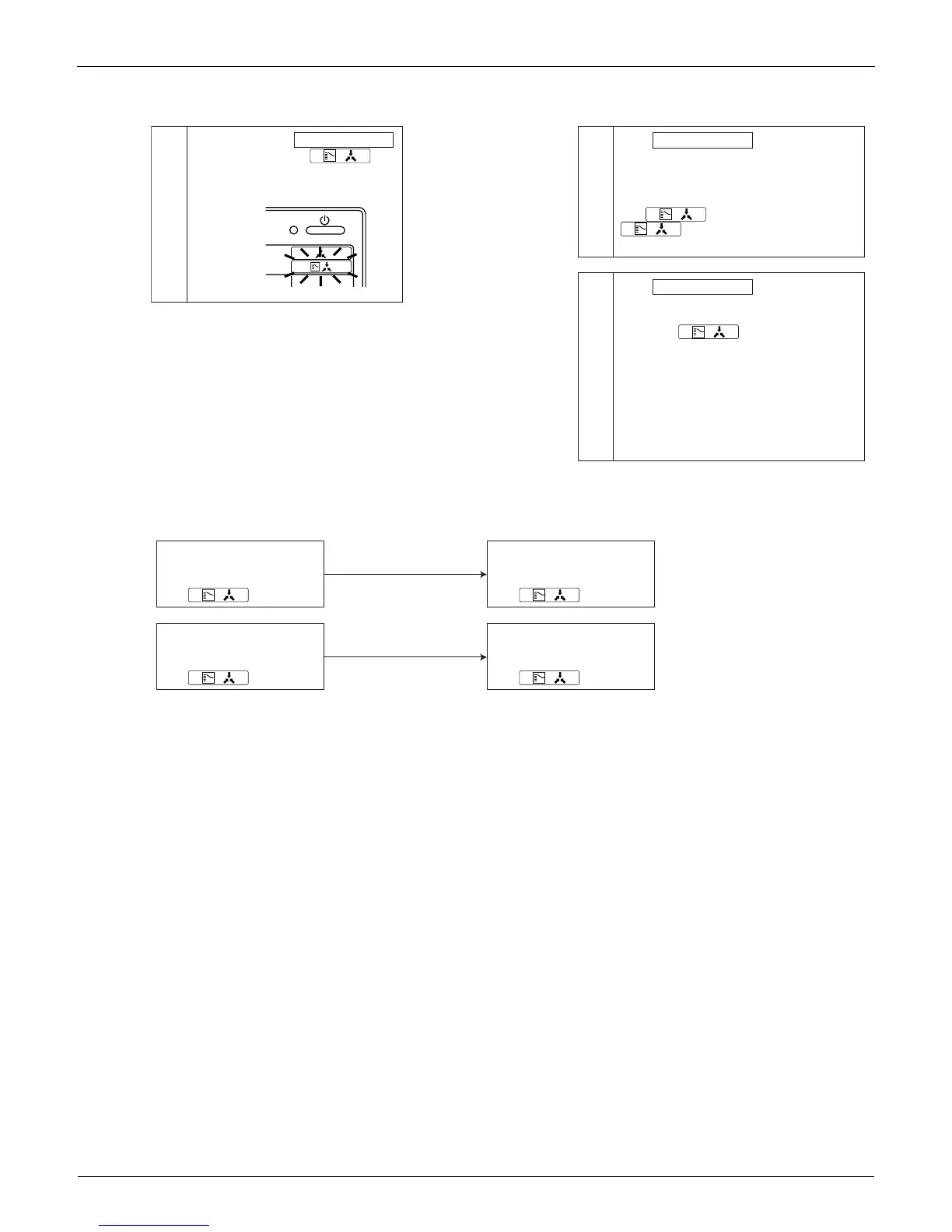
Use the following procedure to set operation mode:
Description of operation and its function:
Note: Selection modes are also available on the wireless remote controller. It is not possible to set DRY mode with the
Central Remote Controller.
Continue to push Operation switch
for about 4 seconds.
sign blinks on all the indoor units
connected to the outdoor unit or BS
unit.
Push Operation switch of the remote
controller, which you want to set the
selection eligibility. This completes the
setting procedure. Cool/heat selection
eligibility is set for that remote controller,
and sign goes off.
still blinks on all other remote
controllers.
Push Operation switch of remote
controller having the selection
eligibility (The remote controller not
displaying sign) several times
to select the desired operation mode.
[Fan], [Dry], [Auto](only for Heat Recovery
series),[Cooling] and[Heating] mode are
selected each time you push the
[Operation switch]. Operation mode of
other remote controllers, which has no
selection eligibility, is also switched
automatically.
1
2
3
2. Selection Eligibility
Setting
3. Operation mode
changeover
(V1397)
Operation ON/OFF
(V1398)
Remote control having the
selection eligibility
Remote controller having
no sign.
( )
Other remote controller
Remote controller having
no sign.
( )
Remote control having the
selection eligibility
Remote controller having
no sign.
( )
Other remote controller
Remote controller having
no sign.
( )
Set to Cooling, Heating
and Auto (only for Heat
Recovery series);
Set to [Fan];
• Changes to the operation mode
selected by the remote controller
having the selection eligibility.
• However, you can still change to
[Fan], or change from [cooling] to
[dry].
• Can only be set to [Fan].


 To Next Page