Control Devices EDUS39-605
26 Controls
Batch deletion of zone registration
1. Pressing the ALL for at least four seconds while pressing the FILTER SIGN RESET button when
ZONE SET is displayed deletes all zone registrations.
Zone setting
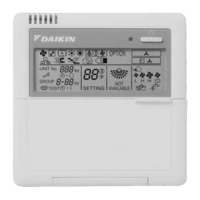
To set all zones for uniform operation, the central remote controller should display Zone 0 with the following modes
selected:
Operation mode
Control mode
Room temperature setting
Time Clock No.
NOT AVAILABLE Display
If a particular function is not available for the unit, NOT AVAILABLE displays for approximately two seconds when you
attempt to access that function.
If another unavailable function button is pushed, the NOT AVAILABLE display will continue an additional two seconds.
Monitor in a zone unit
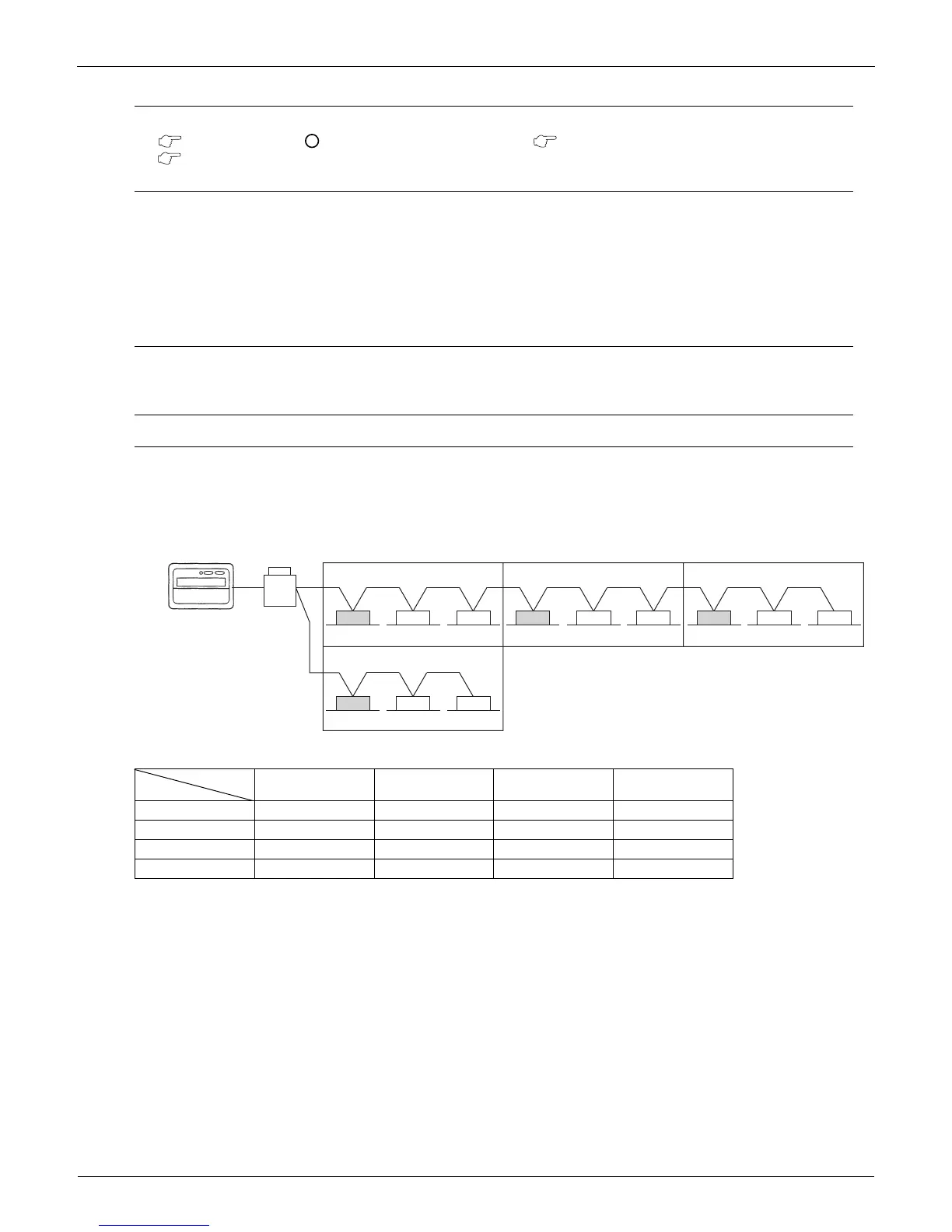
Operating and monitoring the system in a group or by individual zones is enabled from the DCS302C71.
Monitoring in a zone is accessed by using an indoor unit with a lower address within the zone as the Main Indoor Unit.
The following options are displayed for monitoring zones:
If the system is operated on the Zone screen, the same setting is reflected for all indoor units registered with that zone.
On the Zone screen, ventilation mode can be only monitored, not changed. In order to change to ventilation mode, be
sure to use the Individual screen.
On the Batch screen, operating and monitoring is enabled to allow monitoring an indoor unit with a lower address within
the scope of control.
Main Indoor Unit
Operation Code
Timer No.
Temp. Display Operation Mode
Zone 1 1-00 1-00 1-00 1-00
Zone 2 1-03 1-03 1-03 1-03
Zone 3 1-06 1-06 1-07 1-07
Zone 4 2-00 2-00 N/A N/A
9
8
2
1-00 1-01 1-02
Zone 1
1-03 1-04 1-05
Zone 2
1-06 1-07 1-08
Zone 3
2-00 3-00 4-00
Zone 4
Central Remote
Controller
Outdoor Unit
Indoor Unit


 To Next Page