Operation manual BRC1E52A7
9
4PW71265-1 – 10.2011
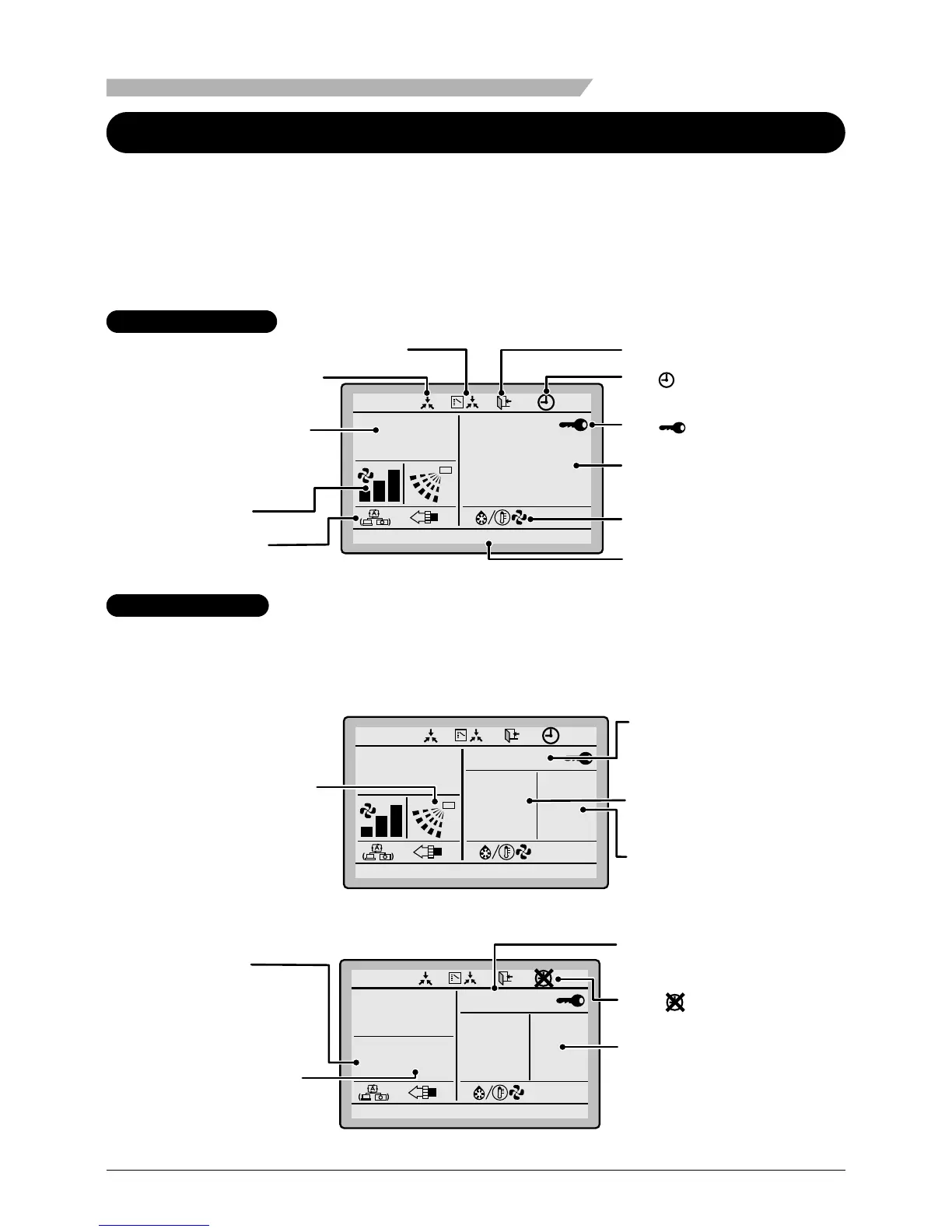
Liquid Crystal Display
• Two types of liquid crystal display (LCD) are available. The standard display is by
default set.
•
To go to the detailed display, select the detailed display in the main menu. (See page 53.)
• The displayed contents of the screen vary with the operation mode of the equipment
interlocked. (The following display will appear when the air conditioner is in automatic
heating operation.)
Standard display
Auto
This function not available
<Standard display example>
2. Fan speed
1. Operation mode
11.Setback
7. ( ) display
5. Message
8. ( ) display
Set to
Cool
Heat
28°C
20°C
6.Ventilation/
purifying
9.Under centralized
control
3.Set/Setback
temperature display
4.Defrost/Hot start
Detailed display
The airow direction, clock, and detailed selection items appear
on the detailed display screen in addition to the items appearing
on the standard display.
Room
20°C
Auto
Return Setting
Cool
Heat
28
°C
20
°C
Setback
Fri
11
:
03
14. Detailed selection
(with room
temperature settings)
12. Airflow direction
(Displayed only when
the air conditioner is in
operation.)



 To Next Page