BRC1E52A7 Operation manual
4PW71265-1 – 10.2011
52
Conguration
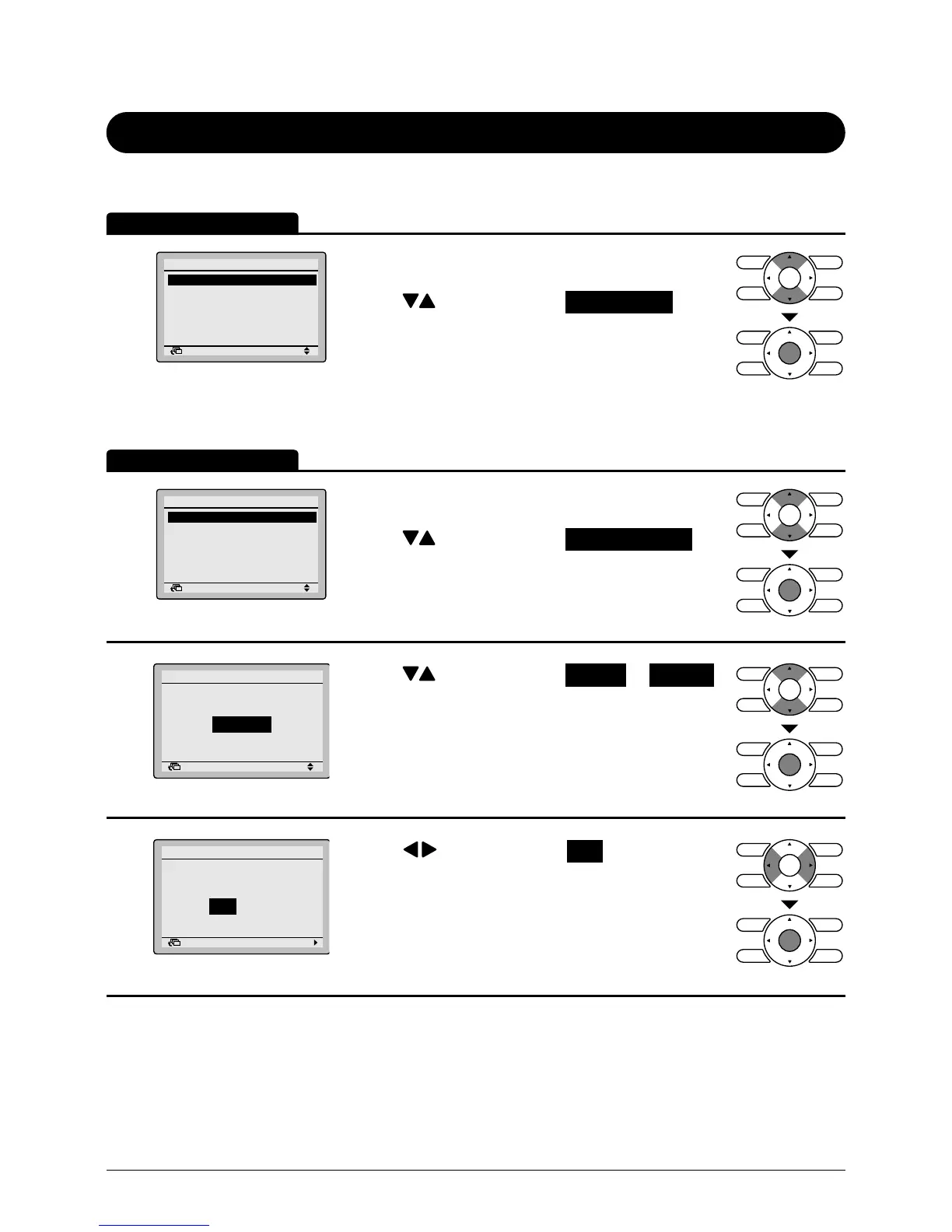
Display method for conguration settings screen
1
Return Setting
Main Menu
Configuration
Current Settings
Clock & Calendar
Language
2/2
• Display the main menu screen.
(See page 29.)
• Press buttons to select Conguration on the
main menu screen.
Press Menu/Enter button to display the
Conguration settings screen.
Draft prevention
1
Return Setting
Configuration
Display
Contrast Adjustment
Draft prevention
• Bring up the Conguration settings screen. (See
above.)
• Press buttons to select Draft prevention on
the Conguration settings screen.
Press Menu/Enter button to display the Draft
prevention settings screen.
2
Return Setting
Enable/Disable
Draft prevention
Disable
• Press buttons to select Enable or Disable
on the enable/disable screen.
Press Menu/Enter button after selecting the item.
The conrmation screen will appear.
3
Return Setting
Save the settings?
Draft prevention
Yes No
• Press buttons to select Yes on the
conrmation screen.
Pressing Menu/Enter button conrms the enable/
disable setting for the draft prevention and takes
you back to the basic screen.
Operation Method
Operation Method



 To Next Page