BRC1E52A7 Operation manual
4PW71265-1 – 10.2011
56
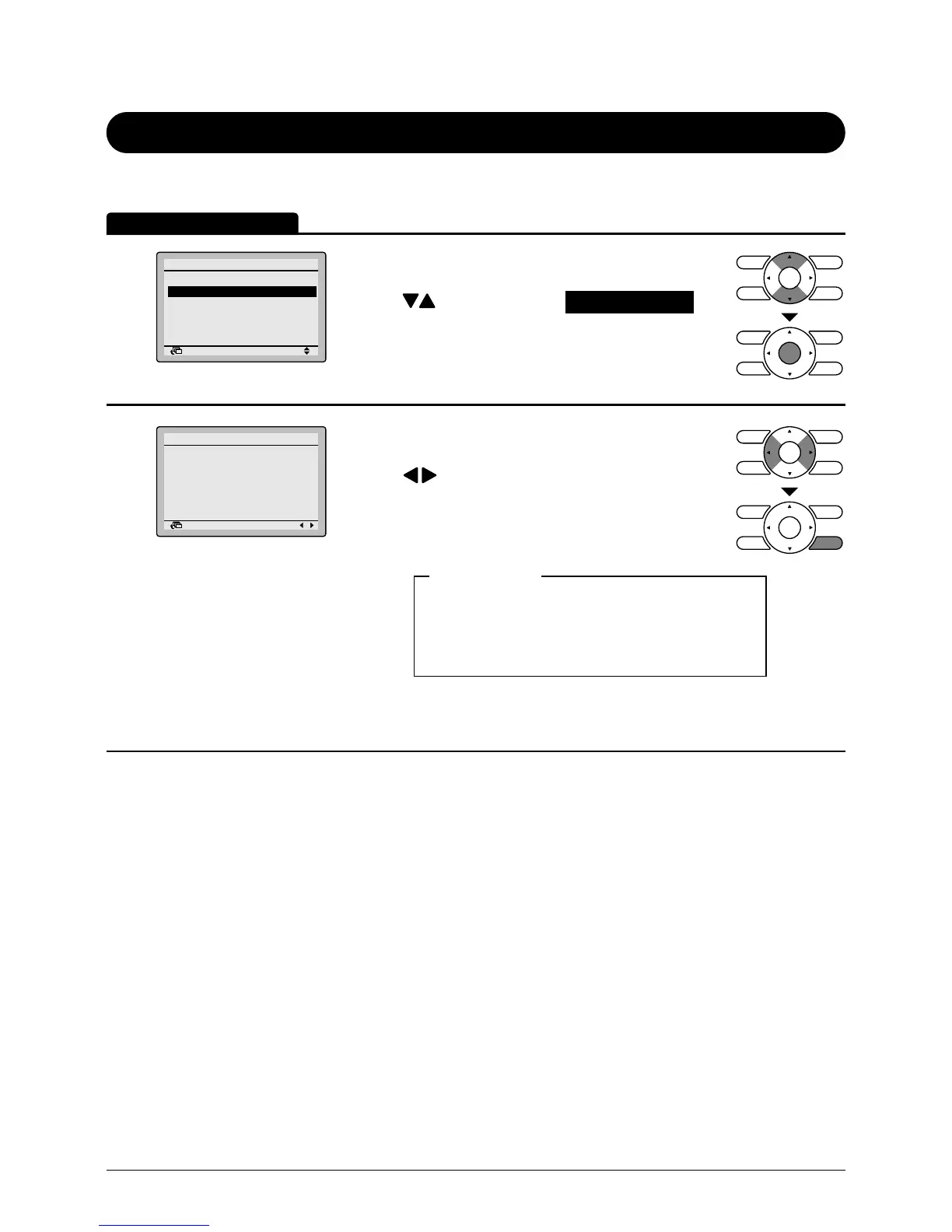
Current Settings
Manipulating the current settings
1
Return Setting
Main Menu
Configuration
Current Settings
Clock & Calendar
Language
2/2
• Display the main menu screen.
(See page 29.)
• Press buttons to select Current Settings on
the main menu screen and press Menu/Enter
button.
2
Return Setting
Current Settings
Ventilation rate Low
Ventilation mode Auto
Schedule Disable
Display Mode Standard
Display Item Outside
Filter auto clean 00-03
• A list showing the current setting status will
appear.
Press buttons to go to the next item.
• Pressing Cancel button takes you back to the main
menu screen.
Ventilation rate Display Mode
Ventilation mode Display Item
Schedule Filter auto clean
Quick Start
Display items
* Display items may differ depending on the model.
Only the items that can be set are displayed.
Operation Method



 To Next Page