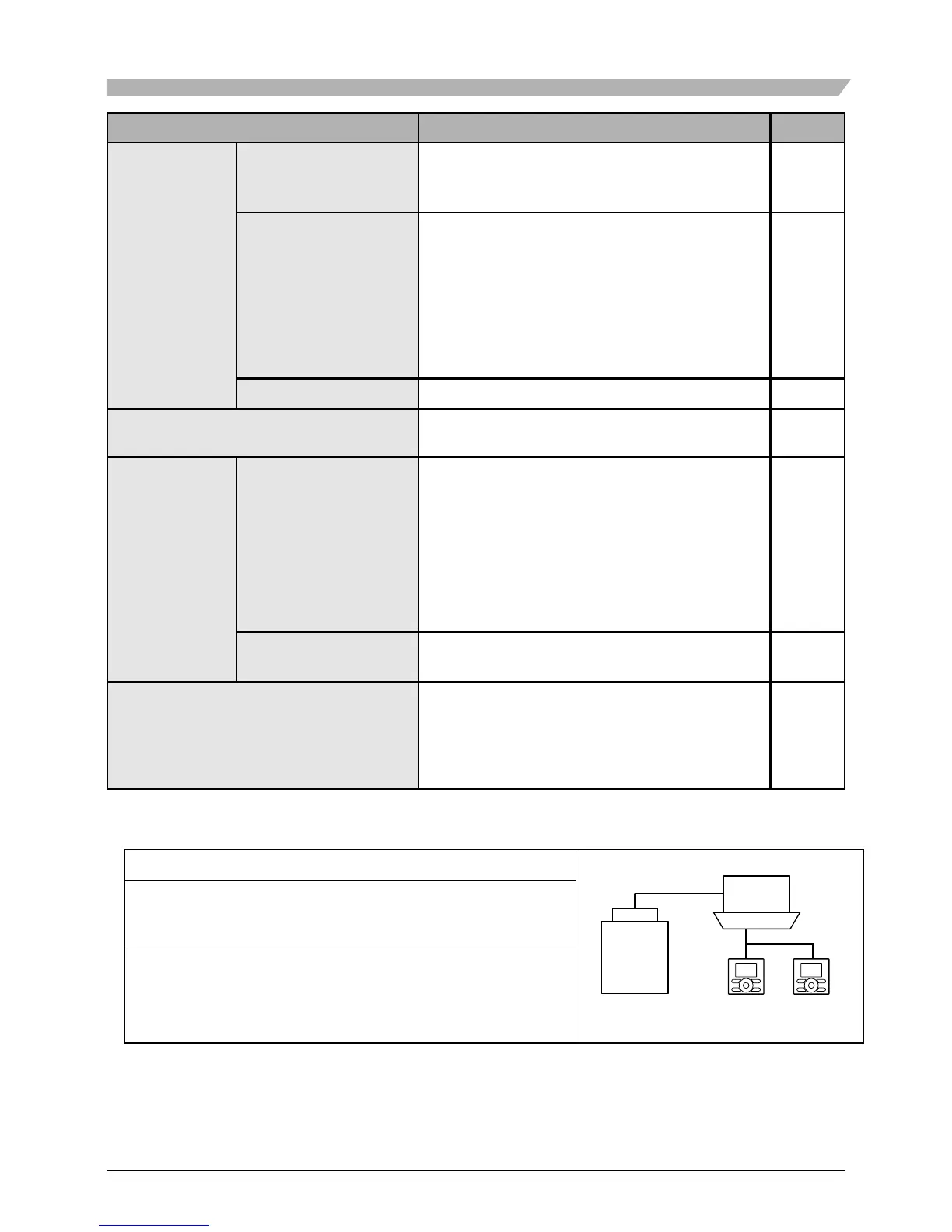
Setting and display items Description
Reference page
Conguration
Draft prevention (only
if the sensing sensor is
installed)
• The draft prevention function can be en-
abled or disabled.
52
Display
Used to set to standard or detailed display
mode.
• Display
Standard or detailed display
•
Detailed display settings
Selectable from the display room tempera-
ture, outdoor temperature, system, or without
any display items.
53
Contrast Adjustment
Used to make LCD contrast adjustment.
55
Current Settings
Used to display a list of current settings
for available items.
56
Clock &
Calendar
Date & Time
Used to congure date and time settings
and corrections.
• The default time display is 24H.
• The clock will maintain accuracy to within
±30 seconds per month.
• If there is a power failure for a period not
exceeding 48 hours, the clock will continue
working with the built-in backup power supply.
57
12H/24H Clock
The time can be displayed in either a 12 hour
or 24 hour time format.
59
Language
The displayed language can be selected from
the following language. (English/Deutsch/
Français/Español/Italiano/Eλληνικά/
Nederlands/Portugues/Pyccĸий/Тürkçe/
Polski)
60
Note: Available setting items vary with the model connected.
Only the available setting items appear in the menu.
Menu Items of Sub Remote Controller
2 remote controllers
If 2 remote controllers are in control of a single indoor unit,
the following menu items are not set in the sub remote
controller. Set them in the main remote controller.
• Energy Saving Options
• Schedule
• Setback
• Filter auto clean



 To Next Page