EasyManua.ls Logo

Daikin BRC1E52A7 - Page 32

Daikin BRC1E52A7
68 pages
Print Icon
To Next Page IconTo Next Page
To Previous Page IconTo Previous Page
Loading...
Operation manual BRC1E52A7
31
4PW71265-1 – 10.2011
5
Cool
Set to
Cool
28°C
Basic screen
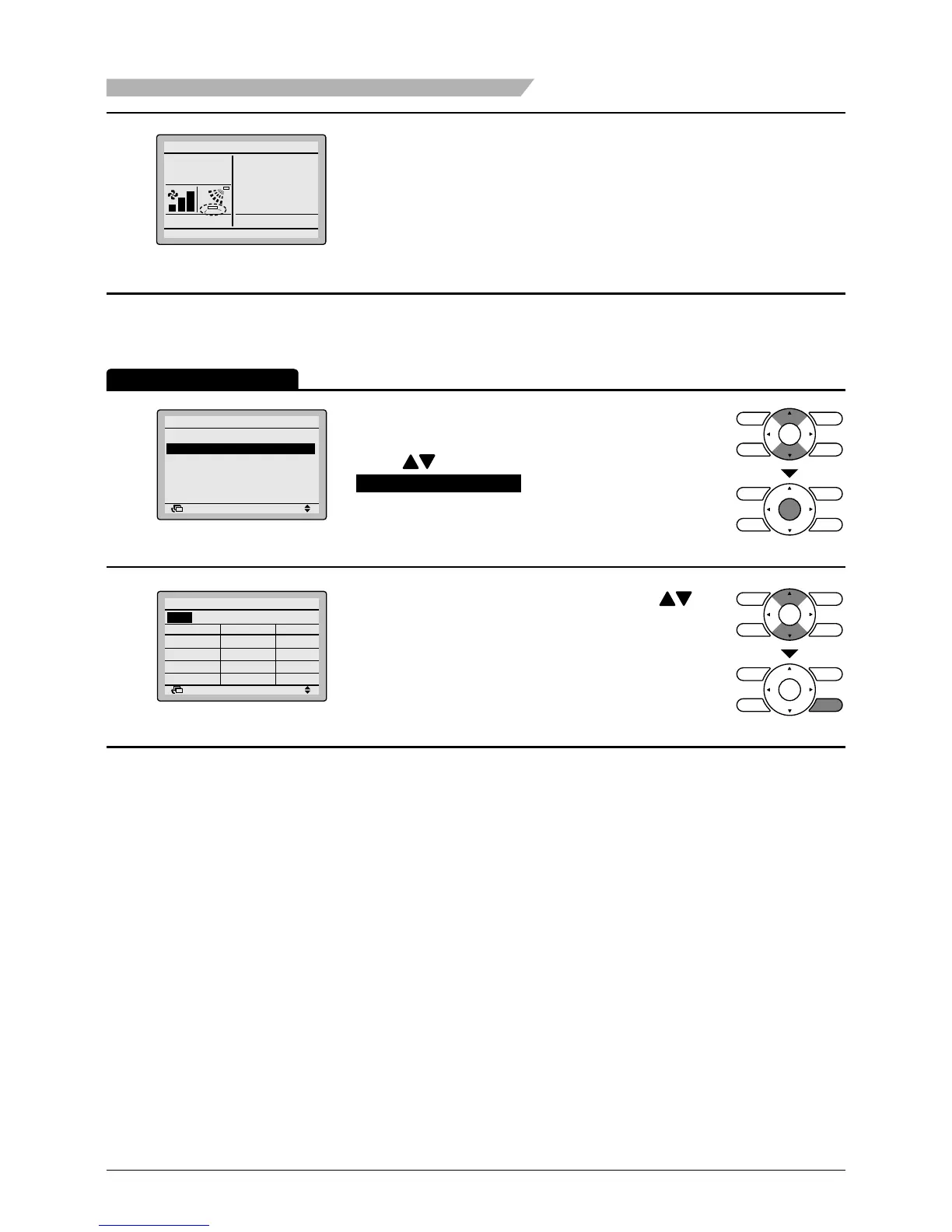
If individual air ow direction is set, then the
individual air ow direction icon is displayed in the
basic screen.
Individual setting list
1
Return Setting
Air Flow Direction
Individual Setting
Individual Set All Reset
Individual Setting List
Individual Setting
Bring up the Air Flow Direction settings screen
(see page 30).
Press
buttons to select
Individual Setting List
on the Air Flow Direction
screen.
Press Menu/Enter button.
2
Return Setting
Individual setting list
UnitA
Outletmark Air direc. Indiv.
Auto OFF
 Auto OFF
 Auto OFF
 Auto
OFF
A table shows the current settings. Press
buttons to go to the next unit.
Press Cancel button to go back to the main menu
screen.
Operation Method
Menu Manipulation

Other manuals for Daikin BRC1E52A7

Related product manuals