CKT04 ADDENDUM
84
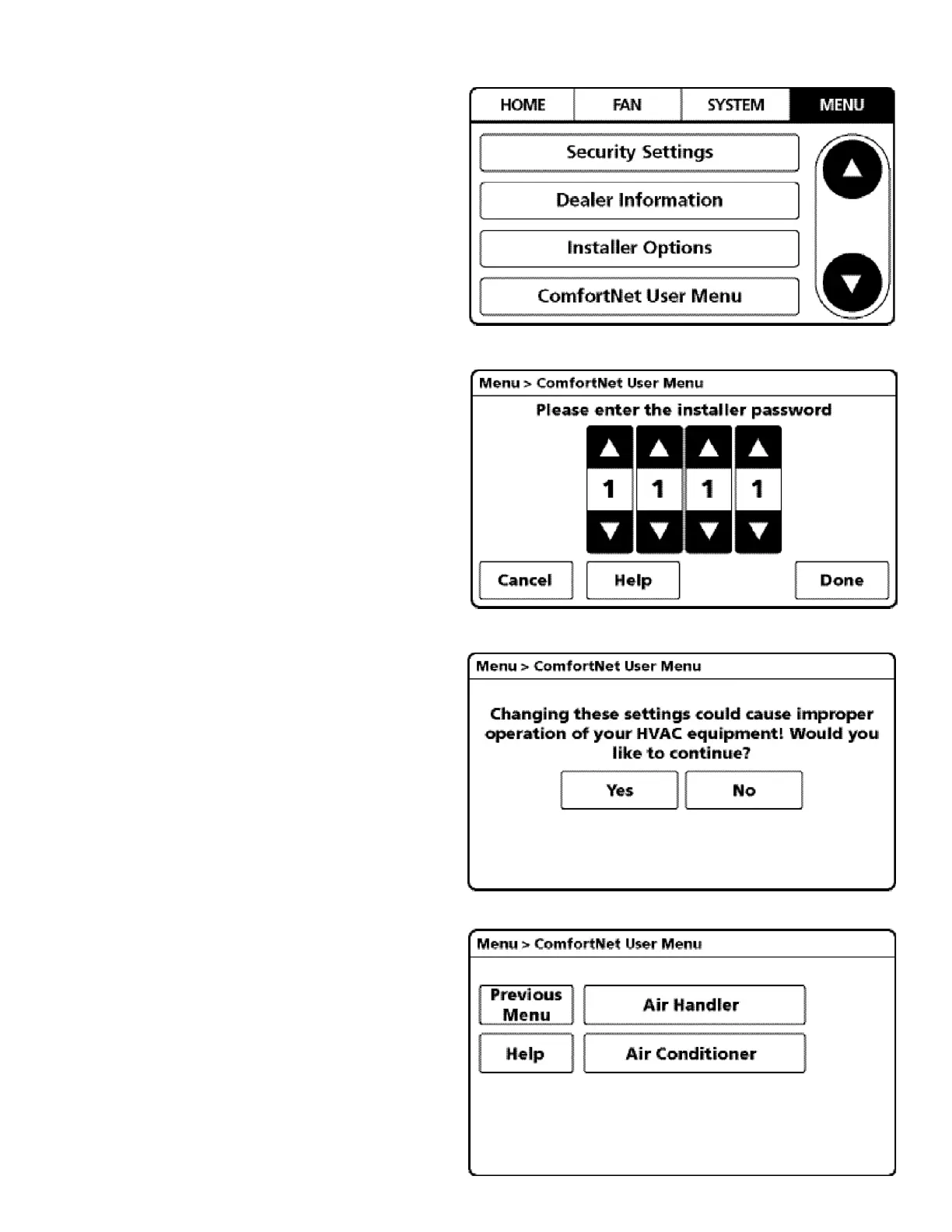
4. From the MENU screen, scroll down and select
COMFORTNET™ USER MENU.
5. Enter Installer password. (The password is the Date
Code located on the thermostat and is available by
entering the EQUIPMENT STATUS menu and
scrolling to the bottom.)
6. Select YES to continue.
7. From the ComfortNet USER MENU,
select AIR CONDITIONER.
NOTE: Screen may show air handler
or furnace depending on the type of system installed.


 To Next Page