9
Read Before Operation
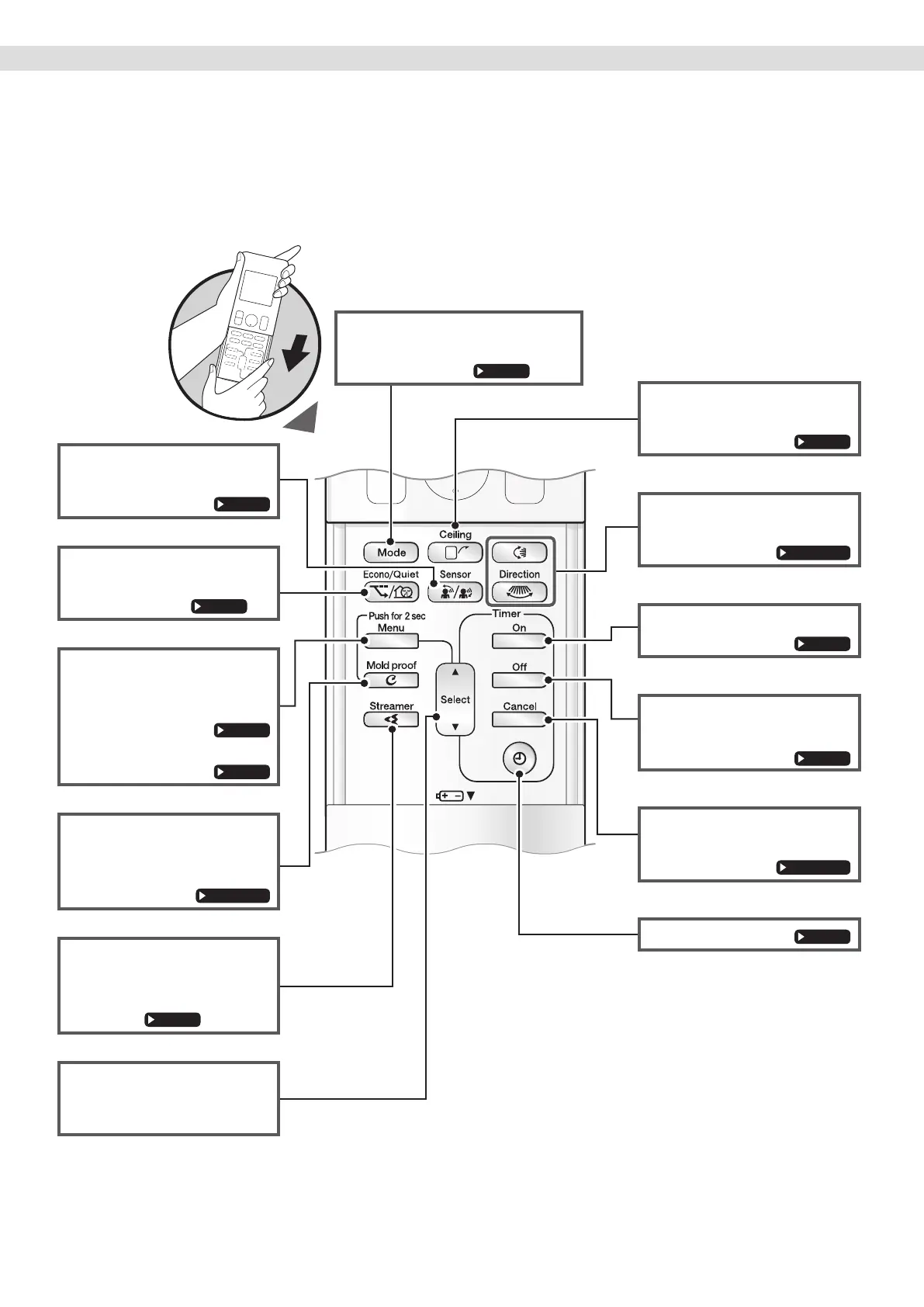
Open the front cover
Names of Parts
SENSOR button
• INTELLIGENT EYE operation.
ECONO/QUIET button
• ECONO/OUTDOOR UNIT
QUIET operation.
MENU button
(push 2 seconds)
• Adjusts the display brightness.
•
Installed position of indoor unit.
MOLD PROOF button
(push 2 seconds)
• MOLD PROOF operation.
FLASH STREAMER
AIR CLEANING button
• Flash streamer air cleaning
operation.
SELECT button
• Changes the clock, ON/OFF
TIMER settings.
CEILING button
• CEILING airow operation.
SWING button
• Adjusts the airow direction.
ON TIMER button
OFF TIMER button
(NIGHT SET mode)
TIMER CANCEL button
• Cancels the timer setting.
CLOCK button
MODE selector button
• Selects the operation mode.
(DRY/COOL/FAN)


 To Next Page