23
Useful Functions
NOTE
Notes on combining INTELLIGENT EYE operation and CEILING AIRFLOW operation
• INTELLIGENT EYE operation can operate in combination with CEILING AIRFLOW operation.
When the INTELLIGENT EYE operation is set to blow directly on people and CEILING AIRFLOW operation is activated simultaneously, the
air conditioner tracks you horizontally, without the air blowing directly on you.
• The airow rate will be set to AUTO. If the up and down airow direction is selected, the CEILING AIRFLOW operation will be canceled.
Priority is given to the function of whichever button is pressed last.
INTELLIGENT EYE Operation
The INTELLIGENT EYE sensor detects human movement and adjusts the right
and left airow direction. It can be set to avoid people or to direct airow specically
at people.
If no one is in the room for more than 20 minute, the operation automatically
changes to energy saving operation.
CAUTION
• Do not place large objects near the INTELLIGENT EYE sensor. Also keep heating units and humidiers
outside the sensor’s detection area. This sensor can detect undesirable objects.
• Do not hit or violently push the INTELLIGENT EYE sensor. This can lead to damage and malfunction.
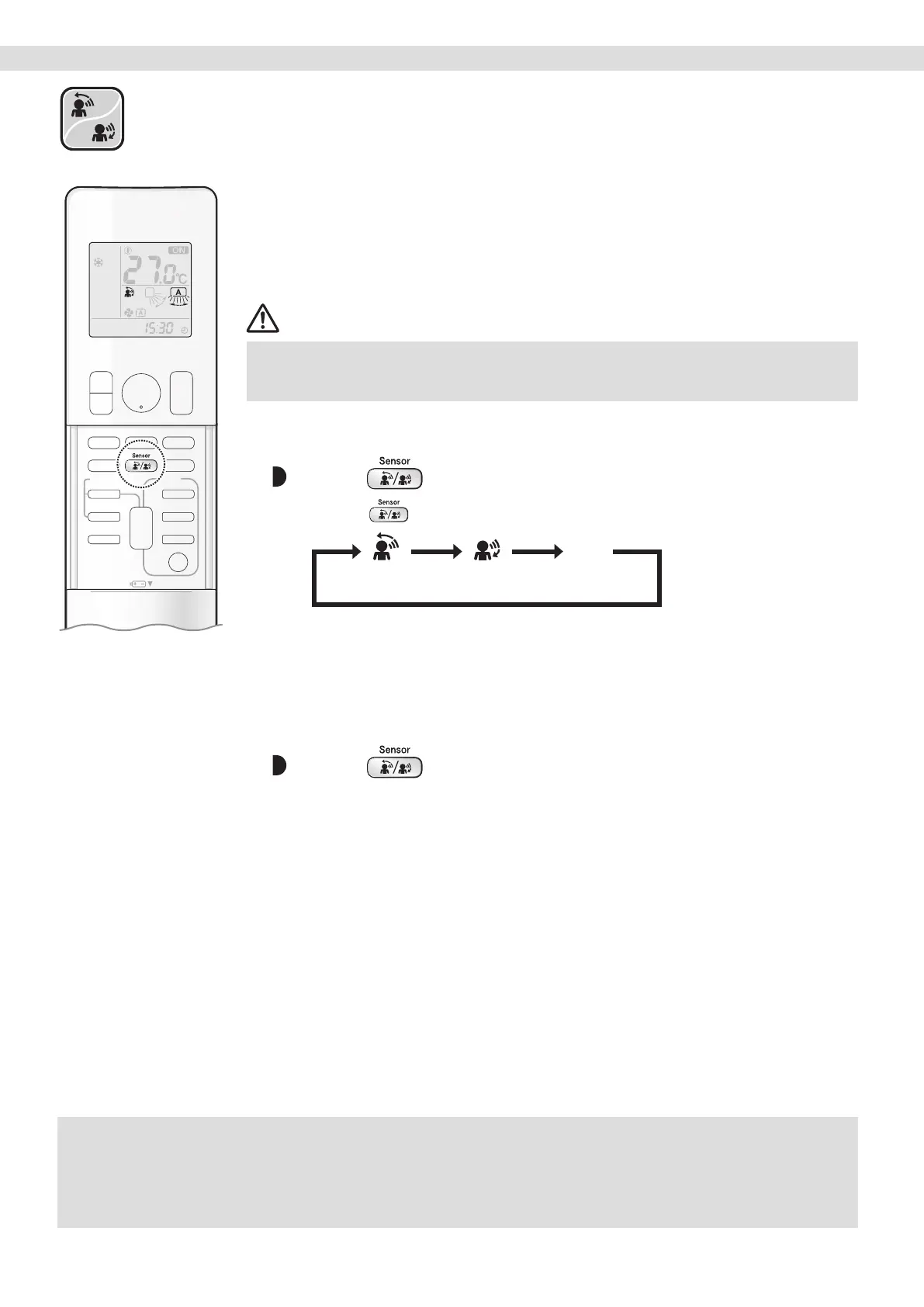
To start
Press and select the desired mode.
• Each time is pressed, a different setting option appears on the LCD.
blank
No SettingDo not blow
directly on people
Blow directly
on people
• When the louvres (vertical blades) are swinging, selecting any of the modes above will
cause the louvres (vertical blades) to stop.
• The horizontal airow direction is set to “AUTO”. The INTELLIGENT EYE sensor detects
people on the left side, right side, and in front.
To cancel
Press until no icon is displayed.


 To Next Page